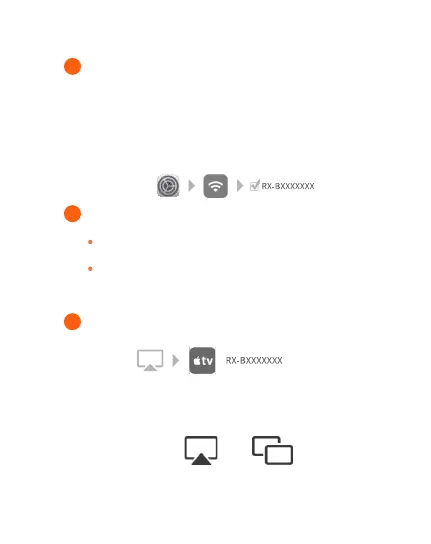
Connect your iPhone to the same network as the receiver
(same home router WIFI).
* If the product fails to connect with same home router,
please click WIFI in the phone settings page, and find the
receiver hot spot and connect it. (RX-BXXXXXXX,
password: 12345678)
1
Swipe the screen to enter the Apple Device Control Center.
2
Turn on "Screen Mirroring" and select "RX-BXXXXXXX"
in the list.
3
For example:
iPhone X or iPad with iPadOS 13 or later version: Swipe
down from the top right corner of the screen.
iPhone 8 or versions before iOS 11: Swipe up from the
bottom of the screen.
●Depending on the version of the system, the icon of screen
mirroring may be different.



 To Next Page