2.4 Zeroing
CAUTION: Do not continue to adjust windage and
elevation screws (6) (7) if you encounter resistance.
a Adjust the intensity to a comfortable setting for the red
dot to contrast clearly against the target.
b Fire at least three shots to evaluate points of impact.
c Use the Torx T10 tool (3) to turn the adjustment screws.
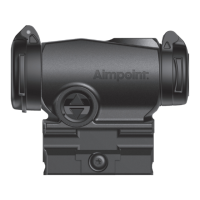
d Windage adjustments (see Fig. 4):
• Turn windage adjustment screw (6) counterclockwise
to move point of impact to the right (R).
• Turn windage screw (6) clockwise to move point of
impact to the left.
e Elevation adjustments (see Fig. 5):
• Turn elevation adjustment screw (7)
counterclockwise to move point of impact up (U).
• Turn elevation adjustment screw (7) clockwise to
move point of impact down.
f Conrm zeroing by ring at least three shots at
a zeroing target and repeat zeroing procedure if
required.
g Ensure the sight is securely installed on the weapon
and retighten the screw (12) if neccessary.
NOTE: Each click of the adjustment screws corresponds
to movement of point of impact of approximately 15 mm at
100 m / 0.5 in at 100 yds (0.5 MOA per click).


 To Next Page