2 OPERATION
WARNING: Ensure the weapon is not loaded and the
safety selector is in the ”safe” position before attempting
to install, remove or perform maintenance.
2.1 Install or replace battery
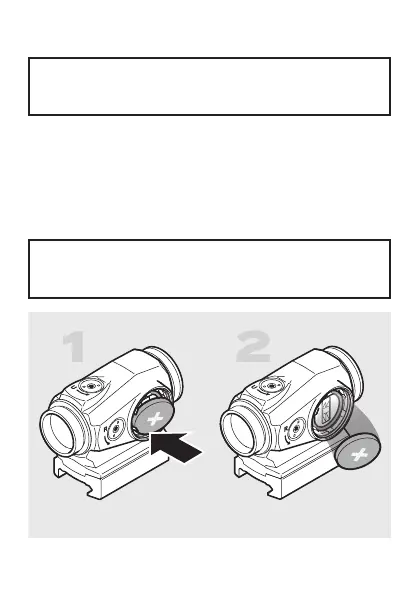
a Unscrew and remove the battery cap (4).
b If replacing battery (5), remove depleted battery from
the battery compartment by carefully pressing on an
edge as shown in Fig 2.
CAUTION: Take care not to damage the battery or the
battery compartment. Do not use sharp tools (e.g. a
knife) to remove the battery.
Fig. 2 Remove battery


 To Next Page