5.Troubleshooting
Battery Charging and Performance Issues
Problem: No LCD or LED indications, controller does not appear to have
power.
Solution:
With a multi-meter, check the voltage at the battery terminals on the controller. Battery
voltage must be 9 VDC or greater. If the voltage on the battery terminals of the
controller is between 9 and 60 VDC and no LED or LCD indicate, contact your
authorized dealer for service. If no voltage is measured, check wiring connections,
fuses
Problem:
The controller is not charging the battery.
Solution:
If the LCD indicator is normal, check the fuses, breakers and wiring connections in the
solar array wiring. With a multi-meter, check the array voltage directly at the controller
solar input terminals. Input voltage must be greater than the minimum start- up voltage
before charging will begin.
Network and Communication Issues.
Problem:
Cannot connect to the controller via communication port.
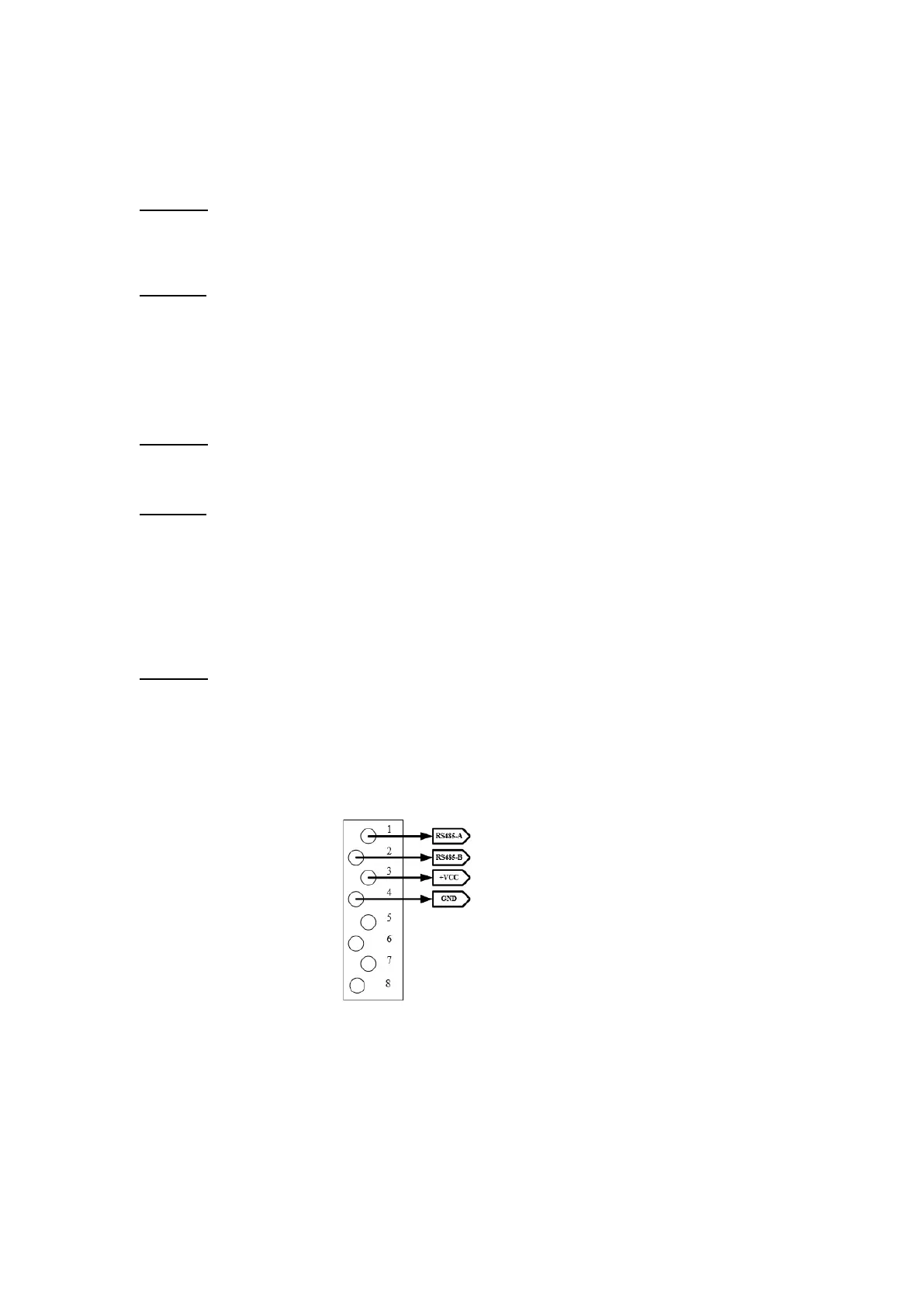
6.1 Communication port pinout
Make sure that your cable matches the RS485 communication port. The
communication port is RS485.



 To Next Page