Enabling your PTT Voice Responder
within Zello
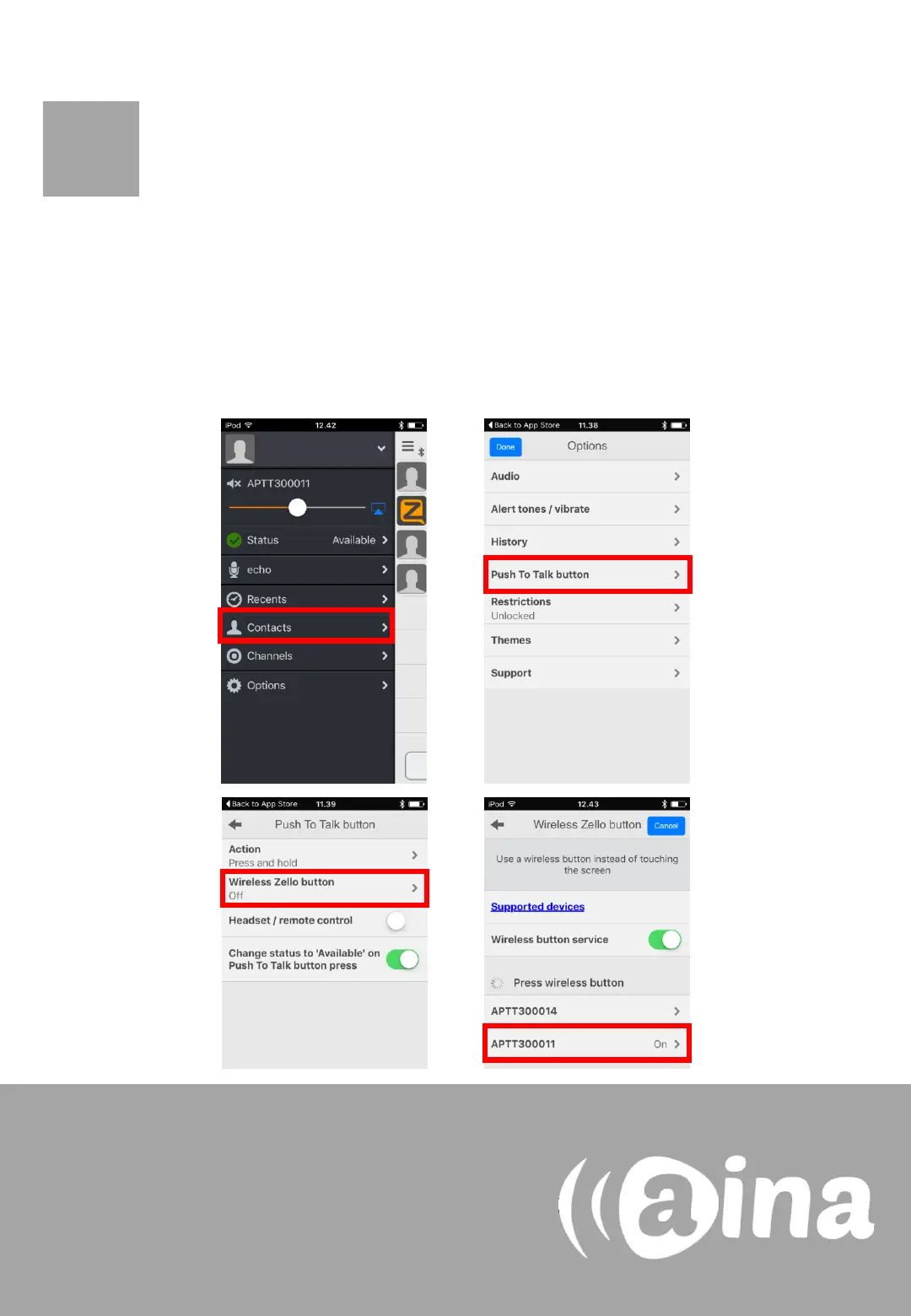
6. In the Zello application, select the three horizontal lines displayed
on the top left corner, and from the list select Options.
7. Select ’Push to talk button’.
8. Select ’Wireless Zello button’.
9. Turn this function on and select your device from the list.
6.
7.
If you cannot find your PTT Voice Responder
from the list, make sure that your Voice
Responder is still connected to your iPhone via
Bluetooth (the LED should be blinking in blue). If
it is not, perform part A again.
C
8.
9.


 To Next Page