Using your AINA PTT Voice Responder with
Zello
To get to know how your Voice Responder works and sounds with Zello,
you can use the ’echo’ contact that is automatically included in your Zello
contacts list.
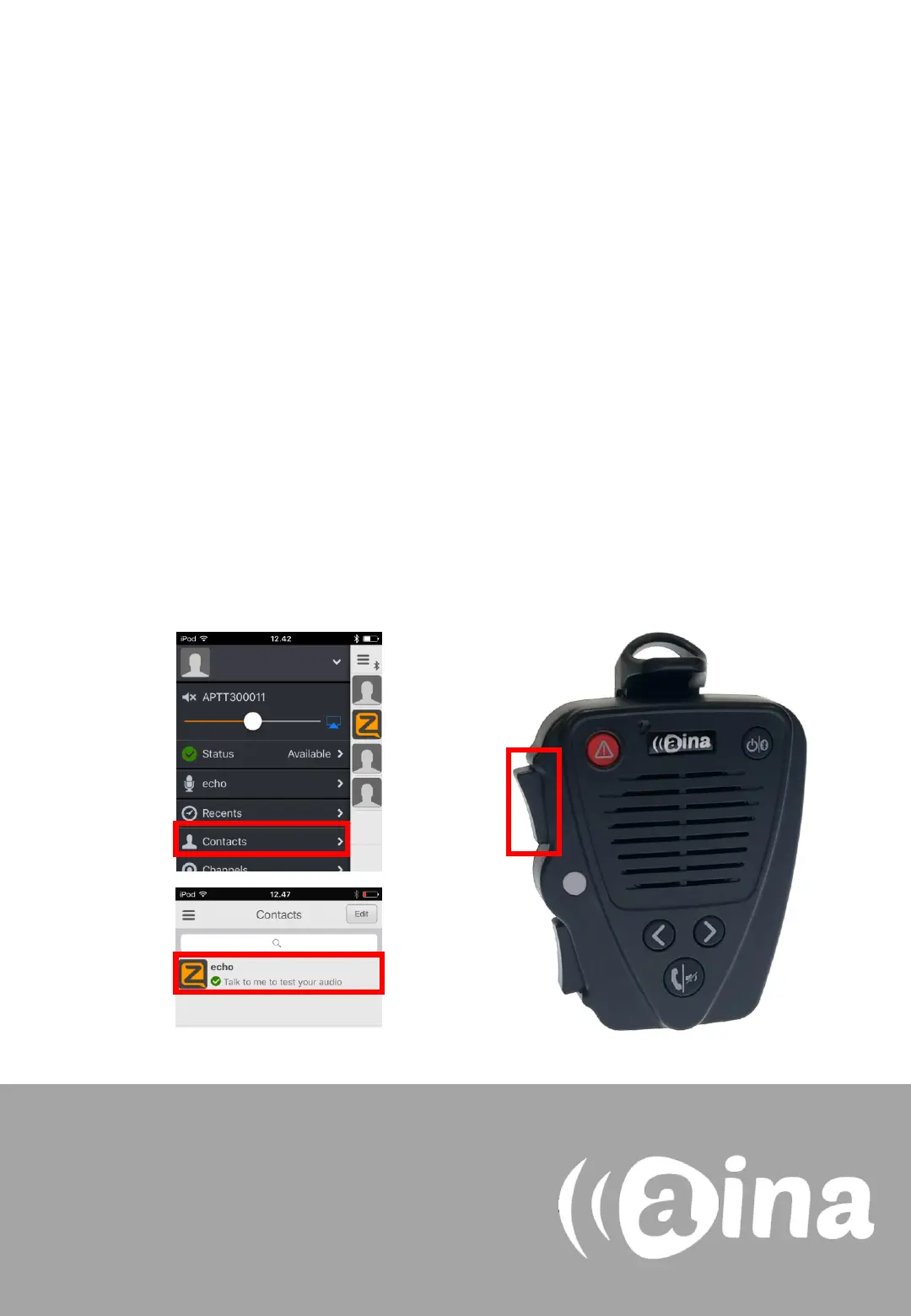
1. In the Zello application, select the three horizontal lines displayed
on the top left corner, and from the list select Contacts.
2. In the Contacts menu, select ’echo’.
3. Press and hold the primary PPT button on your Voice Responder.
After the audio indication, speak into your Voice Responder. When
you are done, release the button.
4. Your message will be played back to you from your device’s
speaker.
3.
For more information on how to use the Zello
application please visit their website:
www.zello.com
1.
2.


 To Next Page