10
Cadix CyberSign
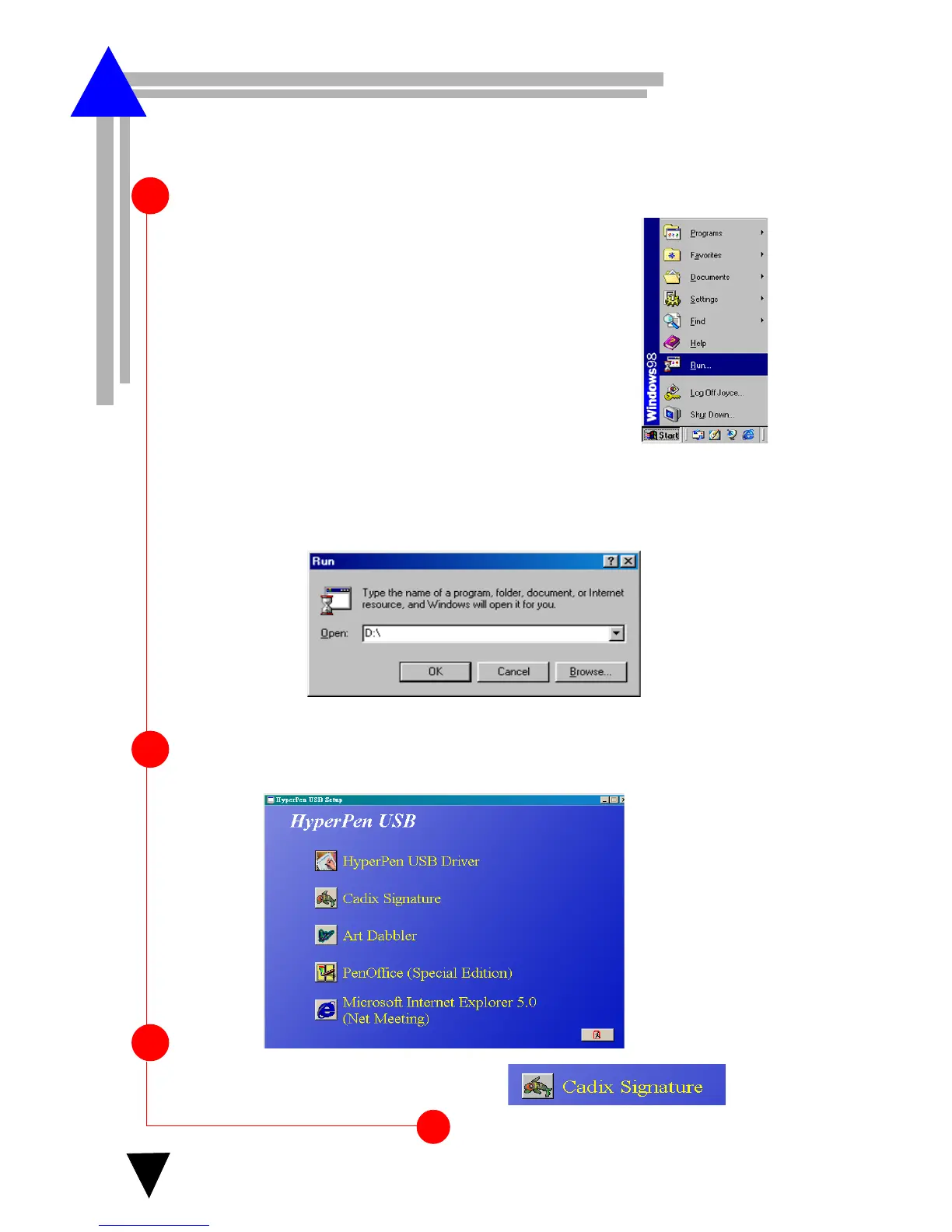
Begin by inserting the autorun installation CD. The following
screen appears(Step2).
1
2
The screen below appears.
OR
If the following screen does not appear, click Start
and choose Run.
In the Run dialog box, type “
d
:\” where drive is your CD drive and
click OK. Then choose Setup icon.
3
Click the Cadix Signature icon.
oftware Installation
S



 To Next Page