7
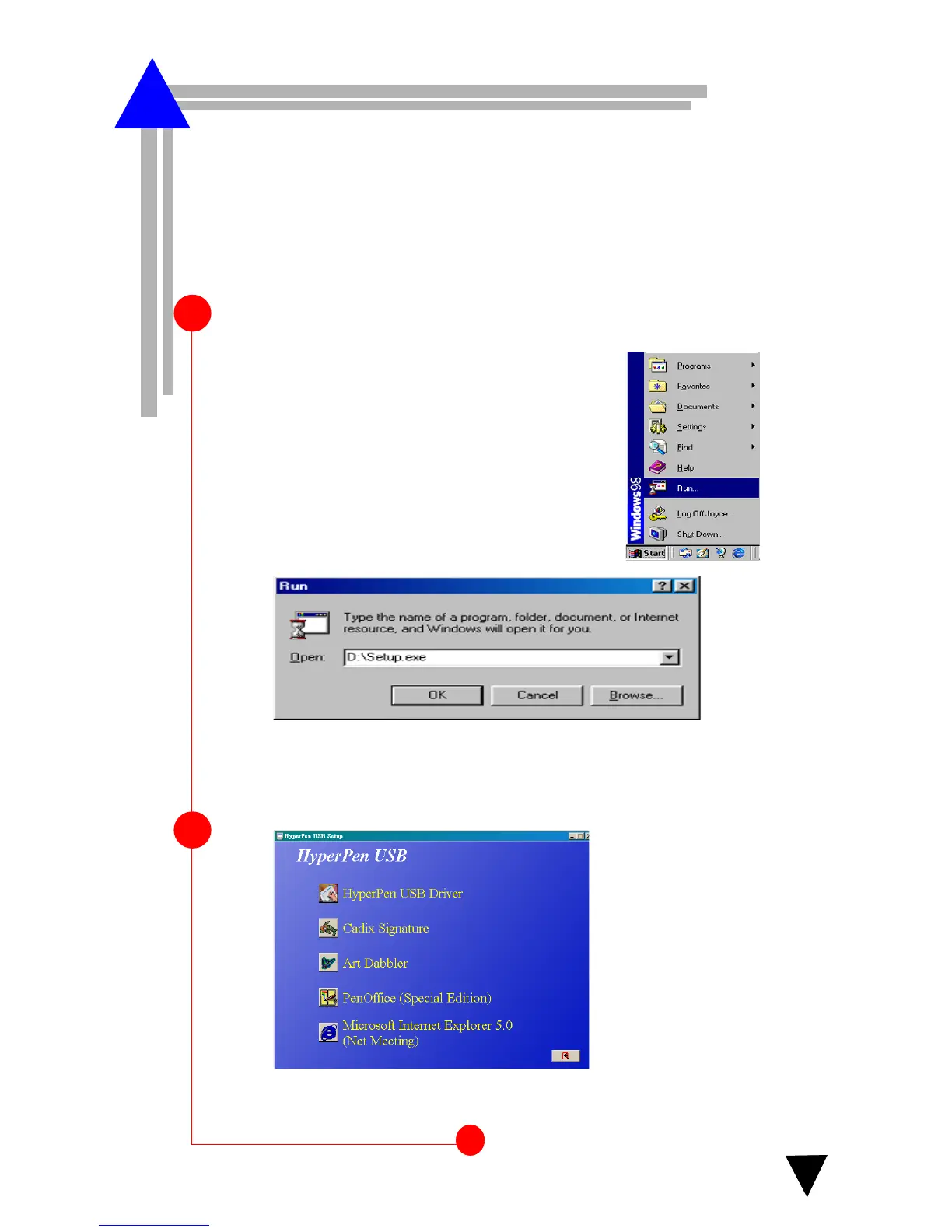
Begin by inserting the autorun installation CD. The following
screen appears(Step2).
1
2
The screen appears.
OR
If the screen in step 2 does not appear,
click Start and choose Run.
In the Run dialog box, type “
d
” or where your CD
drive is located and click OK.
ablet Installation
T
HyperPen USB Driver
*For the fastest and easiest installation of the HyperPen tablet,we recom-
mend
NOT TO connect your USB tablet until prompted to do so by the
HyperPen driver installation. The HyperPen is also supported by Plug and
Play.



 To Next Page