EasyManua.ls Logo

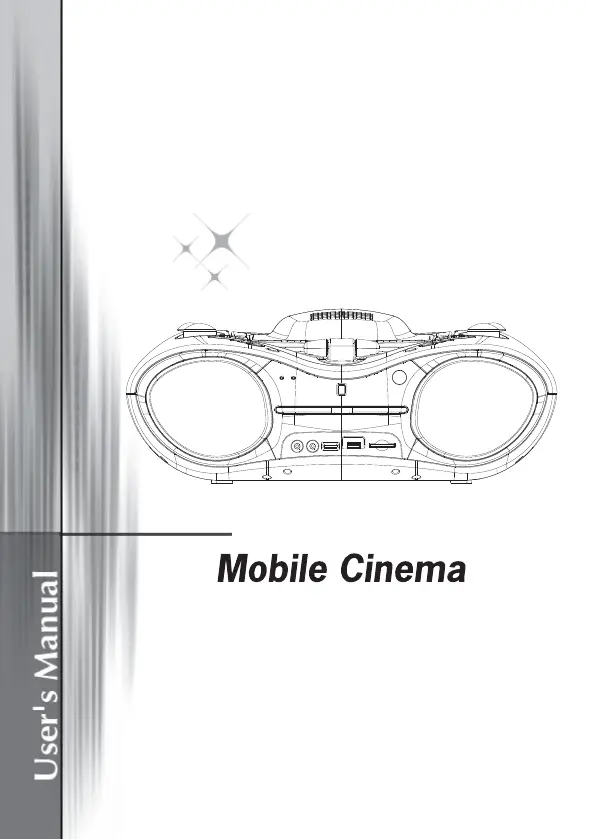
AIPTEK Mobile Cinema D20 - User Manual

AIPTEK Mobile Cinema D20
163 pages
Print Icon
To Next Page IconTo Next Page
Loading...

Table of Contents

Questions and Answers

  • G
    gabrielharringtonAug 4, 2025
    Why is there no picture or sound on my AIPTEK Projector?
    • J
      Joseph MccormickAug 4, 2025
      If your AIPTEK Projector is showing no picture or producing no sound, ensure the A/V cables are securely connected. Also, make sure the disc you are using is a compatible format like DVD (region number 1 or all), DVD-RW or AUDIO CD. Scratches or dirt on the disc can also cause this issue, so use a clean disc with the label-side facing up. For TV viewing, confirm the TV channel is set to VIDEO or AV, and check both image brightness and contrast settings. Finally, verify the TV signal strength.
  • M
    Marvin PowersAug 12, 2025
    What to do if AIPTEK Mobile Cinema D20 remote control won’t work?
    • S
      Sean JacksonAug 12, 2025
      If the remote control for your AIPTEK Projector isn't working, first, check that the battery is inserted correctly, matching the “+” and “-” directions. If the battery is flat, replace it with a new one. Ensure that you are pointing the remote control towards the remote control sensor on the DVD player without any obstacles in between.
  • F
    farmerkatelynAug 19, 2025
    Why AIPTEK Projector power does not turn on or suddenly turns off?
    • N
      Nicholas BrooksAug 19, 2025
      If your AIPTEK Projector isn't powering on or suddenly shuts off, ensure the AC cord is securely plugged into both the AC socket and the AC outlet. Try turning the power off and then back on to reset the system.
  • L
    Laura DelgadoAug 27, 2025
    Why is there no sound from my AIPTEK Projector?
    • M
      Monica TaylorAug 27, 2025
      If you're not getting any sound from your AIPTEK Projector, check the volume setting and increase it if it's set to zero. Also, ensure that headphones are not plugged into the PHONES socket, as speakers cannot be used simultaneously with headphones.

Summary

Mobile Cinema Users Manual

Welcome and Introduction

FCC Compliance Information

Details FCC Part 15 regulations, verification, declaration of conformity, and certification.

DVD Region Codes

Specifies DVD region codes for playback compatibility and supported regions.

Care and Safety Information

General Safety Warnings

Crucial warnings include avoiding liquid, no disassembly, and not facing the projector lens directly.

Hearing and Eye Safety

Advises on risks of prolonged high volume listening and staring into the projector beam.

Usage and Cleaning Guidelines

Do's and don'ts for operation, cleaning, and environmental conditions like temperature and humidity.

Getting Started

Product Overview (Top View)

Details and labels the components and controls visible on the projector's top surface.

Product Front View

Front Panel Components

Lists and labels all the functional components and ports located on the front of the device.

Product Rear View

Rear Panel Connections

Details and labels all the input/output jacks, connectors, and sockets on the rear panel.

Package Contents

Included Items List

A comprehensive list of all accessories and items provided within the product's packaging.

Remote Control Operation

Remote Control Buttons

Explains the function of each button on the remote control for operating the device.

Basic Connection

Connection Guidelines

Provides essential instructions and safety advice for connecting the player to a TV and other equipment.

Projector Operations

Projector Setup

Guides on initial setup, including powering on, warm-up time, and switching functions.

Placement and Distance

Advises on selecting an appropriate flat surface and the recommended distance for projection.

Projector Adjustments

Adjusting Focus

Explains how to fine-tune image clarity using the focus wheel based on projection distance.

Manual Power Control

Details how to manually turn the projector on and off using the dedicated button.

Connecting to TV

Illustrates the process of connecting the player to a stereo TV set using audio/video cables.

General Operations

Initial Operation Setup

Steps for powering on the player, selecting the function switch, and starting playback from discs or media.

Basic Playback Functions

Covers volume, skipping, fast forward/rewind, pause/step, and stop playback functions.

DVD Playback Features

Slow-Motion and Repeat Play

Explains how to use slow-motion playback and the repeat function for chapters, titles, or tracks.

Scene Search and Program Play

Guides on searching for specific scenes by title/chapter/time and programming playback sequences.

Advanced Playback Features

Zoom and OSD Information

Details how to zoom the picture and display on-screen information like disc type, playtime, and languages.

Audio, Angle, and Subtitle Settings

Explains changing audio language, viewing multi-angle scenes, and selecting subtitle languages.

Menu Navigation

Describes how to return to the main menu and play specific titles during playback.

Media Playback and System Settings

MP3;MPEG4 and External Media Playback

Guides on playing audio/video files from discs, USB sticks, and SD/MMC cards.

Projector Control and TV System

Covers turning the projector on/off and selecting the appropriate TV system (PAL/NTSC).

Initial Settings

Common Setup Procedures

Outlines the general steps for accessing and modifying player settings using the setup button and navigation.

System Setup Options

Details TV system, screen saver, TV type (4:3PS/4:3LB), and password protection settings.

Advanced Settings

Language and Video Setup

Covers OSD and menu language selection, and video adjustments like brightness, contrast, hue, and saturation.

Radio and Other Connections

Playing the Radio

Instructions for selecting the radio function, using the FM antenna, and tuning stations for best reception.

Headphone Jack Usage

Explains how to connect headphones for private listening and its effect on speaker output.

Microphone and Audio Input

Microphone Usage

Details connecting a microphone for karaoke or singing along, and adjusting mic volume.

Audio Input Connection

Guides on connecting external audio sources like portable radios or MP3 players to the player's audio input.

DVB-T Operations

DVB-T Initial Setup

Guides on connecting the DVB-T antenna and performing the first-time DVB-T installation.

Antenna Connection

Provides advice on connecting the DVB-T antenna for optimal signal reception, avoiding obstacles.

DVB-T Program Management

Searching and Tuning Channels

Explains how to change channels, tune to DVB-T radio, and search for programs.

Program Information and Guide

Covers displaying detailed program information, accessing the electronic program guide, and using teletext.

DVB-T System Configuration

DVB-T Channel Guide

Describes options for managing TV and radio channels, including sorting, class selection, and editing.

DVB-T System Settings

Covers TV system (PAL/NTSC), TV type (4:3), video settings, and language selection for DVB-T.

DVB-T Advanced Features

Parental Control and Time Settings

Explains changing PIN, channel lock, setting time zone, and sleep timer functions.

DVB-T Installation Methods

Details auto scan, manual scan, and default setup options for installing DVB-T channels.

Addendum

Troubleshooting Guide

Provides solutions for common issues like power, remote control, picture, sound, and projector problems.

Specifications

Technical Specifications

Lists key technical details including optical technology, resolution, projection size, playback formats, and dimensions.

AIPTEK Mobile Cinema D20 Specifications

General IconGeneral
BrandAIPTEK
ModelMobile Cinema D20
CategoryProjector
LanguageEnglish

Related product manuals