EasyManua.ls Logo

air choice A5406-8K-CH - User Manual

air choice A5406-8K-CH
22 pages
Print Icon
To Next Page IconTo Next Page
Loading...
USER
MANUAL
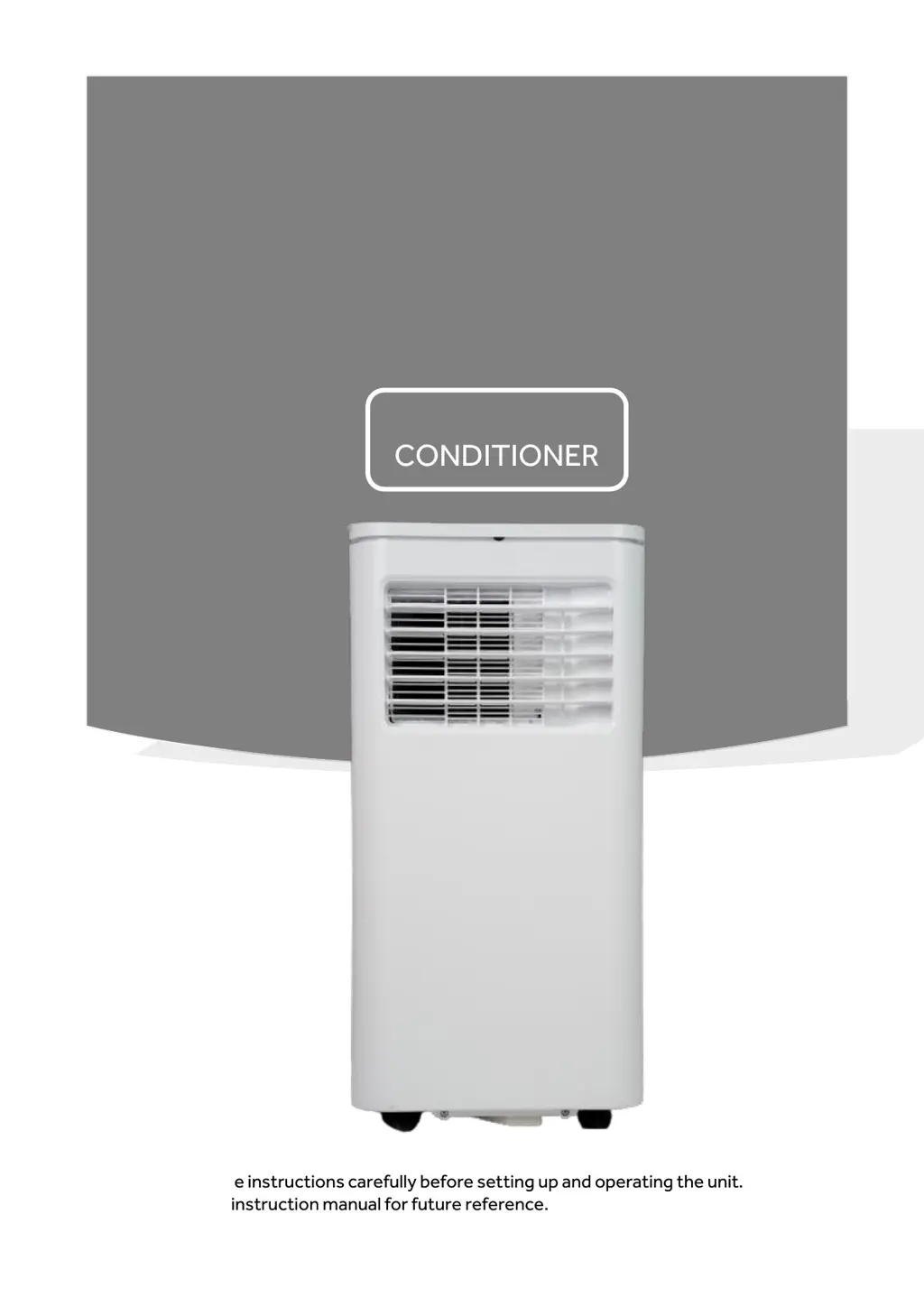
PORTABLE AIR
CONDITIONER
Read all the instructions carefully before setting up and operating the unit.
Keep this instruction manual for future reference.
MODEL:
A5406-8K-CH
A5406-10K-CH
A5406-8K-JP
A5406-10K-JP

Questions and Answers

Summary

AIR CONDITIONER SAFETY

IMPORTANT SAFETY INSTRUCTIONS

Essential warnings and precautions for safe operation and installation of the air conditioner.

PARTS AND FEATURES

INSTALLATION REQUIREMENTS

TOOLS AND PARTS

Lists the necessary tools and parts required before starting the installation process.

LOCATION REQUIREMENTS

Specifies ideal placement for the air conditioner, considering clearance and environmental factors.

ELECTRICAL REQUIREMENTS

Details power supply specifications, grounding requirements, and electrical safety.

POWER SUPPLY CORD

Outlines wiring requirements and safety notes specifically for the power supply cord.

INSTALLATION INSTRUCTIONS

STEP 1 - UNPACK AIR CONDITIONER

Instructions for safely removing the air conditioner from its packaging and preparing it.

STEP 2 - EXHAUST HOSE CONNECTION

Guidance on attaching the exhaust hose connector to the unit's exhaust nozzle correctly.

STEP 3 - CONNECT EXHAUST HOSE

Instructions for connecting the exhaust hose assembly to the air conditioner unit.

INSTALLATION INSTRUCTIONS

STEP 4 - INSTALL WINDOW PANELS

Details on how to install the window panels to properly vent the exhaust hose.

INSTALLATION INSTRUCTIONS

STEP 5 - COMPLETE INSTALLATION

Final steps to ensure the air conditioner unit is correctly installed and positioned.

CONTROL PANEL

BUTTON FUNCTIONS AND MODES

Explains the operation of Timer, Fan Speed, Mode, Power, and Sleep buttons on the control panel.

TEMPERATURE AND DISPLAY SETTINGS

Covers adjusting temperature, switching units (°C/°F), and understanding the control panel display.

REMOTE CONTROL FUNCTIONS

POWER AND MODE SELECTION

Instructions for turning the unit on/off and selecting operating modes using the remote control.

FAN SPEED AND TEMPERATURE ADJUSTMENT

How to adjust fan speed and set the desired temperature using the remote control.

SLEEP MODE AND TIMER PROGRAMMING

Guidance on activating sleep mode and setting timer functions with the remote control.

TEMPERATURE UNIT SWITCH (°C;°F)

Details how to switch the displayed temperature unit between Celsius and Fahrenheit.

SAFETY PROTECTIONS

WATER-FULL ALARM AND SHUT-OFF

Details the function of the water-full alarm and automatic shut-off protection for the unit.

COMPRESSOR AND SENSOR PROTECTION

Explains anti-frozen protection, compressor delay restart, and sensor failure detection.

AIR CONDITIONER USE

DRAIN THE INTERNAL WATER

MANUAL DRAINAGE

Step-by-step guide for manually draining accumulated water from the unit's tank.

CONTINUOUS DRAINAGE

Instructions for setting up continuous drainage using a drain hose for efficient water removal.

CARE AND MAINTENANCE

SURFACE CLEANING

Guidelines for cleaning the exterior surface of the air conditioner to maintain its appearance.

CARE AND MAINTENANCE

FILTER CLEANING

Instructions on how to clean the air filter to maintain unit efficiency and air quality.

INTERNAL WATER TANK

Procedures for emptying the internal water tank when the water-full indicator is activated.

STORAGE

TROUBLESHOOTING

DISPOSAL

WARRANTY

PACKING LIST

air choice A5406-8K-CH Specifications

General IconGeneral
Brandair choice
ModelA5406-8K-CH
CategoryAir Conditioner
LanguageEnglish

Related product manuals