Need help?
Do you have a question about the Air Live WL-5450AP and is the answer not in the manual?
Details compliance with FCC rules for Class B digital devices and potential interference.
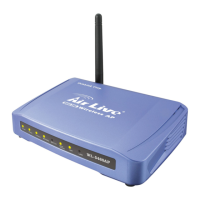
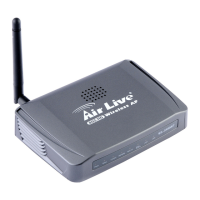
Details the purpose and status of each LED on the front panel.
Describes the physical ports and buttons on the rear of the device.
Lists default settings for Device Name, SSID, Channel, WEP, and IP Address.
Instructions for connecting the access point to the network via Ethernet.
Steps for connecting the AC power adapter and powering the device.
Explanation of Power and LAN LED behavior during operation and self-test.
Describes the four modes: AP, Bridge, Client (Ad-hoc/Infrastructure).
Explains how the device functions as an access point and how to configure it.
Details how WDS enables APs to communicate wirelessly and extend network coverage.
Explains how the device acts as a wireless station connected to a computer.
Describes configuring the device for client mode in an infrastructure network.
Explains direct peer-to-peer wireless communication for file and printer sharing.
Describes configuring the device for client mode in an ad-hoc wireless network.
Steps to connect the computer and access the web-based configuration utility.
Configure Band, Mode, Network Type, SSID, Region Domain, Channel Number.
Allows configuration of wireless security using WEP or 802.1x authentication.
Enables filtering clients based on MAC addresses (Allow Listed or Deny Listed).
Configure IP address, subnet mask, DHCP client, and MAC address settings.
Recommended procedure to set a user name and password for secure access.
 General
| Wireless Standard | IEEE 802.11b/g |
|---|---|
| Frequency Band | 2.4 GHz |
| Data Rate | Up to 54 Mbps |
| Ethernet Ports | 1 x 10/100 Mbps RJ-45 |
| Power Supply | 12V DC |
| Dimensions | 130 x 95 x 27 mm |
| Security | WEP, WPA, WPA2 |
| Interface | Web-based |
| Antenna | 2dBi |
| Operating Modes | Bridge, Repeater |
| Operating Humidity | 10% to 90% (non-condensing) |


 To Next Page