Need help?
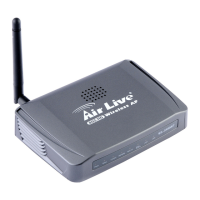
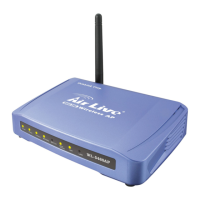
Do you have a question about the Air Live WL-5460AP and is the answer not in the manual?
Covers the installation process, including package contents, hardware, and connection setup.
Guides users on how to physically connect the WL-5460AP to their network.
Explains the procedure to switch between the different operational modes of the WL-5460AP device.
Details the various operational modes the WL-5460AP can function in, such as AP, Client, and Bridge.
Describes the Access Point mode where the device connects wireless clients to a wired network.
Explains the Client mode, allowing the device to act as a wireless station connected to another AP.
Details the Bridge mode, enabling the device to extend a wired network wirelessly.
Describes the WDS Repeater mode for extending wireless coverage between APs.
Explains the Universal Repeater mode for extending wireless coverage without WDS support.
Covers configuring security settings like WEP, WPA, and WPA2 for the wireless network.
Covers Quality of Service settings to manage bandwidth and traffic.
 General
| Wireless Standards | IEEE 802.11b/g |
|---|---|
| Frequency Band | 2.4 GHz |
| Data Rate | Up to 54 Mbps |
| Security | WEP, WPA, WPA2 |
| Antenna | 2 dBi detachable dipole antenna |
| Ports | 1 x 10/100 Mbps RJ-45 Ethernet Port |
| Operating Modes | Repeater, WDS |

 To Next Page