Need help?
Do you have a question about the Air Master AML 300 and is the answer not in the manual?
Covers manual reading, manufacturer rights, and general warnings. Includes prohibited usage and service safety.
Lists prohibited usage conditions and essential service safety precautions before maintenance.
Introduces the Airling control system, its components, and primary functions.
Explains the functional diagram of a typical air handling unit and its components.
Identifies physical controls, buttons, symbols, and indicators on the Airlinq Viva panel.
Describes the automatic operating lock feature and how to cancel it.
Explains how to activate and deactivate the child lock feature on the panel.
Covers starting, stopping, and manual overrides for unit operation.
Details the procedures for placing the unit in standby and switching it off.
How to adjust airflow when the automatic operating lock is active.
How to adjust airflow when the automatic operating lock is inactive.
Explains how to activate and deactivate the holiday mode function.
Describes the symbols and lights for warnings and alarms on the panel.
Lists causes for yellow warnings and required actions for continued operation.
Lists causes for red alarms and required actions to prevent damage.
Identifies controls, symbols, and explains touch screen operation.
Describes the automatic operating lock feature and its activation.
How to set airflow when panel locks (operation/screen) are active.
How to set airflow when panel locks are inactive.
Details how automatic operation is initiated via timers, sensors, or external contacts.
Explains how to access and use various menu options and functions.
Procedures for starting, manual control, and placing the unit in standby.
How to switch the unit off using the control panel.
Steps to manage the holiday mode function.
How to view unit status details like flow, filters, and operation time.
Lists and defines various operational parameters like temperature, flow, and fan speeds.
Explains the different sources or methods by which the unit can be started and controlled.
Explains the meaning of different operational states the unit can be in.
Adjusting operational parameters based on local conditions via the setup menu.
Setting up and managing timer programs for ventilation control.
Guides on modifying existing or adding new timer programs for ventilation.
Explains the procedure to delete timer programs from the system.
Discusses setting default and required inlet temperatures for optimal operation.
How to set and synchronize the unit's date and time.
Setting default values for airflow and inlet temperature.
How the unit manages and responds to high inlet or room temperatures.
Procedures for resetting service timers and managing data logs.
Explains the guided setup process for new installations and sensor integration.
How to activate and deactivate the screen lock feature for security.
Shows current CO₂ levels and related status symbols on the panel.
Explains the Building Management System concept and provides a setup example.
How to choose which group or unit to control within the BMS.
Procedures for controlling multiple units or entire groups simultaneously.
How warnings and alarms are displayed with unit IDs in a BMS system.
Details specific yellow warning conditions and their causes.
Details specific red alarm conditions and their causes.
Details setting up timer programs for ventilation control.
Explains the night cooling feature, its parameters, and optimization.
Describes the purpose and operation of the holiday mode function.
How to integrate external switches for unit control.
How the unit responds to PIR sensor input for start/stop functions.
Explains airflow control based on CO2 levels and parameters.
How to temporarily increase airflow using the boost function.
Controlling the unit via an analogue Building Management System.
How the cooling module functions to reduce air temperature.
Details the 'Low Temp' internal control function to prevent ice formation.
Explains Comfort and Green modes for virtual preheat operations.
How the unit manages high inlet or room temperatures.
Instructions for cleaning the exterior of the air handling unit and its components.
Guidance for internal cleaning, especially during filter changes.
Steps for cleaning the condensate pump and tray for optimal function.
Safety warnings and procedures to follow before replacing filters.
Methods for resetting the service alarm after filter replacement.
Specific instructions for changing filters in the cooling module.
Diagrams showing filter locations for CV80-200, DV1000, AML/AMP300-800.
Step-by-step guide for filter replacement on specified models.
Step-by-step guide for filter replacement on AMP900 and AMP1200 units.
Visual guide to filter placement in AMP900 units.
Visual guide to filter placement in AMP1200 units.
Lists M5 filter types, locations, and dimensions for various units.
Lists F7 filter types, locations, and dimensions for various units.
Instructions for adjusting air inlet louvres on different unit models.
Safety and disposal guidelines for the cooling module.
Troubleshooting common operational issues like no operation or cold air.
Details about the manufacturer and the product range covered by the declaration.
Statements regarding the product's compliance with relevant EC directives.
Definitions of technical terms and abbreviations used throughout the manual.
Concise overview of essential operations and indicators on the Airlinq Viva panel.
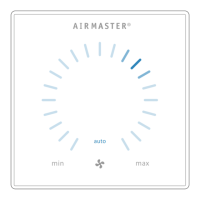
Concise overview of essential operations and indicators on the Airlinq Orbit panel.
 General
| Brand | Air Master |
|---|---|
| Model | AML 300 |
| Category | Fan |
| Language | English |


 To Next Page