Need help?
Do you have a question about the Air Master AML 800 and is the answer not in the manual?
Covers mandatory manual reading, manufacturer's rights, and restrictions on unit usage to prevent damage or hazard.
Highlights critical warnings related to service access, accidental operation, and potential risks of injury or damage.
Information on guide availability, network data download, and recording installation details.
Introduces the Airling system, its focus on ventilation control, and benefits for indoor climate.
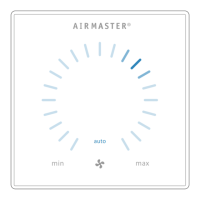
Describes the two available control panel types: Airling Viva (white) and Airling Orbit (black).
Explains PC connectivity using 'Airling User Tool' and 'Airling Service Tool' for operation and maintenance.
Highlights core functionalities: airflow control, timers, sensors, de-icing, monitoring, alarms, and BMS integration.
Identifies and describes the physical buttons, indicators, and ports on the Airling Viva control panel.
Explains how to activate/cancel the automatic operating lock and the child lock features on the Viva panel.
Details the procedures for starting, placing on standby, and switching off the air handling unit via the Viva panel.
Provides step-by-step instructions on manually setting the air flow rate using the Viva control panel's touch-sensitive area.
Explains how to activate and deactivate the holiday mode for basic ventilation during room absence.
Details the visual indicators for warnings (amber) and alarms (red) shown on the Viva control panel.
Provides explanations for yellow warnings and red alarms, including causes and recommended actions.
Identifies and describes the physical controls, touch screen, and indicators on the Airling Orbit control panel.
Explains how to activate and cancel the automatic operating lock on the Orbit control panel.
Provides step-by-step instructions on manually setting the air flow rate using the Orbit control panel.
Explains how automatic operation is initiated via timers, sensors, or external contacts on the Orbit panel.
Details how to access and navigate the operating menu on the Orbit control panel.
Explains how to start, set to standby, and initiate manual operation from the Orbit menu.
Details the procedure for switching the unit off using the Orbit control panel.
Explains how to activate and deactivate the holiday mode on the Orbit control panel.
Explains how to access and interpret the unit's operational status information via the Orbit panel.
Details various operational parameters like temperature, flow, fan speeds, and module status on the Orbit panel.
Lists the various sources or methods by which the unit can be started when using the Orbit panel.
Describes different operation states and active internal control system functions displayed on the Orbit.
Details how to set up timer programs for timer-controlled ventilation and night time cooling.
Explains how to adjust, activate, deactivate, add, or remove timer programs for ventilation control.
Provides detailed steps for adjusting, adding, and removing timer programs via the control panel.
Explains default and required temperature settings and limitations for heating the room.
Details how to set and synchronize the date and time for the air handling unit.
Explains settings for default air flow and inlet temperature used for automatic starts.
Describes the high temperature limit and its effect on cooling processes for room comfort.
Instructions on how to reset the filter change alarm or service timer after maintenance.
Information on the unit's data logging capabilities, activation, and data download.
Details the initial setup guide for new installations and configuring essential operational parameters.
Explains how to activate, deactivate, and set the screen lock for preventing accidental operation.
Shows how to view the current CO2 level when a CO2 sensor is actively connected to the unit.
Describes the Airling BMS for controlling multiple units, group masters, and sensor integration for centralized management.
Explains how to select and identify groups or individual units within the Airling BMS for control.
Details how to start, set to standby, and switch off groups or individual units within the BMS.
Shows how warnings (yellow) and alarms (red) are indicated on the control panel main screen.
Explains the meaning and causes of yellow warnings and red alarms for diagnostics and action.
Explains the automatic control of the unit based on a timer with multiple independent programs.
Details the function of night time cooling for reducing room temperature based on specific parameters.
Explains the use of holiday mode for basic ventilation during room absence to conserve energy.
Covers starting and stopping the unit automatically using external contacts like switches or hygrostats.
Details starting and stopping the unit based on movement detected by a PIR sensor for automated operation.
Explains how CO2 sensors can control air flow linearly or manage the unit's complete operation based on CO2 levels.
Explains the boost function for temporary adjustment of airflow using external switches connected to the unit.
Details how to control the unit, start/stop, and regulate airflow/temperature using an analogue BMS.
Explains the operation of the cooling module for reducing outside air temperature based on demand.
Details the 'Low Temp' function to protect the heat exchanger against ice formation at low outside temperatures.
Explains the Preheat function, using electric surfaces, to ensure operation at low outside temperatures.
Details 'Comfort mode' and 'Green mode' for virtual preheat at low temperatures, adjusting ventilation balance.
Explains the 'High Temp' function to manage inlet and room temperatures when conditions become high.
Provides general recommendations for servicing and maintenance, emphasizing authorized experts and regular checks.
Instructions for cleaning the control panel, sensors, and exterior of the air handling unit using soft materials.
Details internal cleaning procedures, especially when changing filters, ensuring component cleanliness.
Provides instructions for cleaning the condensate pump, tray, and hoses to ensure proper drainage.
Explains the filter monitoring system and the necessity of timely filter replacement for optimal performance.
Details procedures for resetting the filter change alarm or service timer on Airling Viva, Orbit, and units without panels.
Step-by-step guide for replacing filters in the cooling module, including opening the base plate and filter direction.
Provides specific filter change instructions for CV80-200, DV1000, AML100-800, and AMP300-800 units, including condensate removal.
Details the filter replacement process for AMP900 and AMP1200 units, including opening covers and filter insertion.
Illustrates the locations and types of filters for AMP900 and AMP1200 units for correct replacement.
Lists M5 filter types, their locations (Supply/Extracted air), and dimensions for various Airmaster units.
Lists F7 filter types, their locations (Supply air), and dimensions for various Airmaster units.
Instructions on adjusting inlet opening louvres using cover plates and pliers for AML/AMP units to control inlet direction.
Safety instructions for the cooling module concerning maintenance, repair, transport, storage, and disposal.
Describes common unit faults like blank panels, inability to operate, cold air, and room cold issues with diagnostic steps.
Provides manufacturer details, product list, and confirmation of conformity to relevant EC directives.
Lists the specific EC directives related to machinery and electromagnetic compatibility that the product adheres to.
Provides a comprehensive list of abbreviations and their meanings used throughout the manual for technical clarity.
A visual overview of the Airling Viva control panel, highlighting key buttons, symbols, and functions.
Summarizes essential operations such as setting airflow, activating modes, and controlling unit start/stop.
A visual overview of the Airling Orbit touch screen panel, detailing controls, symbols, and functions.
Summarizes essential operations like setting airflow, CO2 levels, activating modes, and controlling unit start/stop.
 General
| Brand | Air Master |
|---|---|
| Model | AML 800 |
| Category | Fan |
| Language | English |


 To Next Page