EasyManua.ls Logo

Air Techniques PERI-PRO III - User Manual

Air Techniques PERI-PRO III
16 pages
Print Icon
To Next Page IconTo Next Page
Loading...
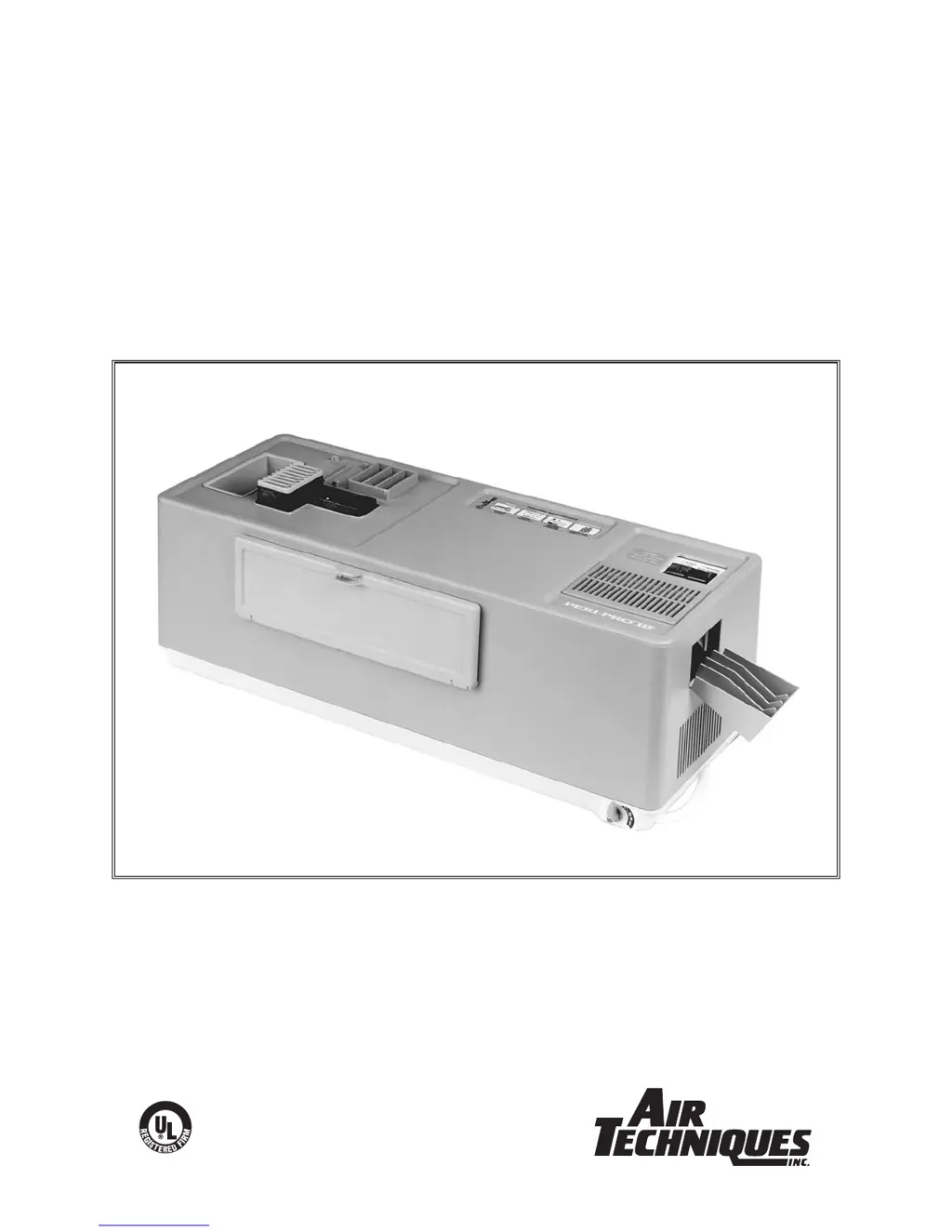
PERI-PRO III
INTRA-ORAL
FILM PROCESSOR
USER’S MANUAL
®
A6732 ISO 13485:1996
ISO 9001:2000
Air Techniques Inc.
Hicksville, NY

Questions and Answers

  • J
    Jonathan WilsonSep 23, 2025
    How to inspect daylight loader cuffs on Air Techniques Computer Hardware?
    • T
      tina54Sep 23, 2025
      If images or shadows of other films appear on the developed Air Techniques Computer Hardware film, inspect for worn or damaged cuffs and replace them if light may be leaking around the daylight loader cuffs.
  • J
    Jennifer HendersonAug 25, 2025
    What to do if film is not dry after using Air Techniques Medical Equipment?
    • B
      Brandon SmithAug 25, 2025
      If the film from your Air Techniques Medical Equipment is not drying properly, there are several potential causes: * The film being used may be improper or outdated. Check the date on the film box and ensure it's recommended for automatic processing. * The chemistry may be depleted. Change the chemistry after processing 300-350 films or every 2 weeks, whichever comes first. * The chemistry may be contaminated. Dispose of the chemistry and clean the equipment with Formula 2000 Plus. Then, replace the chemistry and water. * Ensure you are using the specially formulated Peri-Pro chemistry to maintain film and archival quality. If these steps don't resolve the issue, it could be related to defective components, requiring assistance from authorized dealers.
  • M
    marcus66Aug 25, 2025
    Why is film too dark or grainy when using Air Techniques Medical Equipment?
    • A
      Ariel WalkerAug 26, 2025
      If your Air Techniques Medical Equipment is producing film that is too dark or grainy, here's what you can do: * Make sure the film hasn't been exposed to light by checking for light leaks in the darkroom or daylight loader. Ensure the inlet cover is in place before leaving the darkroom or removing hands from the daylight loader cuffs. * Use Peri-Pro chemistry to ensure film quality and archival quality. If these steps don't resolve the issue, it could be related to developer temperature or X-ray machine settings, requiring assistance from authorized dealers.
  • V
    vegarichardAug 27, 2025
    Why is the film cloudy or has a brownish surface after using Air Techniques Medical Equipment?
    • J
      Jeffery ParkerAug 27, 2025
      If the film processed by your Air Techniques Medical Equipment appears cloudy or has a brownish surface, consider the following: * The fixer may be exhausted. Change the chemistry after processing 300-350 films or every 2 weeks, whichever comes first. * The fixer temperature may be too low. Wait until the ready light stays on continuously, indicating that the set-point has been reached. * The film may be improper or outdated. Check the date on the film box and ensure that the film being used is recommended for automatic processing.
  • J
    Jose HollowaySep 23, 2025
    What to do if the Air Techniques Computer Hardware processor doesn’t operate?
    • J
      Joshua BarkerSep 23, 2025
      Plug in the line cord.
  • S
    Steven BondSep 13, 2025
    Why is my Air Techniques Computer Hardware film too light?
    • J
      Jonathan TurnerSep 13, 2025
      If your Air Techniques Computer Hardware film is too light, check the date on the film box. The film may be improper or outdated.
  • B
    Brian StevensonSep 12, 2025
    Why does my Air Techniques Computer Hardware film have black edges?
    • C
      Carlos AndersonSep 12, 2025
      If the Air Techniques Computer Hardware film has a black edge, the safe light may be defective or too close. Ensure the light is at least 4 feet away from the work area.
  • J
    Jordan MooreSep 12, 2025
    How to fix diagonal lines on Air Techniques Computer Hardware film?
    • E
      Eric WarnerSep 12, 2025
      If the Air Techniques Computer Hardware film has a diagonal or curved line, ensure the chemistry is at the fill line. If not, top off the tank to the fill line with water.
  • H
    hollowaymarySep 4, 2025
    How to fix black edges on film from Air Techniques Computer Hardware?
    • M
      Michelle BradySep 4, 2025
      If your Air Techniques Computer Hardware film has a black edge, check for light leaks in the darkroom or daylight loader. Ensure the inlet cover is on before leaving the darkroom or removing hands from the daylight loader cuffs.
  • J
    Joseph RochaSep 2, 2025
    How to fix film that is too light with Air Techniques Computer Hardware?
    • C
      Charlene ByrdSep 2, 2025
      If your Air Techniques Computer Hardware film is too light, the developer may be exhausted. Replace the chemistry after every 300-350 films or every 2 weeks—whichever comes first.

Summary

Installation

Unpacking Procedures

Steps to unpack the Peri-Pro III processor and its accessories from the shipping box.

Filling Chemistry and Water Tanks

Instructions for filling the developer, fixer, and water tanks with appropriate solutions.

Assembling the Processor

Guidance on assembling the processor components, including transport and cover.

Verifying Refill Access Door

Checking the operation of the refill access door for maintenance access.

Operation

Operator Controls and Indicators

Explains the function of the power switch, ready light, film inlet shutter, and refill access door.

Processing Film

Outlines the general procedure for processing films, including loading and initiation.

Specific Film Loading

Describes how to load specific film sizes (#0, #1, #3, #4) using appropriate carriers.

Maintenance

Daily Water Change Procedure

Procedure for daily changing and refilling the water tank.

Bi-Weekly Maintenance

Steps for cleaning the film transport and replacing developer and fixer chemistry.

Quarterly Cleaning

Instructions for quarterly cleaning of the processor using Formula 2000.

Troubleshooting

Film Quality Problems

Addresses common film quality problems like too light, too dark, or cloudy appearance.

Film Handling and Drying Issues

Solutions for issues like film not drying, black edges, or improper film exit.

Developer and Image Artifacts

Troubleshooting for developer contamination, image artifacts, and film not exiting.

Operational and Chemistry Temperature Issues

Solutions for shutter problems, processor non-operation, and chemistry temperature issues.

Air Techniques PERI-PRO III Specifications

General IconGeneral
BrandAir Techniques
ModelPERI-PRO III
CategoryComputer Hardware
LanguageEnglish