EasyManua.ls Logo

Air Techniques PERI-PRO III - User Manual

Air Techniques PERI-PRO III
16 pages
Print Icon
To Next Page IconTo Next Page
Loading...
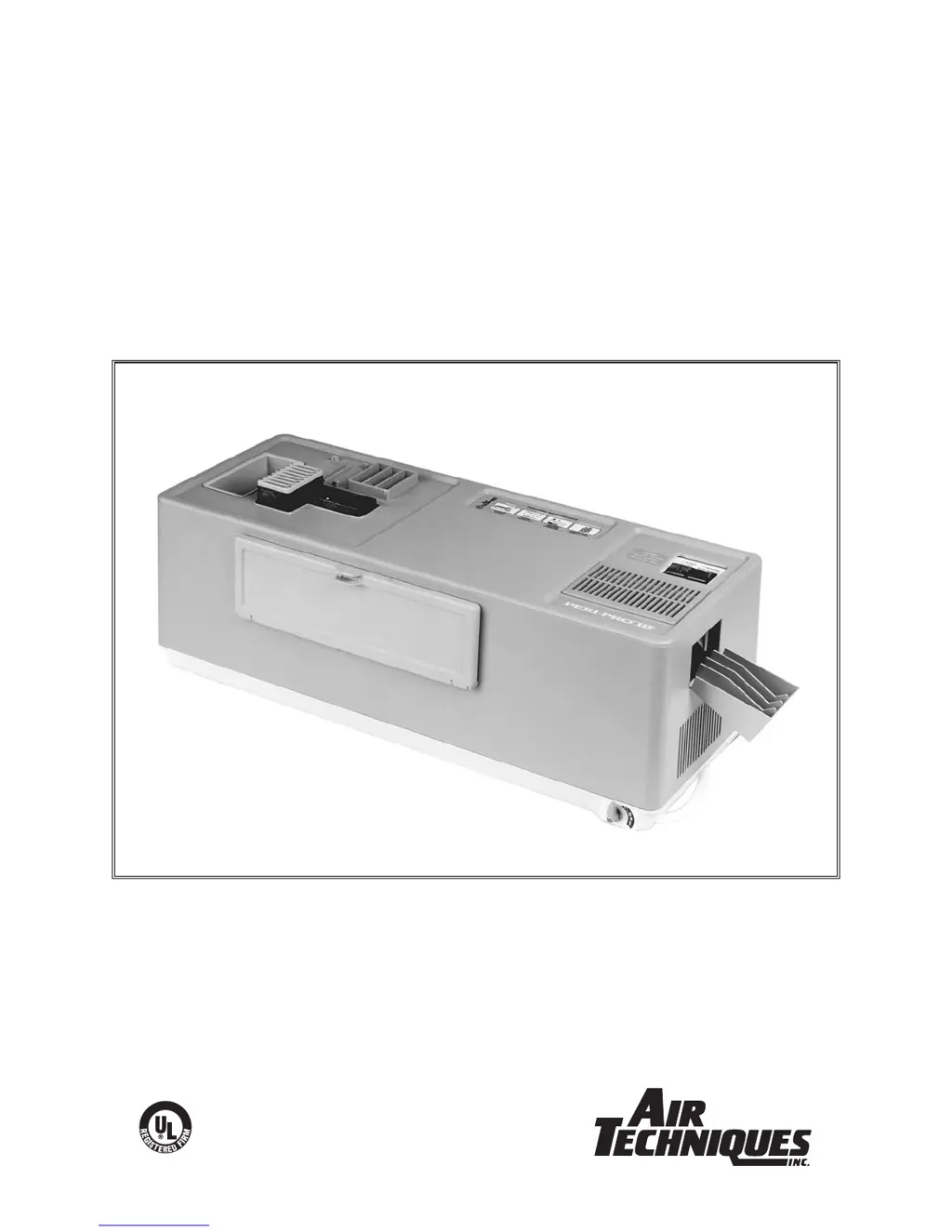
PERI-PRO III
INTRA-ORAL
FILM PROCESSOR
USER’S MANUAL
®
A6732 ISO 13485:1996
ISO 9001:2000
Air Techniques Inc.
Hicksville, NY

Questions and Answers

  • B
    Brian StevensonSep 12, 2025
    Why does my Air Techniques Computer Hardware film have black edges?
    • C
      Carlos AndersonSep 12, 2025
      If the Air Techniques Computer Hardware film has a black edge, the safe light may be defective or too close. Ensure the light is at least 4 feet away from the work area.
  • J
    Jeremy RiveraSep 9, 2025
    What causes dark film from Air Techniques Computer Hardware?
    • T
      Tom BlackburnSep 9, 2025
      If your Air Techniques Computer Hardware film is too dark, and has been exposed to light, check for and correct any light leaks in the darkroom or daylight loader. Place the inlet cover on the film inlet before leaving the darkroom or before removing hands from the daylight loader cuffs.
  • R
    Ruth MosleySep 8, 2025
    Why is Air Techniques Computer Hardware film not drying properly?
    • A
      Allison OlsenSep 8, 2025
      If the Air Techniques Computer Hardware film is not drying properly, ensure the film being used is recommended for automatic processing and check the date on the film box. The film may be outdated or improper.
  • C
    Cody MeyerSep 7, 2025
    Why is my Air Techniques Computer Hardware film cloudy or brownish?
    • M
      masonaprilSep 7, 2025
      If your Air Techniques Computer Hardware film is cloudy or has a brownish surface, the film may be outdated or improper. Check the date on the film box and ensure the film is recommended for automatic processing.
  • M
    Michael AllisonAug 23, 2025
    How to fix film that is too light with Air Techniques Medical Equipment?
    • M
      mwilliamsAug 23, 2025
      To address film that is too light when using Air Techniques Medical Equipment, consider the following: * The developer may be exhausted. In this case, change the chemistry after processing 300-350 films or every 2 weeks, whichever comes first. * The developer might be contaminated. If so, dispose of the chemistry and clean the equipment with Formula 2000 Plus. Then, replace the chemistry and water. * Ensure you are using the specially formulated Peri-Pro chemistry to maintain film and archival quality. * Check the expiration date on the film box to ensure the film is not outdated. If these steps don't resolve the issue, it could be related to the chemistry temperature or the X-ray machine settings, requiring assistance from authorized dealers.
  • R
    richardriceSep 5, 2025
    How to fix film that is cloudy or has brownish surface with Air Techniques Computer Hardware?
    • T
      Thomas McdanielSep 5, 2025
      If the Air Techniques Computer Hardware film is cloudy or has a brownish surface, the fixer may be exhausted. Replace the chemistry after 300-350 films or 2 weeks, whichever comes first.
  • H
    hollowaymarySep 4, 2025
    How to fix black edges on film from Air Techniques Computer Hardware?
    • M
      Michelle BradySep 4, 2025
      If your Air Techniques Computer Hardware film has a black edge, check for light leaks in the darkroom or daylight loader. Ensure the inlet cover is on before leaving the darkroom or removing hands from the daylight loader cuffs.
  • A
    albert69Sep 3, 2025
    What to do if the film is not dry with Air Techniques Computer Hardware?
    • J
      Jesus BassSep 3, 2025
      If the Air Techniques Computer Hardware film is not drying properly, replace the chemistry after 300-350 films or 2 weeks, whichever comes first. The chemistry may be depleted.
  • J
    Joseph RochaSep 2, 2025
    How to fix film that is too light with Air Techniques Computer Hardware?
    • C
      Charlene ByrdSep 2, 2025
      If your Air Techniques Computer Hardware film is too light, the developer may be exhausted. Replace the chemistry after every 300-350 films or every 2 weeks—whichever comes first.
  • C
    Christina PerezAug 31, 2025
    Why does the film from Air Techniques Medical Equipment have a diagonal line?
    • V
      Victoria SmithAug 31, 2025
      If the film processed by your Air Techniques Medical Equipment has a diagonal or curved line through it, it may be due to: * Low chemistry level. Make sure the chemistry is at the Fill Line. If it is not, top off the tank to the Fill Line with water. * Chemistry deposits and crystallization clogging the grooves in the transport, preventing the films from fully dropping into the chemistry bath. Clean the grooves with a soft toothbrush.

Summary

Installation

Unpacking Procedures

Steps to unpack the Peri-Pro III processor and its accessories from the shipping box.

Filling Chemistry and Water Tanks

Instructions for filling the developer, fixer, and water tanks with appropriate solutions.

Assembling the Processor

Guidance on assembling the processor components, including transport and cover.

Verifying Refill Access Door

Checking the operation of the refill access door for maintenance access.

Operation

Operator Controls and Indicators

Explains the function of the power switch, ready light, film inlet shutter, and refill access door.

Processing Film

Outlines the general procedure for processing films, including loading and initiation.

Specific Film Loading

Describes how to load specific film sizes (#0, #1, #3, #4) using appropriate carriers.

Maintenance

Daily Water Change Procedure

Procedure for daily changing and refilling the water tank.

Bi-Weekly Maintenance

Steps for cleaning the film transport and replacing developer and fixer chemistry.

Quarterly Cleaning

Instructions for quarterly cleaning of the processor using Formula 2000.

Troubleshooting

Film Quality Problems

Addresses common film quality problems like too light, too dark, or cloudy appearance.

Film Handling and Drying Issues

Solutions for issues like film not drying, black edges, or improper film exit.

Developer and Image Artifacts

Troubleshooting for developer contamination, image artifacts, and film not exiting.

Operational and Chemistry Temperature Issues

Solutions for shutter problems, processor non-operation, and chemistry temperature issues.

Air Techniques PERI-PRO III Specifications

General IconGeneral
BrandAir Techniques
ModelPERI-PRO III
CategoryComputer Hardware
LanguageEnglish