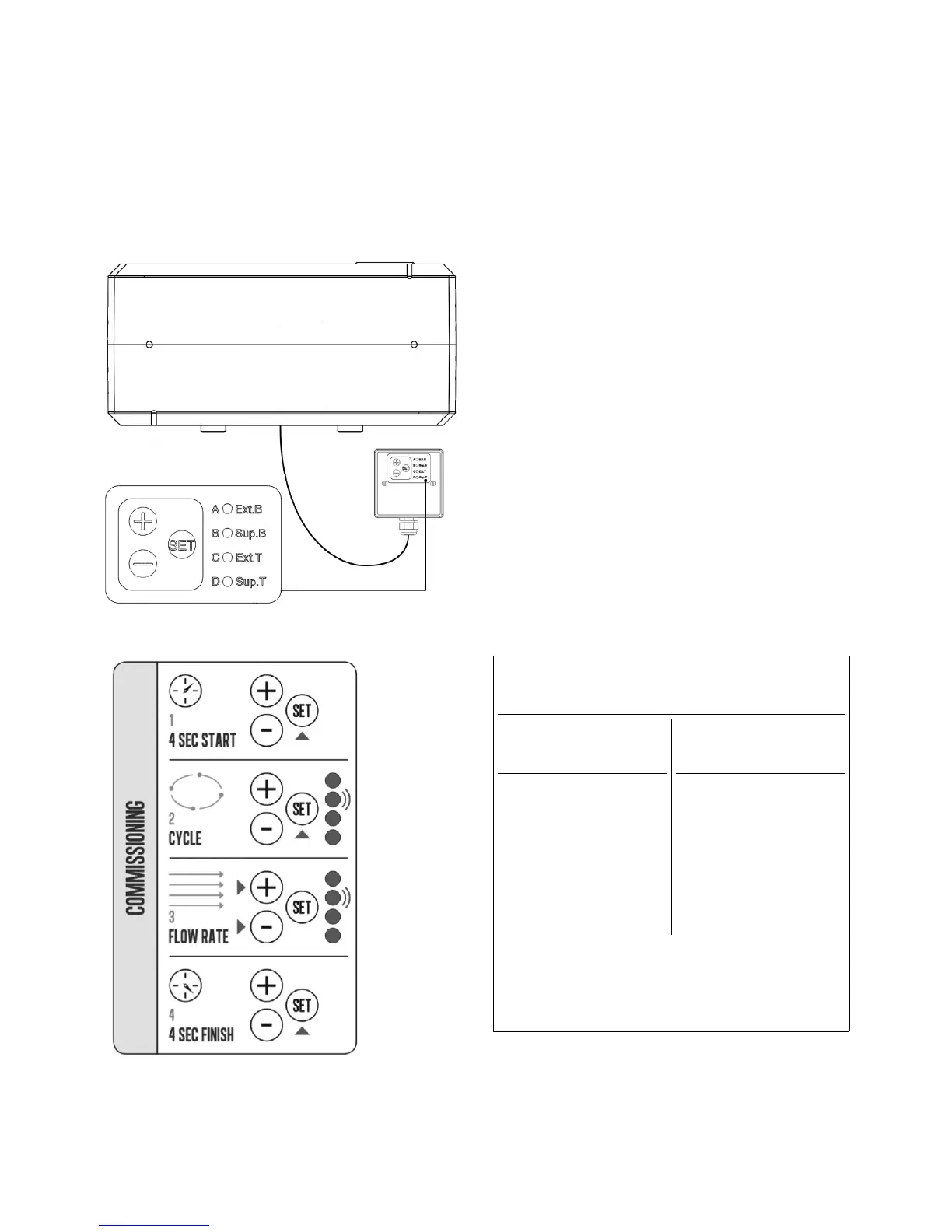
Setup guide for the Duplexvent
the SET button for 4 seconds, all
inputs will be disabled in this mode so that
they do not interfere with flow rates. All
will light with the Extract Boost
(Ext B), this indicates that the flow rate
now be increased/decreased as required.
The next press of the SET button will
commissioning to the next setting, Sup.B
and so on. When the unit has been fully
commissioned, press the SET button for
seconds and this will put the unit back into
status mode after commissioning, it
revert back to status mode
Note: Settings will be retained if the power
supply is interrupted.
switched input ON
LED Indications
C
onstant LED Flashing LED
(A) Frost protection ON
(B) Boost state -
Humidity ON
(A) Service required
(C) Boost state -
(B) Service required
(D) Summer by-pass
ON
Supply and extract LED indications
Commissioning mode only


 To Next Page