or
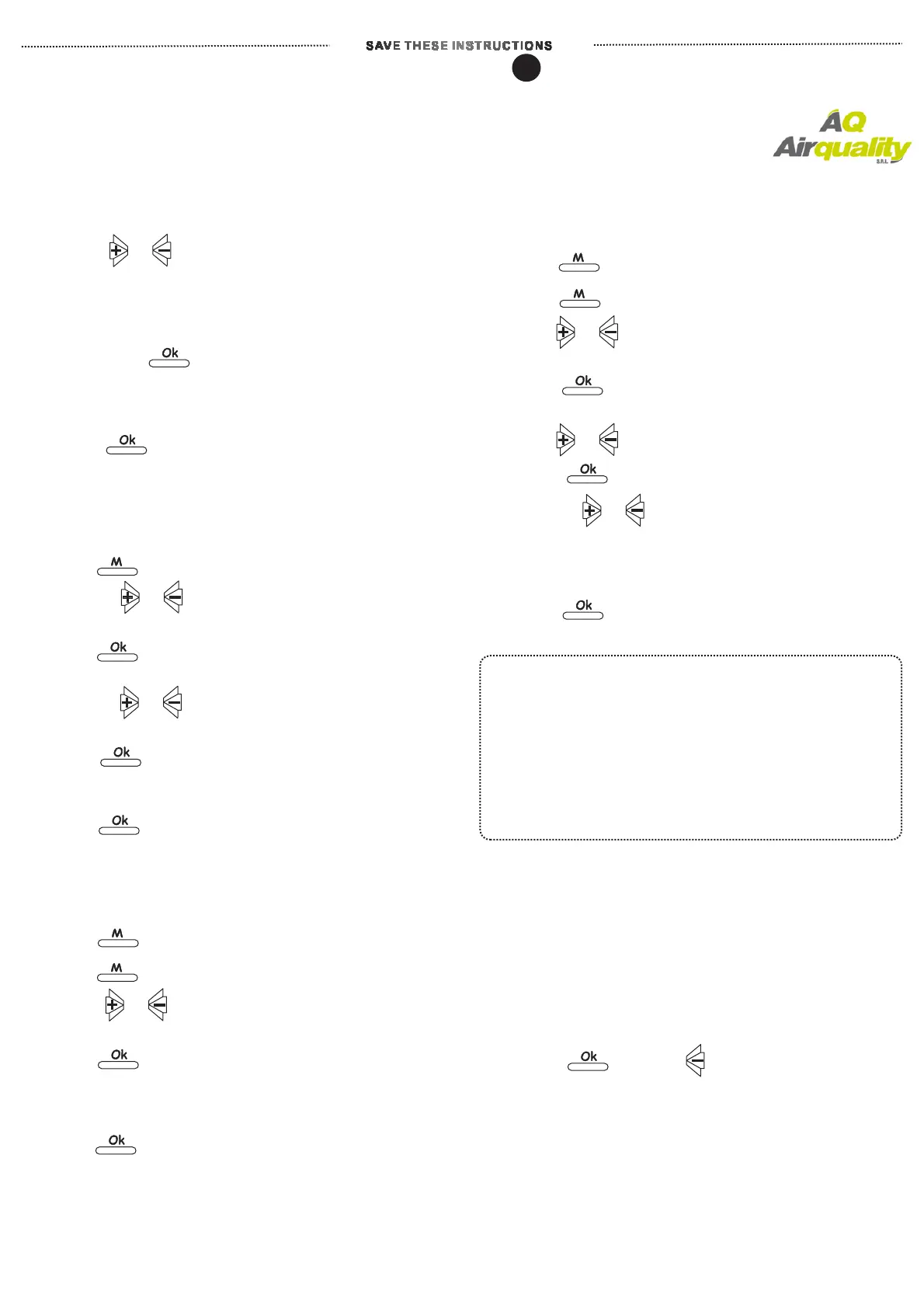
Override Function
--- 4 modes.operation guide to each of
or
A. Temporary Override-
emporary Override
Change current temperature
setting until next setpoint
1. Press adjust temperature.
(”Temp. Set” symbol shall be flashing on LCD)
2. Wait for 10 seconds, thermostat shall automatically
run this temporary override setpoint.
(or to press to immediate run this override
without waiting for 10 seconds)
3. After T is in executing,
Press shall terminate its executing.
B.Comfort Override
.
---Change current temperature
setpoint to new setpoint for desired hours.
Thermostat shall resume its original programming
after Comfort Override executing stopped
1. Press
2. Press to adjust desired
temperature.(Temp. Set in flashing on LCD screen)
3. Press to select desired hours for
comfort-override executing
4. Press to set desired hours
(minimum 1 hour).
5. Press to run .
6.Upon is in executing,
Press again shall immediate stop
this Overrride.
Comfort Override
Comfort Override
or
or
or
C.Permanent Hold Temperature---Hold temperature
at desired setpoint permanently until it is called off.
1. Press
2. Press again (read indicator on LCD)
.
3. Press to set desired temperature.
(Temp. Set in flashingon LCD screen)
4. Press to run
( LCD display shall indicate its executing)
5. Upon is in executing,
Press shall immediate this Overrride.
Permanent Hold Temperature
Permanent Hold Temperature
D. Temperature Until.(Vacation Hold)---Hold
temperature at desired setpoint till to
specified date.
1. Press
2. Press twice again.
2. Press to set desired temperature setpoint.
(Temp. Set shall be in flashing)
3. Press to select desired duration of
.
4. Press to select first, and then
Press again to select again by
pressing to select desired
5. Press ' to run .
6. Upon . is in executing,
Press shall immediate stop this override.
Hold-Temperature Until
Month
Day,
DAY.
OK' Hold Temperature Until
Hold Temperature Until
or
or
M
In Override setting mode, thermostat shall automatic
resume its prior programming, after 30 seconds
in pending input any further data
Keep to press key, users shall read Override modes
appears on LCD screen in sequence.
To follow guidance by flashing on LCD throughout
entire procedure of programming overrride functions.
REMINDER
TO ERASE MEMROY BACKUP (EEPROM)
Reset
“Reset
Pressing and together for 6 seconds,
“ ” shall appear on LCD display.
To press ” button.
All previous setting shall be deleted,
thermostat shall resume its factory default setting.
Within programming mode, transmitter thermostat shall automatically resume its functioning 30 seconds
after there was no any further data input.
PROGRAMMING INSTRUCTIONS- -Transmitter Thermostat
3


 To Next Page
 Loading...