MENU
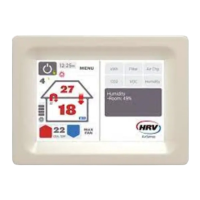
Press the menu button on
thefront screen to enter the
sub menus.
Further options are available inthese
sub menus.
Menu Options
1. Max Fan – these are advanced
options for operating Max Fan
mode.
2. Quick Options – this allows access
to three main options – Season
Detection, turning on / o the Air
Transfer Kit and Summer Kit.
3. Night Mode - holds set
temperature at 18 degrees for 4
hours, cooling the house when the
roof cavity temperature is lower
than the house interior. After 4
hours it returns the temperature
back to its original setting.
4. Ventilation Level – allows
ventilation setting adjustment.
At dierent times of the year,
more or less air is needed to clear
condensation in your house. Your
system uses these levels when roof
cavity temperature is too cool to
heat, but the house still needs air
to get rid of condensation. Higher
levels will bring more cold air into
a house. A balance is needed
between condensation clearing
and reducing the amount of cold
air into the house, dependant on
each house. Adjust to suit. Spring,
summer, autumn: Lower ventilation
levels (1 – 3). Winter: Higher
ventilation levels (3 – 6).
5. Clock settings – allows clock
adjustment.
6. Display settings – adjust minor
screen modifications such as
brightness and contrast.
7. Advanced – allows access to
advanced user functions and
information such as setting your
kWh cost, Wi-Fi set-up, new filter
requests & software updates.
8. About your HRV – displays
information about your HRV
systemmodel.


 To Next Page
 Loading...