EasyManua.ls Logo

AirSep VisionAire 5 - User Manual

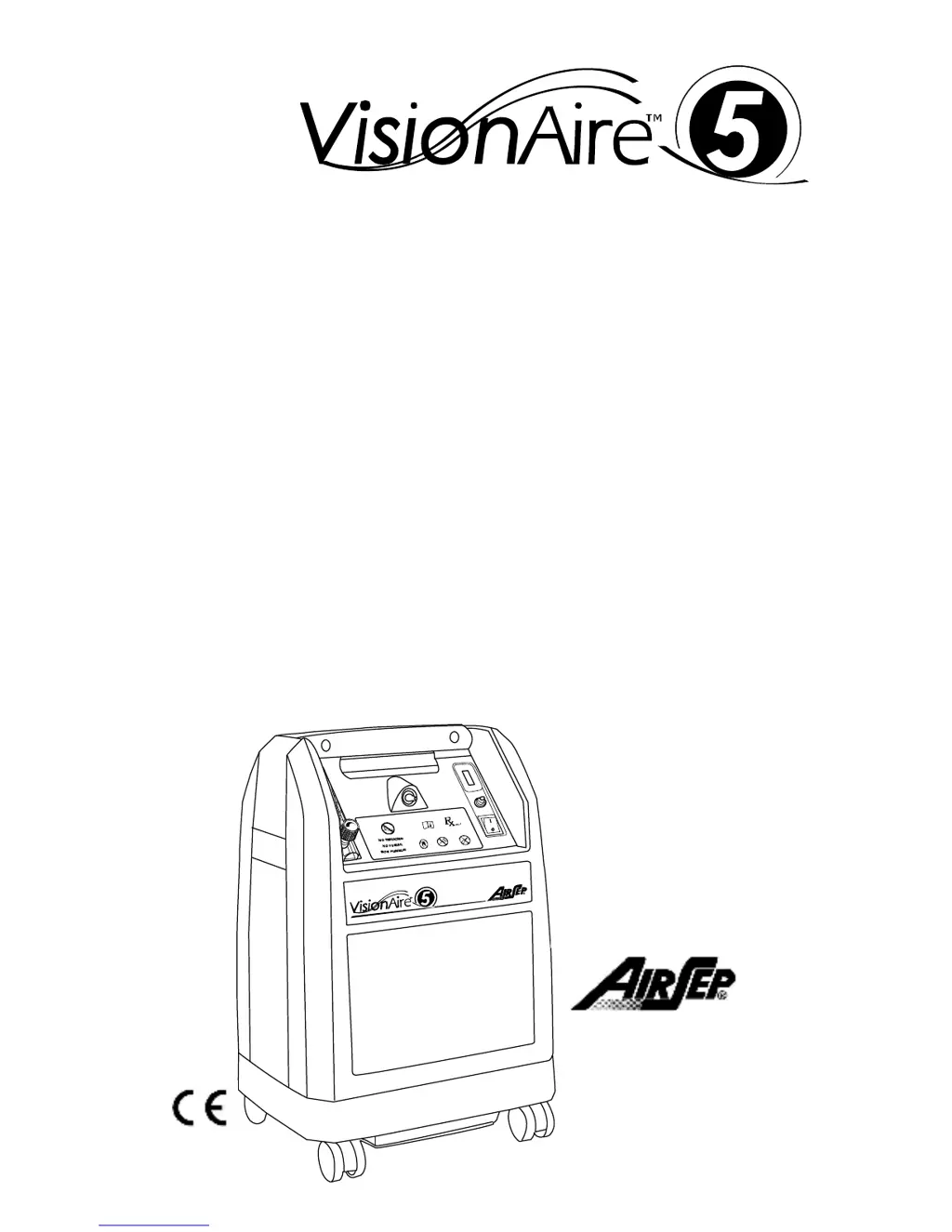
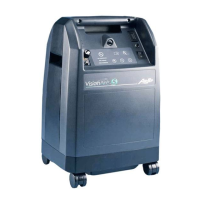
AirSep VisionAire 5
18 pages
Print Icon
To Next Page IconTo Next Page
Loading...
P
atient Manual
AirSep Corporation
401 Creekside Drive
Buffalo, New York 14228 USA
Tel: 716-691-0202
Fax: 716-691-4141
0459

Questions and Answers

  • A
    Ann WatsonJul 31, 2025
    How to troubleshoot limited or no oxygen flow in my AirSep VisionAire 5 Medical Equipment?
    • R
      Rebecca FoleyJul 31, 2025
      Check the humidifier bottle for dirt or obstructions, and ensure there are no leaks. If cleaning or replacing the humidifier bottle restores flow, proceed with that action. Inspect all oxygen accessories, such as the nasal cannula and oxygen tubing, for kinks or obstructions, and replace if necessary. Also, check the cannula tubing connection at the control panel to ensure it is secure.
  • S
    Stephen ThompsonAug 5, 2025
    What to do if my AirSep Medical Equipment unit does not operate and the alarm sounds?
    • R
      rileyjenniferAug 5, 2025
      First, check that the power cord is properly connected to the electrical outlet and that the outlet has power. Inspect the power source, wall switch, and in-house fuse or circuit breaker. Then, press (do not hold) the circuit breaker reset button on the front of the unit. If the circuit breaker trips again, or the alarm continues after turning the unit on, contact your Equipment Provider.
  • K
    kathleen21Aug 10, 2025
    Why does condensation collect in the oxygen tubing of my AirSep VisionAire 5 when using a humidifier bottle?
    • C
      craig62Aug 10, 2025
      Condensation may collect due to inadequate ventilation or elevated operating temperatures. Ensure the unit is away from curtains, drapes, hot air registers, or heaters. Position the unit so all sides have at least 1 foot (30 cm) of clearance from walls or obstructions, and avoid placing it in confined areas. Refill the humidifier bottle with COLD water, being careful not to overfill. Allow the oxygen tubing to dry out, or replace it with new tubing.
  • M
    margaretthomasAug 15, 2025
    What to do if the Oxygen Concentration Indicator remains lit (amber) on my AirSep VisionAire 5 Medical Equipment?
    • M
      Michael BriggsAug 15, 2025
      If the oxygen concentration indicator remains lit (amber), set the I/0 power switch to the 0 position, use your reserve oxygen supply (if provided), and consult your Equipment Provider immediately. This indicates that the oxygen concentration is ?82% (±3%).
  • K
    Keith LopezAug 20, 2025
    What to do if my AirSep VisionAire 5 sounds an intermittent alarm at one second intervals?
    • S
      Susan ChanAug 20, 2025
      Set the I/0 power switch to the 0 position, use your reserve oxygen supply (if provided), and consult your Equipment Provider immediately.
  • D
    Dr. Gary SimpsonAug 25, 2025
    What to do if I have any other problems with my AirSep Medical Equipment?
    • K
      Kimberly GriffinAug 26, 2025
      Set the I/0 power switch to the 0 position, use your reserve oxygen supply (if provided), and consult your Equipment Provider immediately.

Summary

Introduction to Oxygen Therapy

Why Your Physician Prescribed Oxygen

Explains the medical reasons for using supplemental oxygen therapy.

What is an Oxygen Concentrator?

Defines oxygen concentrators and how they produce oxygen.

Operator Profile and Use Guidelines

Intended User and Required Abilities

Details the intended user and necessary abilities for operating the concentrator.

Concentrator Components Overview

Front of Concentrator Components

Identifies parts and features on the front panel of the oxygen concentrator.

Back of Concentrator Components

Identifies parts and features on the back panel of the oxygen concentrator.

Humidifier Bottle Setup (Optional)

Describes the optional humidifier bottle and its connection.

Recommended Accessories

Lists recommended accessories for use with the VisionAire concentrator.

Materials in Patient Contact

Details materials that come into direct or indirect contact with the patient.

Concentrator Safety Features

Explains the safety features and alarms of the oxygen concentrator.

Operating Your Oxygen Concentrator

Humidifier Bottle Preparation

Step-by-step guide for filling and connecting the optional humidifier bottle.

Connecting the Cannula

Instructions on how to connect the oxygen cannula to the concentrator.

Starting the Oxygen Concentrator

Procedure for turning on and starting the operation of the oxygen concentrator.

Turning Off the Oxygen Concentrator

Procedure for safely shutting down and turning off the oxygen concentrator.

Care and Cleaning Procedures

Humidifier Bottle Care and Cleaning

Instructions for checking water levels and cleaning the optional humidifier bottle.

Cleaning the Outside Cabinet

Guidelines for cleaning the exterior surfaces of the oxygen concentrator.

Troubleshooting Common Issues

Technical Product Specifications

Electromagnetic Compatibility (EMC) Information

EMC Immunity Guidance and Recommendations

Provides guidance on immunity tests and electromagnetic environment for safe operation.

Symbols and Abbreviations Guide

Conformity with EN 60-601

Classification of Electrical Safety

AirSep VisionAire 5 Specifications

General IconGeneral
Warranty3 years
Flow RateUp to 5 LPM
Oxygen Concentration93% ± 3%
Alarmspower failure
Sound LevelLess than 45 dBA

Related product manuals