AirServer Connect User Guide
11
Detailed Settings
This section guides you through the settings menu of the AirServer Connect. If you have trouble getting
into the settings menu see The Home Screen and Navigating Menus sections.
About
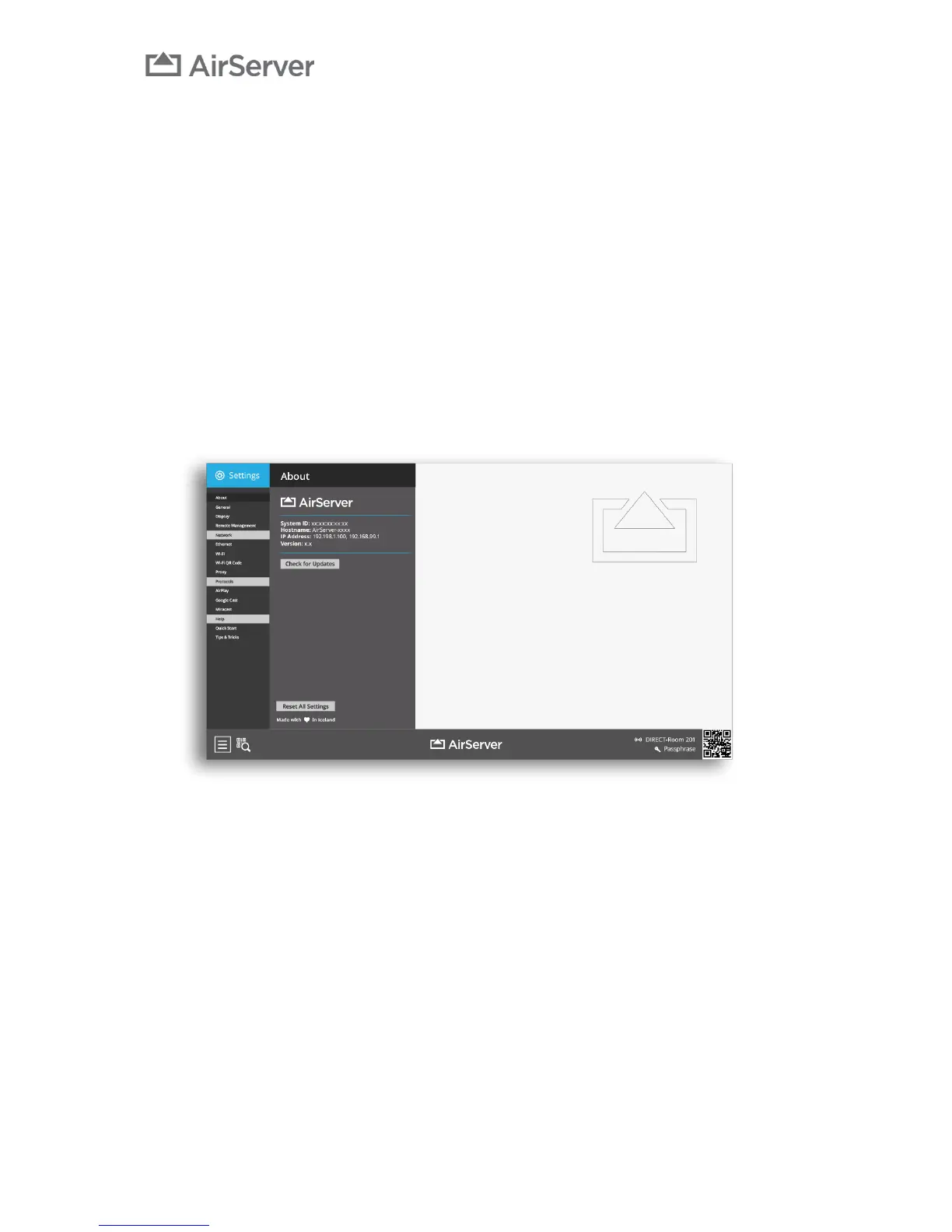
The About menu gives information about the AirServer Connect unit such as the System Id, Hostname, IP
Address and Version number. Details in this menu can be helpful for troubleshooting if you need to
contact AirServer support for some reason.
Note that Hostname cannot be changed from the settings menu, if you wish to change the Hostname, it
can be done through the DHCP server that gives the AirServer Connect device an IP address.
AirServer Connect has automatic updates but from this menu it is also possible to manually Check for
Updates.
At the bottom of the screen there is the option to Reset All Settings. This performs a factory reset so all
settings go to initial values.


 To Next Page