AirServer Connect User Guide
5
The Home Screen
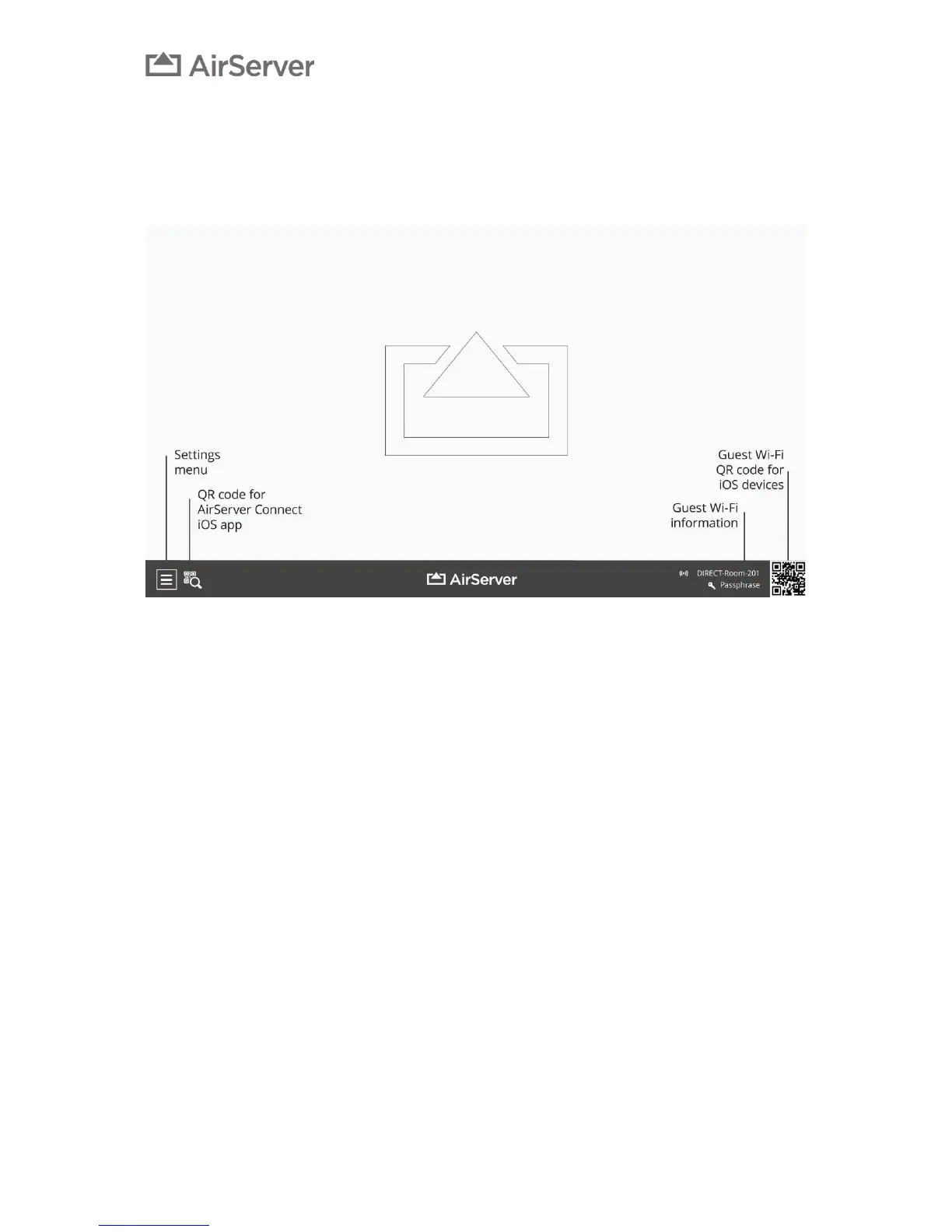
The AirServer Connect home screen contains information on how to connect your device. The settings
menu and QR code for AirServer Connect iOS app are accessible using a USB keyboard, mouse or a touch
enabled screen.
Navigating Menus
There are three ways to enter the Settings menu or view the QR code for the AirServer Connect iOS app:
• If your screen has USB touch, connect it to the AirServer Connect and you can navigate menus
using touch.
• Connect a USB mouse.
• Connect a USB keyboard and use the arrow buttons and enter to navigate.


 To Next Page