Interior
5-20 2020 Interstate
up and displays the level for that tank� If the button
is pressed and released, the display will show the
level for about 5 seconds and then shuts down
automatically� If another button is pressed before the
display shuts down, then the new level will immediately
be shown� If the same button is pressed twice, the
display will hold on that tank and continue to show
updated levels for 5 minutes before shutting off� This
allows the user to monitor the lling or draining of the
tank� By pressing two buttons at once, the diagnostic
functions can be accessed�
Sender pads are installed and stuck to the sides of
the holding tank� The sender pad scans the water
level through the tank wall using digital techniques
programmed into the sender microprocessor�
To Read a Water or Sewer Tank Level
1� Press the button corresponding to the tank to be
checked and release it, the display will show the
levels in percent on the LED display� If no other
button is pressed, then the display shuts off after
about 5 seconds�
2� If another button is pressed before 5 seconds, the
display will immediately switch to show the new
level or voltage� The 5 second time-out is restarted
every time a button is pressed�
To Read the Battery Voltage
1� Press the BATT button and release it, the display
will show the battery (House) voltage on the LED
display
2� If no other button is pressed, then the display will
shut down after about 5 seconds� If the BATT
button is held down, the display will continuously
recheck the voltage and show the updated value�
The reading may icker back and forth between
two values�
3� If another button is pressed before the 5 second
time is up for the BATT button, the display will
immediately switch to show the value for the new
button� The 5 second time-out is restarted every
time a button is pressed�
4� There is no hold mode for the battery voltage
NOTE
The refrigerator requires 12V power to operate.
You must have the battery disconnect switch in the
use position even if plugged into shore power.
Defrost and Cleaning
The frequency of defrost is dependent on the number
of door openings, the ambient temperature and the
humidity level� Typically, it is a good practice to defrost
once there is ¼ inch of frost buildup on either side of
the evaporator (cold plate)� When defrosting, the unit is
shut off by turning the thermostat counterclockwise to
the OFF (0) position� Prop the door open� We suggest
placing a towel in the bottom of the refrigerator to catch
excess moisture�
Now that the unit has been defrosted, the interior can
be cleaned with a non-abrasive cleaner� Do not use
“Brillo” or “SOS” type abrasive pads, as they will score
the surfaces� Baking soda is recommended�
CAUTION
Speeding up the defrost process with a knife
or scraper is strongly discouraged due to the
likelihood of rupturing the refrigerant circuit.
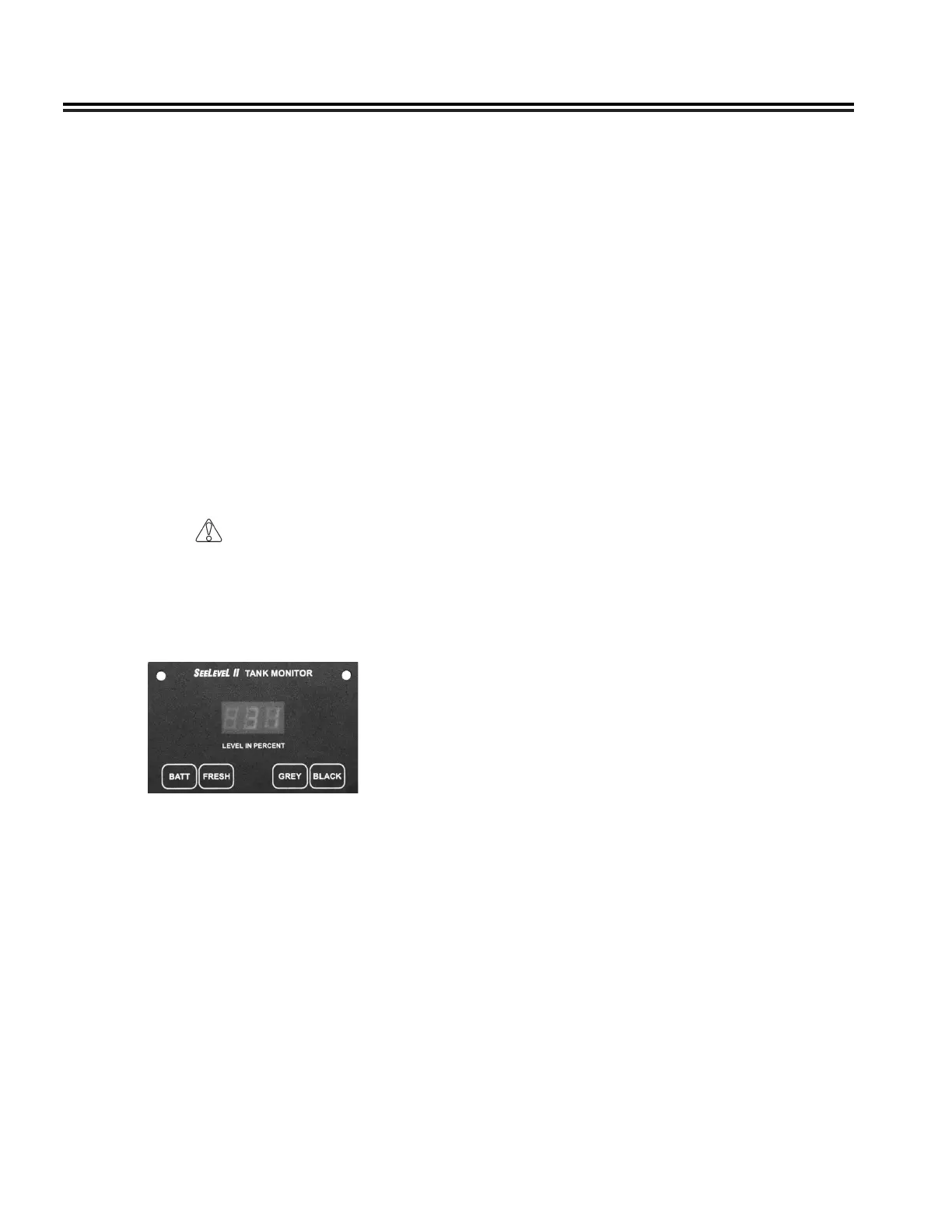
SeeLevel II Monitor Panel
The display is the only system component that is
accessed by the user� The display shown above
is located in the overhead cabinet behind the the
Multiplex Touchscreen� All user input to the display is
done using the four buttons along the bottom of the
display�
NOTE
The following information is for use of the SeeLevel
II Monitor Panel. The Multiplex Systems main
control panel can also be used.
The display receives the information from the three
sender pads via a single, two-conductor wire, and
displays the level information in percent of full on a
three-digit, LED display� When the front panel button
for a particular tank is pressed, the display powers












 To Next Page