Installation
Figure 3-12 IP Configuration
5. Press Enter until the cursor is over the relevant fields of the IP address and Mask. Use the Up or Down
buttons to change them to the desired values.
•
IP: Use the IP given by end user for remote monitoring
•
Mask: Always use 255.255.0.0
•
Gateway and DNS: Use values specified by end user or leave at 0.0.0.0
6. Press Enter until the cursor is over “Update Config” and press Up to change “No” to “Yes”.
7. Press Enter.
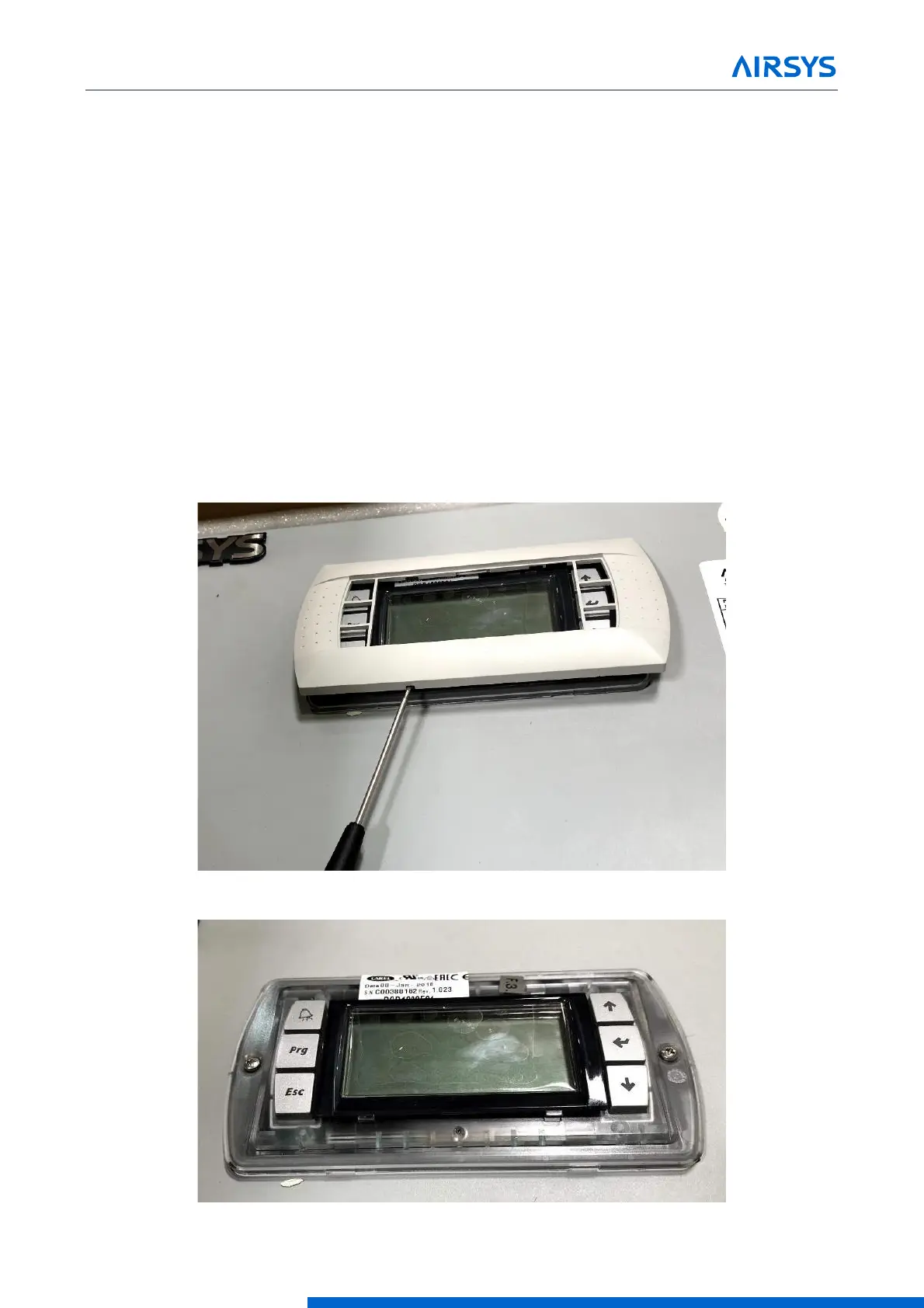
3.7.6 Remove the PGD from the Controller (If External Display Not Available)
To set the IP addresses for each unit, a PGD display must be connected to each unit. If an external PGD is
not available, the one attached to the controller can be removed.
1. Open the controller box and disconnect the plug on the rear of the display.
2. Using a flathead screwdriver or similar tool, remove the PGD frame.
3. Remove the screws securing the PGD to the controller door.



 To Next Page