Installation
3.7.10 Set the Number of Units and Zones
Note: If the PGD was removed from the controller to configure the unit IP addresses and the model and serial
numbers, it must be reconnected before proceeding with the following steps.
1. On the main controller hold the Esc button until the main screen is displayed.
2. From the Main Screen, press Prg and enter the password (0004).
3. Press Down until the cursor is over “Control Config” and press Enter.
4. The cursor should be over “Network”. Press Enter.
5. Press Enter until the cursor is by “Total HVACs”. Use the Up and Down buttons to change the value until
it matches the total number of HVACs connected to the controller. Press Enter to confirm.
6. Press Enter until the cursor is by “Total Zones”. Use the Up and Down buttons to change the number of
temperature zones. Press Enter to confirm.
3.7.11 Zone Configuration (Optional)
The ASMUC.6 controller can control up to 6 units organized in up to 4 zones. A different temperature setpoint
can be set for each zone. Each zone can have between 1 and 6 units and any unit can be assigned to any
zone. To do so, perform the following steps from the controller:
1. Hold the Esc button until the main screen is displayed.
2. Press the Prg button and enter the password (0004).
3. Press Down until “Control Config” is selected and press Enter.
4. The cursor should be over “Network”. Press Enter.
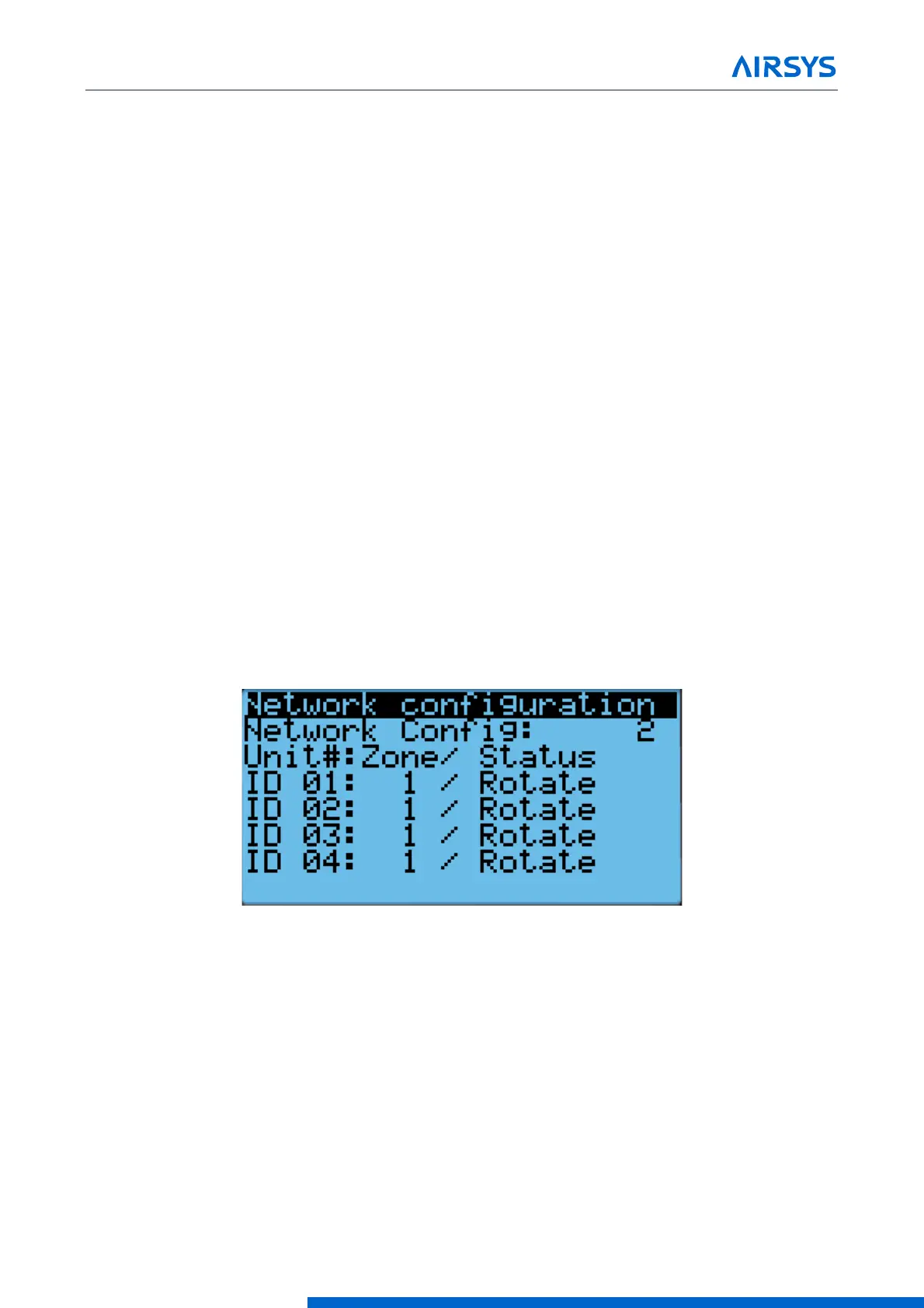
5. Press Down until the screen below is displayed and press Enter.
Figure 3-13 Zone Configuration Screen
6. Press Enter until the cursor is next to the desired unit and in the “Zone” column.
7. Press Up or Down until the desired zone is selected and press Enter to confirm.
8. Press Enter until the cursor is in the right most column.
9. Press Up or Down to scroll through the unit setting. The settings should generally stay as “rotate”, even
for single unit zones. If the unit is set to standalone, it will stay on unless turned off from the unit itself.
10. Repeat steps 6-9 for all units.
11. If more than four units need to be configured, press Enter until the cursor is blinking in the upper left
corner and press Down to access additional units. Repeat steps 6-9 for all units that need to be configured.


 To Next Page
 Loading...

