System Update
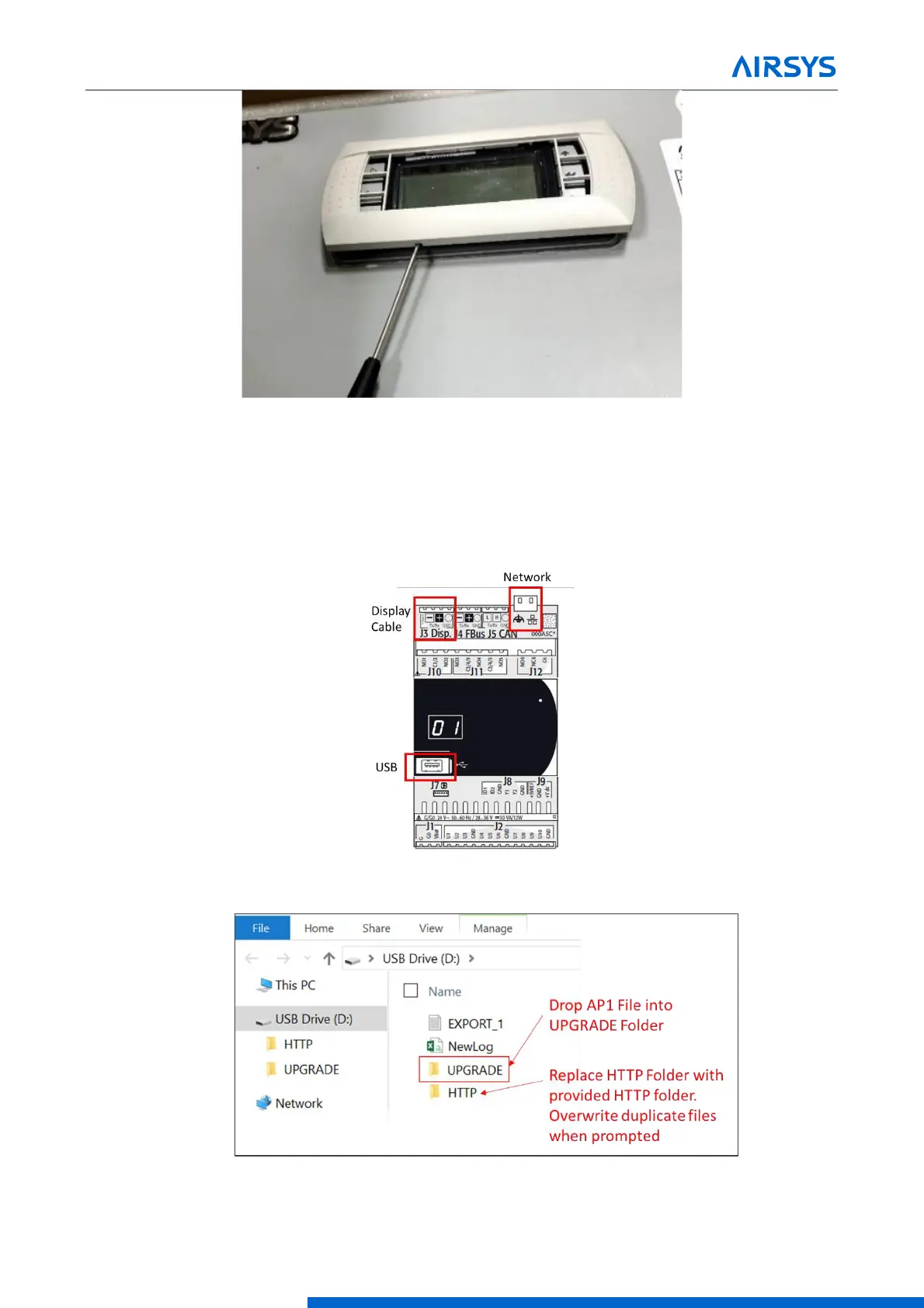
Figure 7-2 Detaching Display
6. Connect the computer to the micro USB port on the controller board inside the unit. The controller should
become visible as external storage “USB Drive” on the PC.
7. Copy the AP1 file to the “Upgrade” folder.
8. Copy the HTTP folder to the root directory (“USB Drive”) and overwrite the existing files.
Figure 7-3 Controller Board
Figure 7-4 Upgrade Folder



 To Next Page