System Update
•
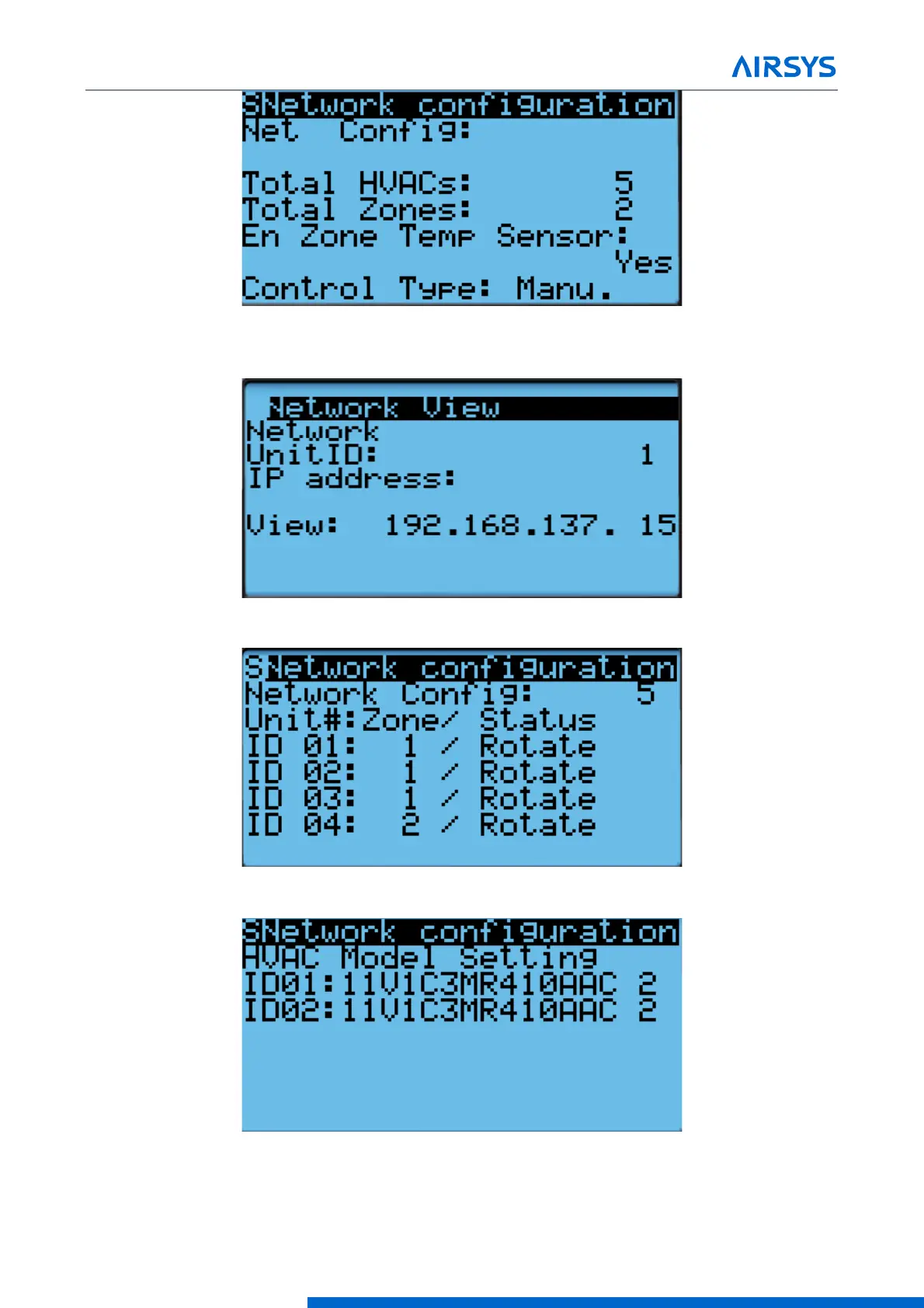
IP address of all connected HVAC units (Press Enter and use the Up and Down buttons to cycle through
units. Press Enter to display the IP of each unit.)
•
Zone assignment (which units are assigned to which zones).
•
Model numbers of connected units.
6. (Optional) Write down any other settings, such as temperature setpoint, that need to be carried over.



 To Next Page