6
PRODUCT ASSEMBLY
Insert the handle into the corresponding top position of the body of the vacuum.
There are buckles for positioning. After inserting, you will hear a clicking noise when
installation is complete.
Sound 'Di,Di Di', The red light stays on for 5 seconds
and then turn off.
Sound 'Di,Di Di', The red light stays on for 5 seconds
and then turn off.
Orange light flashes slowly (breathing light effect)
Sound 'Pls empty the dirty water tank'.
The red light stays on for 5 seconds and then turn off.
Sound 'Di,Di Di'. The red light stays on for 15 seconds
and then turn off.
Short circuit protection
Battery over temperature
In charging
Dirty tank full
Abnormal water pump
Battery>40%
10%<Battery<40%
Abnormal roller brush
Fan abnormal
Abnormal charging
Battery<10%
Sound 'Di,Di Di', The red light stays on for 10 seconds
and then turn off.
Green light
Orange light
Sound 'Pls check the roller brush', The red light stays
on for 5 seconds and then turn off.
Sound 'Di,Di Di', The red light stays on for 10 seconds
and then turn off.
Red light, meanwhile, sound alert 'Low battery!'
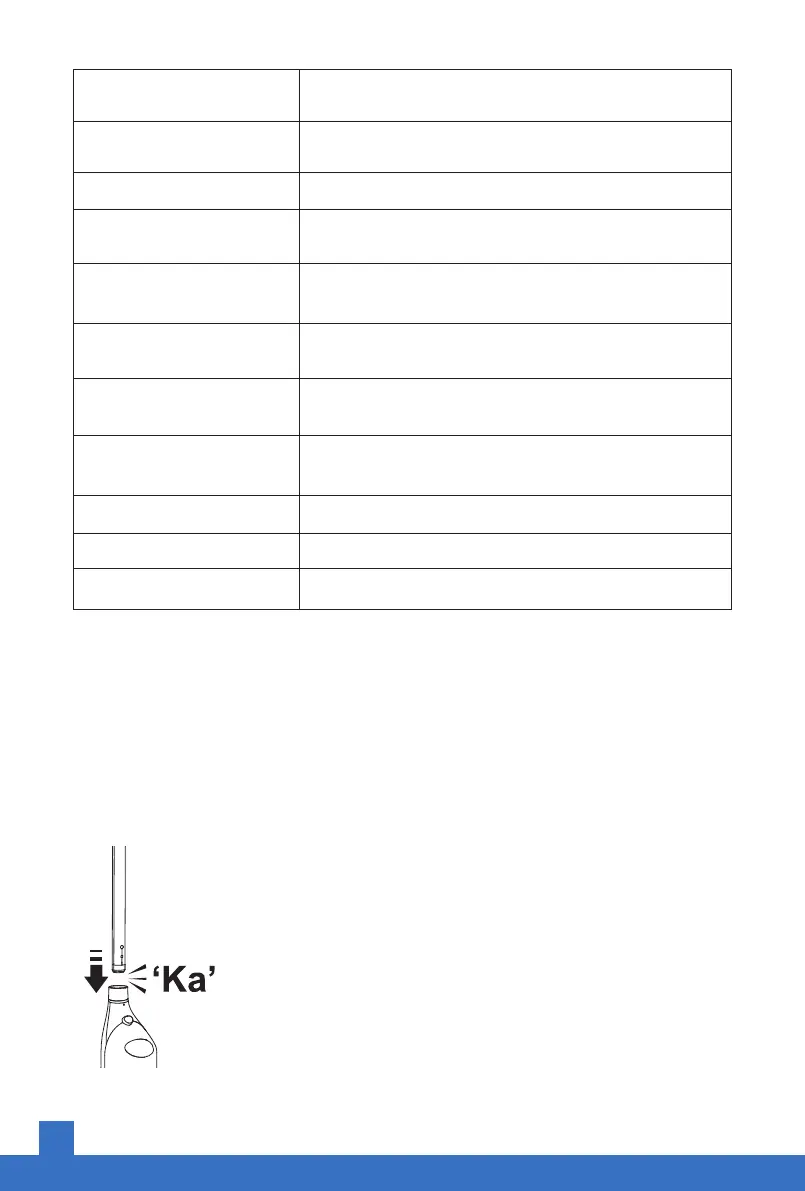
Note: If you want to move the handle
Use a non-sharp auxiliary tool (such as a bamboo stick) to poke
into the small hole shown in the figure to hold the handle removal
key, and at the same time pull out the handle vertically upward.


 To Next Page