7
PRODUCT OPERATION
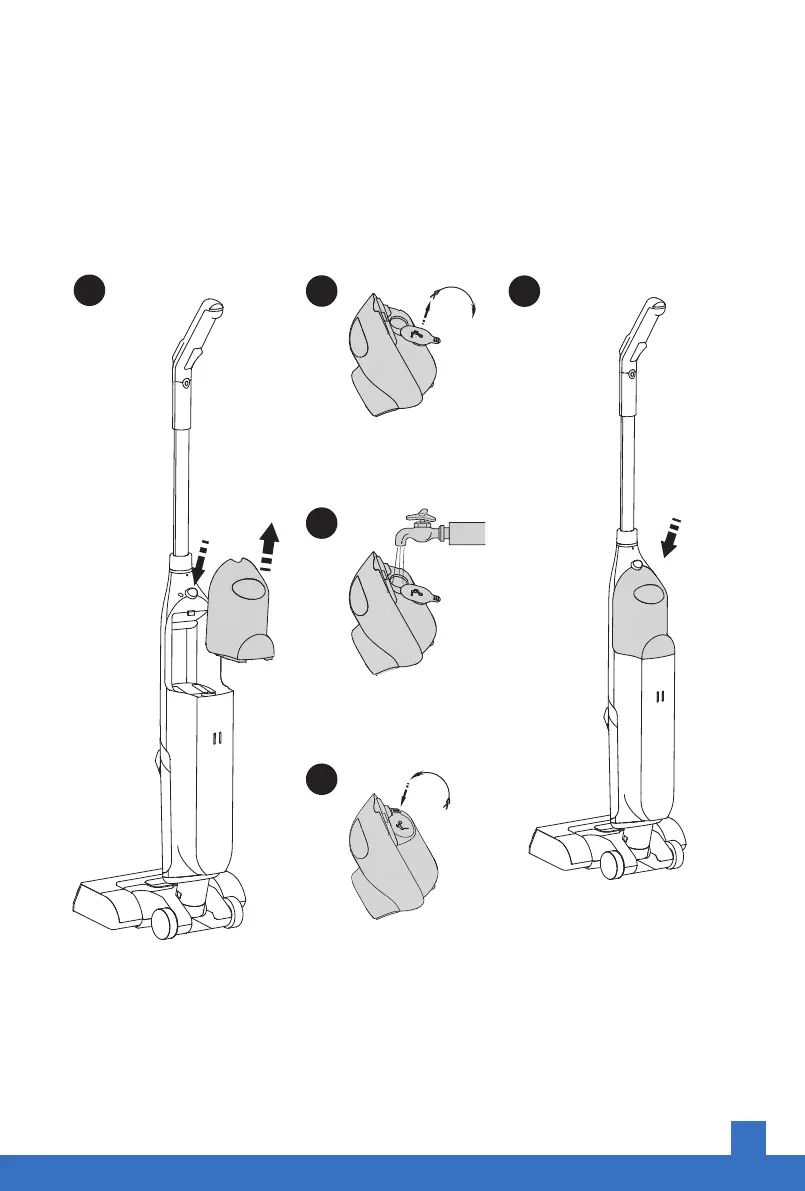
Step 1
Fill the clean water tank
Note: If you need to use cleaning solution, please use the cleaning solution that
comes with this product or a low-foaming detergent to prevent product damage.
Press the tank button to
remove the solution tank.
Open the soft cover:
Lift up and turn clockwise.
Add clean water, not
exceeding the MAX line.
Install the soft cover:
Turn counterclockwise
first, then press down.
1 2
3
4
5
Put the clean water tank back
into the body Installation is
successful when you hear it
click into place.


 To Next Page