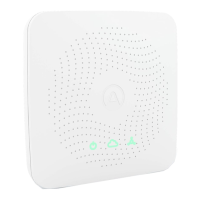
Bluetooth must be enabled on your smartphone. For
Android, GPS location must be enabled for Bluetooth low
energy to function properly.
You are not close enough to the device or there is wireless
interference. Keep your phone less than 1m / 3 ft away
from the device and search for it again.
The device is already registered to another account.
I am unable to connect my View to WiFi.
Your View device is only able to connect to 2.4 GHz WiFi
networks. If you have a dual band router with both 2.4 GHz
and 5 GHz bands, make sure they have dierent names.
Also, make sure your router DNS settings are correct and
that you are connecting to your primary network.
Using your View
as a hub for other
Airthings devices
I don’t see my Wave device when linking it to the View.
Bluetooth must be enabled on your smartphone. For
Android, GPS location must be enabled for Bluetooth low
energy to function properly.
You are not close enough to the Wave device or there is
wireless interference. Keep your phone less than 1m / 3ft
away from the Wave device and search for the device
again.
Exit the “Link device” screen and re-enter to try again.
I don’t see my other View device when linking it to the View.
A View device is only able to connect by WiFi, and cannot
be linked to an Airthings Hub, or another View device
acting as a hub.
I don’t see data coming from the Wave devices when linked
to my View.
Make sure the linking process was completed successfully
in the app.
The Wave device might be out of range. Move the device
close to the View for an hour and check if the App device
overview indicates a Hub connection by showing a signal
strength bar, then move the Wave back to its place and
verify signal strength in the app. If the connection stops
again, you might need to move the Hub to a dierent
place.
Make sure your View is connected by WiFi. You can tell by
checking that data from the View is regularly updated in
the app.
Also, make sure it is powered by USB. Your View will stop


 To Next Page
 Loading...