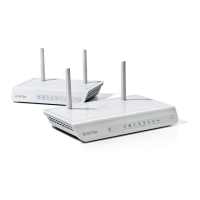
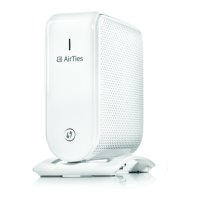
The AirTies Smart Wi-Fi device, specifically the Air 4930 model, is an access point designed to extend and improve Wi-Fi coverage in a home or office environment. It can be used as a standalone access point or as part of a mesh network (home pack) to create a seamless Wi-Fi experience.
Function Description:
The AirTies Air 4930 functions primarily as a Wi-Fi access point, supporting both 5 GHz and 2.4 GHz Wi-Fi bands. When used in a home pack, multiple Air 4930 devices create a mesh network, allowing for broader and more reliable Wi-Fi coverage throughout a property. The device is designed for easy installation and can be managed via a dedicated mobile application, the AirTies WiFi app, available on Google Play and the App Store. This app facilitates the setup of additional access points and helps optimize network performance. The device also features a WPS button for easy connection of compatible devices and Gigabit Ethernet ports for wired connections.
Important Technical Specifications:
- Wi-Fi Bands: Supports both 5 GHz and 2.4 GHz Wi-Fi.
- Ethernet Ports: Equipped with Gigabit Ethernet ports for high-speed wired connections.
- Power Supply: Uses an external power supply.
- LED Indicators: Features separate LEDs for 5 GHz Wi-Fi status, 2.4 GHz Wi-Fi status, and power on/off.
- Buttons: Includes a WPS button, a power on/off button, and a reset to factory settings button.
- Operating Temperature: Designed to operate between 0°C and 40°C.
- Humidity: Operates within a humidity range of 10% to 90%.
- Compliance: Compliant with EU directive 2014/53/EU (Radio Equipment Directive).
- FCC ID: Z3WAIR4930.
- SSID and Password: Each device in a home pack shares the same SSID and password, which are printed on a sticker at the bottom of the device. These can be customized via the AirTies WiFi app.
Usage Features:
- Easy Installation: The installation process is straightforward, starting with connecting one device to the router/gateway via an Ethernet cable and then powering it on. The power status LED blinks white initially and turns solid white when ready, typically within 3 minutes.
- Mesh Network Capability: For home packs, the AirTies WiFi app guides users through adding additional access points to create a mesh network, extending Wi-Fi coverage seamlessly.
- Standalone Access Point: Can also be used as a single access point for smaller areas or specific coverage needs.
- WPS Functionality: The WPS button allows for quick and secure connection of WPS-compatible devices without manually entering the password.
- App-Based Management: The AirTies WiFi app provides a user-friendly interface for managing the network, adding devices, and potentially changing network settings like SSID and password.
- Optimal Placement Guidance: The device's Wi-Fi coverage is spherical. Users are advised to place devices high up, with minimal obstructions, and not behind televisions or other electronics to ensure good wireless connection between access points.
- Factory Reset: A dedicated button allows users to reset the device to its original factory settings if needed.
Maintenance Features:
- Protective Cover Removal: Users are reminded to remove the protective cover from each device before installation to ensure proper operation.
- Ventilation: Devices must be placed in an upright position, and openings along the top and bottom should not be covered or blocked, as these provide necessary ventilation to prevent overheating.
- Environmental Considerations: To ensure longevity and proper functioning, devices should not be exposed to heat sources (heaters, radiators, direct sunlight) and must be kept within the specified temperature and humidity ranges.
- Software Updates: While not explicitly detailed in the provided manual, devices typically receive software updates to improve performance, add features, and address security vulnerabilities. The manual mentions that the product uses open-source software and provides information on how to request source code, implying a commitment to software maintenance and transparency.
- Troubleshooting: The installation guide provides basic troubleshooting steps, such as observing LED status for installation completion. Further information on status LEDs, optimal placement, and mesh installation without the app is available online at https://eyenetworks.no/airties.

 Need help?
 General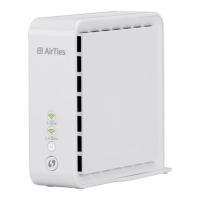

 To Next Page