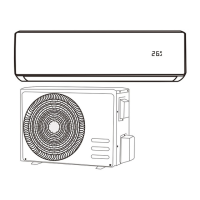
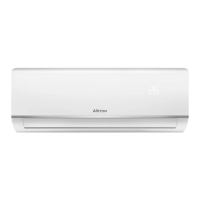
This document is an installation and instruction manual for the AIRTON Monobloc Mobile Cold & Hot Air Conditioner, model Ref: 409709 – Type: YPS-12HW/3.
Function Description
The AIRTON YPS-12HW/3 is a versatile monobloc mobile air conditioner designed to provide both cooling and heating functions. It is suitable for indoor use and offers various modes of operation including cooling, heating, dehumidification, and fan-only. The device is equipped with a control panel and a remote control for easy operation. It uses R290 refrigerant gas, which requires specific handling and safety precautions. The unit is designed for easy installation, with options for exhaust duct or recessed panel installation.
Important Technical Specifications
- Model Reference: 409709
- Type: YPS-12HW/3
- Refrigerant: R290 gas (approximately 265g)
- Operating Temperatures (Cooling/Heating): 15-35°C / 5-27°C
- Installation Area: Must be installed in a location with no constant sources of ignition (e.g., open flames, gas or electrical appliances) and a surface area greater than 13 m².
- Exhaust Duct Length: The exhaust duct should be 280-1500mm long.
- Fuse Settings:
- Specification: Diameter 5 × 20mm
- Voltage: 250VAC
- Current: 3.15A
- Power Cable: Flexible outer cord.
- Power Supply: The voltage of the electrical outlet must comply with the requirements. Any damage resulting from incorrect power supply is not covered by the warranty.
Usage Features
The air conditioner offers a range of user-friendly features:
- Control Panel and Remote Control: Both a control panel on the unit and a remote control are provided for convenient operation.
- Operating Modes:
- Cooling Mode: Press the MODE button to select COOL. The display will show a snowflake icon. Temperature can be set between 16°C and 30°C.
- Heating Mode: Press the MODE button to select HEAT. The display will show a sun icon. Temperature can be set between 16°C and 30°C.
- Dehumidification / DRY Mode: Press the MODE button to select DRY. The display will show a water drop icon. In this mode, the fan runs at low speed and the airflow cannot be adjusted. The compressor will start if the room temperature is ≥ 15°C (59°F) and stop if the ambient temperature is ≤ 13°C (55°F). The compressor will restart if the room temperature rises and is ≥ 15°C.
- Fan Mode: Press the MODE button to select FAN. The display will show a fan icon. Fan speed can be adjusted (High/Medium/Low).
- Timer Function: Allows users to program the device to turn ON or OFF at a specific time (from 0 to 24 hours).
- Temperature Adjustment: Up and down arrow keys on both the control panel and remote control allow for temperature setting.
- Fan Speed Adjustment: The fan speed button allows selection between high, medium, and low speeds.
- Oscillation Function: The SWING button activates or deactivates the air swing, allowing the swipe panes to be disabled or freeze at different desired angles.
- Sleep Mode: Not explicitly detailed but often a feature in such units, typically for quieter operation and adjusted temperature curves during sleep.
- Self-Diagnostic System: The unit has an automatic defrosting function and displays error codes (e.g., E1 for pipe temperature sensor fault, E2 for ambient temperature sensor fault, E4 for anti-freeze protection) to help identify problems.
- Water Tank Full Alarm: When the water in the water pan exceeds the warning level, the air conditioner will automatically alarm, and the display panel will show "FL".
- Automatic Defrost: The air conditioner has an automatic defrosting function during defrosting, the heating symbol on the display screen flashes.
- Automatic Thermal Protection: To protect the service life of the machine, the air conditioner has heating mode protection. During the protection period, the compressor and the lower motor will stop working and automatically return to the normal heating state after the air conditioner temperature recovers.
- Compressor Protection: After the compressor stops, the protection is triggered and the air conditioner will restart 3 minutes later.
- WIFI Connectivity: The manual refers to a WIFI application installation and user guide, indicating potential smart control features.
Maintenance Features
Regular maintenance is crucial for the longevity and efficient operation of the air conditioner.
- Cleaning the Surface: Clean the surface of the air conditioner with a damp soft cloth. Do not use detergents, chemical products, such as benzene, alcohol, petrol, etc., as there is a risk of deterioration. Avoid water splashing into the air conditioner.
- Cleaning the Filters: The filters should be cleaned every two weeks.
- Upper Filter: Manually remove the upper frame to access the filter, then unscrew the four screws securing the top filter to the rear panel.
- Lower Filter: Manually remove the filter by gently pulling.
- Cleaning Procedure: Place the filters in warm water (about 40°C) added neutral detergent, dry them in the shade after cleaning. Proceed with the reverse operations to replace the filters.
- Storage After the Season:
- Remove the rubber stopper and empty all the water contained in the tank.
- Turn on the air conditioner in fan mode (low airflow position). Let it run for 2 hours until the drain pipe and the inside of the air conditioner are dry to avoid mold.
- Turn off the air conditioner, unplug the power plug, and wind up the power cord. Reinstall the rubber plug.
- Remove the exhaust duct.
- Cover the air conditioner with a plastic bag and place it in a dry storage place, out of the reach of children.
- Remove the batteries from the remote control.
- Drainage:
- Manual Drain: When the inner pan is filled with water, the panel display screen will show "FL" signal and the compressor will stop working automatically. Turn off the air conditioner and turn off the power to drain. Place a water tank/bucket under the side water outlet behind the air conditioner body. Unscrew the cap and remove the drain plug, the water will automatically flow into the water tank.
- Continuous Drainage (only applicable to cooling and dehumidifying mode): Unscrew the cap and remove the rubber drain plug. Insert the drain hose into the water outlet. Place the other end of the drain hose into a tank/bucket.
Safety Instructions
- R290 Gas Warnings: This appliance contains approximately 265g of R290 refrigerant gas. The device must be installed, used, and stored in a room with a surface > 13 m². R290 gas is a refrigerant gas that complies with European environmental directives. Do not puncture any component of the refrigeration circuit. If the appliance is installed, operated, or stored in an unventilated room, this must be able to prevent the stagnation of possible leaks of refrigerant gas which could be ignited by an electric stove, a furnace, or any other source of ignition and cause a fire or explosion. Store the device in such a way as to prevent mechanical failure. Persons who work or intervene on a refrigeration circuit must have appropriate certification, issued by an accredited body, attesting to their competence in the handling of refrigerant gases in accordance with an officially recognized specification. Repair interventions should be carried out based on the manufacturer's recommendations.
- General Safety:
- This appliance is designed exclusively for household use.
- It is suitable for indoor use only. Please install it in a dry place.
- Regularly check the power cable. Do not use in case of damage to the power cable, electrical outlet, or air conditioner.
- An extension cord can be used if the power cable is too short. Be careful not to lay the cord in places where it could be pulled off or cause people to trip.
- The air conditioner should be placed away from heat sources and out of direct sunlight.
- Turn off and unplug the air conditioner before uninstalling, cleaning, replacing parts, or when not in use.
- Follow the instructions in this manual for cleaning the air conditioner.
- The voltage of the electrical outlet must comply with the requirements. Any damage resulting from incorrect power supply is not covered by the warranty.
- Children are not allowed to play with the air conditioner.
- Do not insert your fingers or other objects into the vent outlet.
- Do not install the air conditioner in a place exposed to water or any other liquid. Make sure that water or any other liquid cannot enter the air conditioner.
- Do not repair the air conditioner yourself. Any possible risk incurred due to maintenance by an inexperienced person would constitute a violation of the provisions of the guarantee.
- If the cable or flexible outer cord of this air conditioner is damaged, it must be replaced exclusively by the manufacturer or its service agent or a person of equivalent qualification, in order to avoid any risk.
- Special Warning:
- To avoid damage, place the device in an upright position for at least 24 hours before starting it.
- Use the appliance only on a horizontal and flat surface to avoid any water leakage and to ensure the correct functioning of the compressor.
- Place the air conditioner on a flat surface and install it vertically to ensure the smooth operation of the compressor.
- The air conditioner should be placed at least 50 cm away from surrounding objects. Make sure the air inlets and outlets are always clear.
- Do not use the air conditioner near gasoline or any other flammable liquid.
- Do not use spray agents and other solvents or flammable substances near the air conditioner. This may cause plastic deformation or damage to electrical parts.
- Food: The socket must be in good condition and undamaged. It must not be replaced by an electrical plug. To operate the air conditioner, first plug in the power cable, then press the on/off button.
Disposal of Waste Electrical and Electronic Equipment
This symbol on the product or on the container indicates that this product may not be disposed of with general waste. The user is responsible for disposing of this type of waste by throwing it in a "recycling point" specific to electrical and electronic waste. Selective collection and recycling of electrical equipment helps preserve natural resources and ensure recycling of waste to protect the environment and health. To receive further information on the collection and recycling of electrical and electronic waste, contact your town hall, the household waste service or the establishment where the product was purchased.

 Need help?
 General

 To Next Page