Permissible
Fuel Metering Pump
not permissiblenot permissible
preferable
preferable
3
VISUAL INSPECTION
8
REVISION LEVEL A - 09/09/15
PLEASE NOTE!
VISUAL INSPECTION
1. Complete a visual inspection using the following instructions:
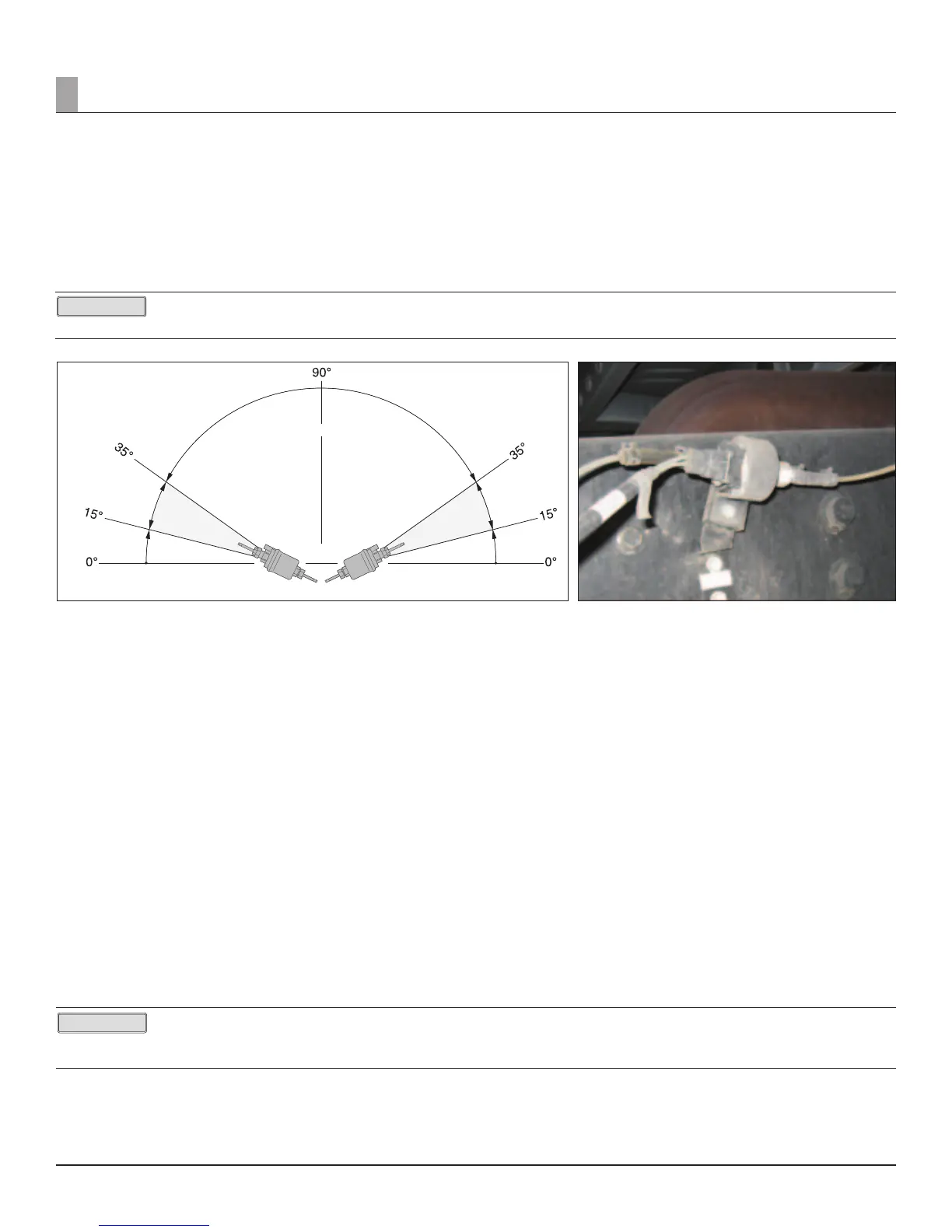
a. Fuel Pump angle (Figure 12 and 13): Between 15 and 35 degrees- Inlet is low side, outlet is high side.
i. Yes ______
ii. No ______
iii. If no it will need to be reset to proper angle.
It is very important that the pump angle is not reversed. When checking angle ensure that the inlet (side the fuel is drawn into the pump) is
the low side and the outlet (side fuel exits the pump) is the high side. It is very important that the pump angle is not reversed (see gure 12 for proper mounting).
Figure 12 Figure 13
Figure 9
b. Combustion Exhaust (exible pipe only) - 1.5 to 2.5 inch extension past rear of cab?
i. Yes _____
ii. No _____
iii. If no, exhaust will need to be rerouted.
c. Combustion Exhaust (Flexible pipe only) - No Kinks and not crushed.
i. Yes _____
ii. No _____
iii. If yes, exhaust will require repair.
d. Combustion Exhaust (Flexible pipe only) - Bent facing the ground at least 45 degree angle?
I. Yes _____
II. No _____
III. If no, exhaust will need to be adjusted.
e. Combustion exhaust (exible pipe only) - Has low hanging areas.
i. Yes _____
ii. No _____
iii. If yes, eliminate the droop or drill a 1/8th inch condensation drain.
f. Airow intake (Figure 13 and 14) and exhaust free of obstruction or damaged venting.
i. Yes _____
ii. No _____
iii. If no, repair as needed.
If the unit is equipped with a Digi-Controller and the display is showing H, the interior temp of the unit is too high to allow the Espar unit to operate. If the display
is showing L, the unit will work but the temp is too cold to show the correct temp on the display.
2. Verify operation; if unit runs properly:
a. Record any historic codes in the work performed section, clear them and complete the job.
b. If the unit does not operate properly continue below.
3. Using either the Digi-Controller/Diagnostic Tool or Edith, check for fault codes and utilize the troubleshooting steps listed.
PLEASE NOTE!


 To Next Page
 Loading...