VDSL Router HG180 can operating in both 2 frequencies, 2.4 GHz and 5 GHz., so you
have to setting wireless network both frequencies.
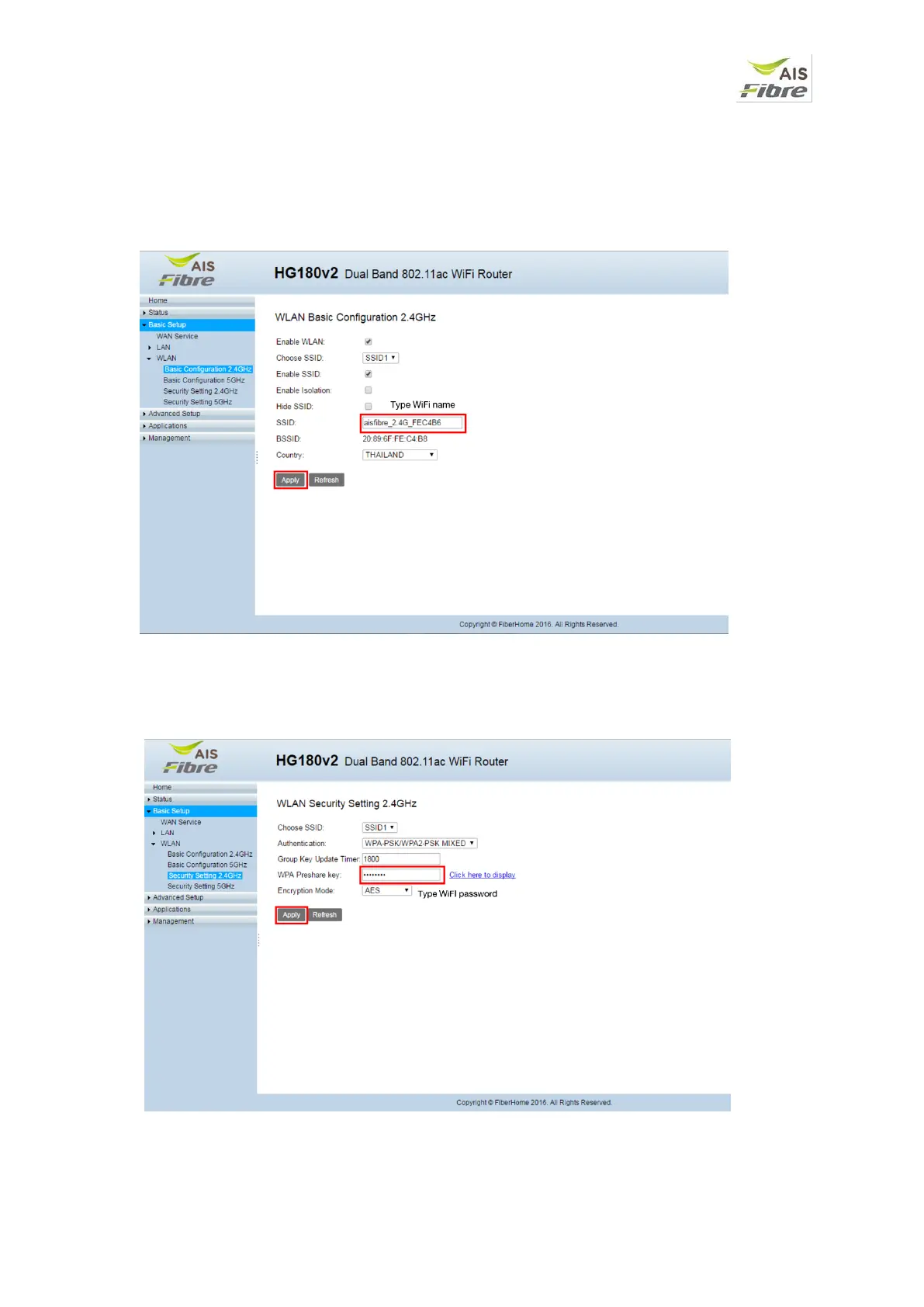
Setting Wireless Network Name (WiFi name) for Wireless 2.4 GHz
1. Select Basic Setup -> WLAN -> Basic configuration 2.4 GHz
2. Type your WiFi name in SSID box then click Apply
Setting SSID password (WiFi Password) for Wireless 2.4 GHz
1. Select Basic Setup -> WLAN -> Security Setting 2.4 GHz
2. Type your new password in WPA Preshare key box the click Apply


 To Next Page