14
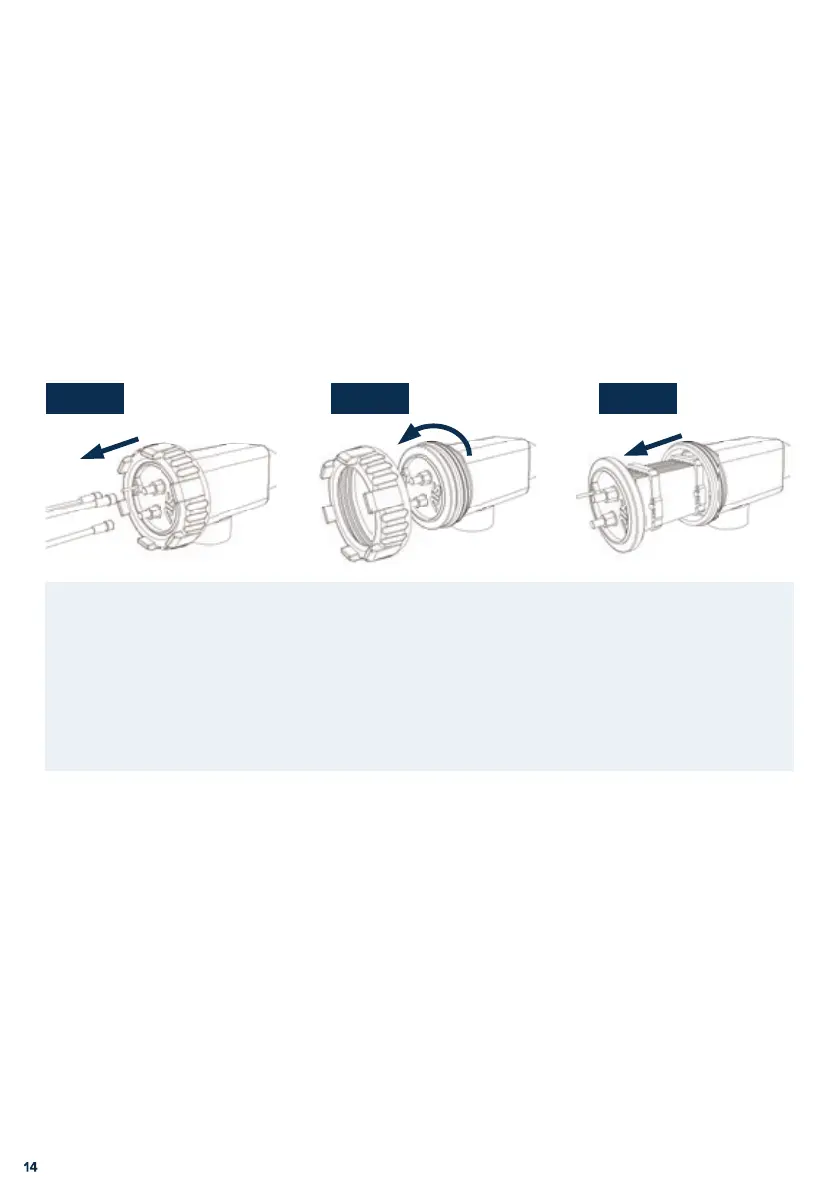
Step 3Step 1 Step 2
MAINTENANCE
ELECTRODE INSPECTION:
Pixie™ has a reverse polarity feature which reduces electrode cleaning. Regular inspection of
the electrode is recommended.
ELECTRODE REMOVAL:
Ensure the power to the chlorine generator is switched o .
Step 1. Unplug the electrode lead from the electrode.
Step 2. Unscrew (anticlockwise) the large threaded locking nut.
Step 3. Remove the electrode from the housing. Look inside the electrode for signs
of calcium build up (a white chalk like substance). If there is calcium build
up the electrode will require cleaning. If cleaning is not required reassemble
the electrode. Cleaning and reassembly are described on page 15.


 To Next Page