Product introduction
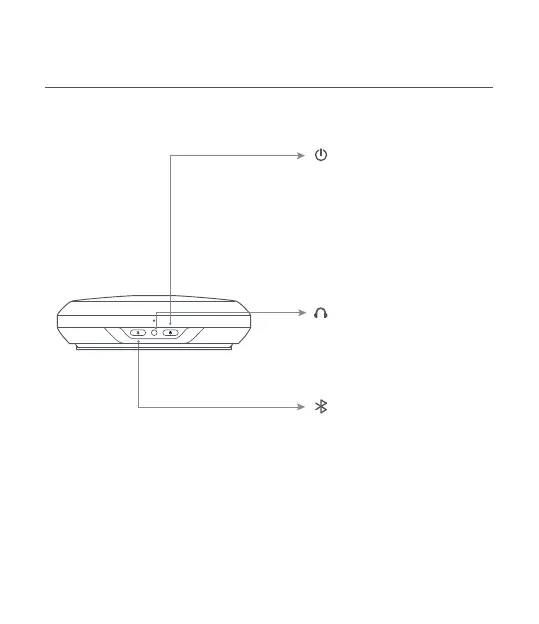
Buttons and indicator lights instructions
Bluetooth
Press and hold 2 seconds to pair
or disconnected
Power
Press and hold 3 seconds to power
on or power o
Status indicator light
Red light breathing:bette low
White light breathing:charging
White light on:bette full or not charging
*The indicator light stays on when the
batte is fully charged.
Status indicator light
Blue light ashing:bluetooth pairing
Blue light on:Bluetooth connected
Headphone jack
When headphone is plugged in, the device
will switch audio
output from the speaker
to the headphone


 To Next Page