≤
Instruction for use
3.Charging Instructions
2.Directional Pickup
Note: Output power of the power supply adapter should be less than
15W.It is recommended to charge the device one hour before using
it for the rst time to ensure sucient batte power.
* Charging
1)
When connected to computer via USB cable, the device enters
charging mode regardless of whether it is powered on or o.
2)
If consumers use a power adapter for power supply, please
purchase one which has obtained corresponding ceication.
* Batte Level Check
While the device is powered on, press the power button sholy to
check the current batte level.
1)Batte<20%,the power button indicator light breath in red.
2)Batte 20%,the power button indicator light remain in white.
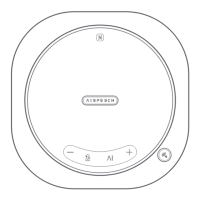
1)Press the "Directional Pickup" button to enable this function
and status light will turn to green. Point the directional pickup
button towards the speaker, and it will suppress all sounds out-
side the directional pickup fan-shaped area
, prioritizing the voice
within the area. The directional pickup area has an angle of +/-
45° with the button as the center and 1meter radius.
2)
Press the "Directional Pickup" button to disable this function.
The light will turn o, indicating function is deactivated.


 To Next Page