32
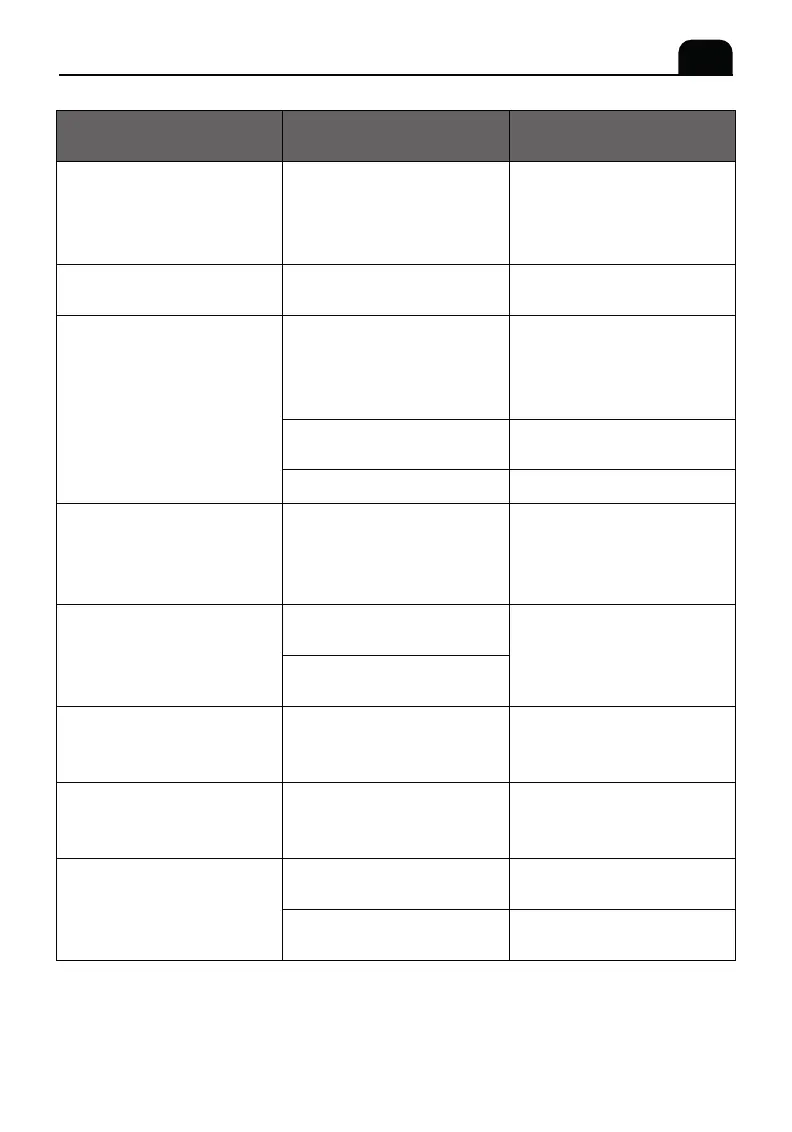
The milk is not frothed
Coffee amount is
insufficient
Warning that brew group
is not installed though
it has been inserted
Possible Cause SolutionProblem
The machine does not
come on.
It is not plugged into
the main socket, or the
main switch is not
turned on or the screen
is not touched to start
Plug into the main socket;
Place the main switch in
the "on" position; Touch
the screen to start.
Contact customer
service for assistance.
Turn the grinding
adjustment knob
towards "+" direction.
Make hot water before
making coffees.
Clean the brew group.
Restart the appliance. Debug
all warnings on the screen
and the brew group will
return to its original position
automatically.
Turn the grinding adjustment
knob towards "+" direction.
If the problem cannot be
resolved, please contact
customer service.
Check and make sure the
brew group is installed
properly.
Descaling the appliance
according to the descaling
instruction.
Clean the milk frother.
Make sure it is installed
properly.
Suggest to use whole milk.
Foreign objects in
coffee bean grinder.
The coffee is ground
to finely
Short of water in water
flow system.
The brew group is dirty.
The brew group is not
in correct position.
Coffee beans are not
well ground.
The coffee beans are
dampened.
The brew group is not
installed properly.
The water channel of
the coffee machine is
clogged by lim escale.
The milk frother is dirty
or not installed properly.
The type of milk is not
suitable for frothing.
Strange noise from coffee
bean grinder.
The coffee is delivered
too slowly or a drop at
a time
The brew group
cannot be removed.
Water comes out while
making coffee
EN
12. TROUBLESHOOTING


 To Next Page