EasyManua.ls Logo

Aiwa CA-DW539 - User Manual

Aiwa CA-DW539
12 pages
Print Icon
To Next Page IconTo Next Page
Loading...
8B-CT5-913-01
020320ACK-I-FM
CA-DW539
OPERATING INSTRUCTIONS
INSTRUCCIONES DE MANEJO
MODE D’EMPLOI
CD CARRY COMPONENT SYSTEM
SISTEMA DE COMPONENTES DE DISCOS
COMPACTOS PORTATIL
MINICHAINE PORTABLE A LECTEUR DE CD
English : See page 2.
En
Español : Ver la página 12.
E
Français : Voir page 22.
F
U

Other manuals for Aiwa CA-DW539

Question and Answer IconNeed help?

Do you have a question about the Aiwa CA-DW539 and is the answer not in the manual?

Summary

Important Safety and Owner Information

General Safety Warnings

Critical safety instructions to prevent electric shock or injury during operation.

Installation Guidelines

Guidelines for safe installation including attachments, water, heat, and ventilation.

Owners Record

Section to record model and serial numbers for user convenience.

Operating Instructions

General Precautions

Instructions on object/liquid entry, power sources, cord protection, and overloading.

Lightning Protection

Advice on unplugging the unit during lightning storms.

Maintenance and Cleaning

How to clean the unit using a damp cloth and avoid liquid cleaners.

Damage Requiring Service

Conditions that require professional servicing and safety checks.

Power Supply and Connections

Power Supply Options

Using AC house current with the supplied cord and battery operation.

Speaker Connections

Instructions on positioning and connecting the supplied speakers.

Battery Notes

Important notes on inserting, mixing, removing, and handling batteries.

Remote Control and Specifications

Remote Control Operation

Inserting batteries, operating basic functions like power and function selection.

Product Specifications

Technical details for tuner, deck, CD player, general, and speaker components.

Troubleshooting Display Malfunctions

Steps to resolve erroneous display or malfunction issues.

Tuner Operation

Station Selection

How to select FM/AM bands and tune to stations using controls or remote.

Reception Improvement

Tips for better FM and AM reception, including antenna positioning.

Quick Tuning (Auto Search)

Using Auto Search to find stations and manual stop.

FM Stereo and MONO Modes

Adjusting FM reception for stereo or mono to reduce noise.

AM Tuning Interval Adjustment

How to change the AM tuning interval for different frequency allocations.

Listening with Headphones

Connecting headphones to the PHONES jack for private listening.

Sound Adjustment and Presetting Stations

Volume Adjustment

How to adjust volume using the unit or remote control.

3-Mode Equalizer

Selecting equalizer modes (ROCK, POP, JAZZ) to enhance sound.

T-BASS System

Activating the T-BASS system to enhance low-frequency sound.

Presetting Radio Stations

Storing up to 15 stations per band and listening to presets.

Clearing Preset Stations

Procedure to clear individual preset radio stations.

CD Operation

Loading and Playing CDs

Steps to insert, play, pause, stop, and skip tracks on a CD.

CD Playback Modes

Using repeat functions for single tracks or all tracks.

Direct CD Play

Starting CD playback automatically when the unit is turned on with a CD loaded.

CD Selection with Remote

How to select specific tracks directly using the remote control buttons.

CD Usage Notes

Important notes on CD compatibility, handling, and potential malfunctions.

Programmed Play and Sleep Timer

Programmed CD Play

How to program up to 30 tracks for playback in a custom order.

Setting the Sleep Timer

How to set the unit to turn off automatically after a specified time.

Checking Sleep Timer

How to check the remaining time until the unit turns off.

Canceling the Sleep Timer

Procedure to cancel the sleep timer function.

Tape Operation and Recording

Inserting and Playing Tapes

How to insert a tape and play it, including pause and stop functions.

Continuous Tape Playback

How to achieve continuous play between two tape decks.

Recording from CD or Tuner

Steps to record audio from a CD or radio broadcast onto a tape.

Recording Selected CD Tracks

How to program CD tracks and record only the selected ones.

Tape Dubbing and Maintenance

Dubbing Tapes

Instructions for dubbing tapes between decks at high or normal speed.

Microphone Mixing

Connecting and using a microphone for mixing sound during recording.

Cleaning the Cabinet

How to clean the unit's exterior cabinet with a moist cloth.

Cleaning Tape Heads and Lens

Procedures for cleaning tape heads and the CD lens for optimal performance.

Preventing Accidental Erasure

How to protect recorded tapes from accidental erasure by breaking off tabs.

Notes and Cautions

FCC Compliance Notes

Information regarding FCC rules, potential interference, and correction measures.

Product Modification Caution

Warning against unauthorized modifications that may void user authority.

Summary

Important Safety and Owner Information

General Safety Warnings

Critical safety instructions to prevent electric shock or injury during operation.

Installation Guidelines

Guidelines for safe installation including attachments, water, heat, and ventilation.

Owners Record

Section to record model and serial numbers for user convenience.

Operating Instructions

General Precautions

Instructions on object/liquid entry, power sources, cord protection, and overloading.

Lightning Protection

Advice on unplugging the unit during lightning storms.

Maintenance and Cleaning

How to clean the unit using a damp cloth and avoid liquid cleaners.

Damage Requiring Service

Conditions that require professional servicing and safety checks.

Power Supply and Connections

Power Supply Options

Using AC house current with the supplied cord and battery operation.

Speaker Connections

Instructions on positioning and connecting the supplied speakers.

Battery Notes

Important notes on inserting, mixing, removing, and handling batteries.

Remote Control and Specifications

Remote Control Operation

Inserting batteries, operating basic functions like power and function selection.

Product Specifications

Technical details for tuner, deck, CD player, general, and speaker components.

Troubleshooting Display Malfunctions

Steps to resolve erroneous display or malfunction issues.

Tuner Operation

Station Selection

How to select FM/AM bands and tune to stations using controls or remote.

Reception Improvement

Tips for better FM and AM reception, including antenna positioning.

Quick Tuning (Auto Search)

Using Auto Search to find stations and manual stop.

FM Stereo and MONO Modes

Adjusting FM reception for stereo or mono to reduce noise.

AM Tuning Interval Adjustment

How to change the AM tuning interval for different frequency allocations.

Listening with Headphones

Connecting headphones to the PHONES jack for private listening.

Sound Adjustment and Presetting Stations

Volume Adjustment

How to adjust volume using the unit or remote control.

3-Mode Equalizer

Selecting equalizer modes (ROCK, POP, JAZZ) to enhance sound.

T-BASS System

Activating the T-BASS system to enhance low-frequency sound.

Presetting Radio Stations

Storing up to 15 stations per band and listening to presets.

Clearing Preset Stations

Procedure to clear individual preset radio stations.

CD Operation

Loading and Playing CDs

Steps to insert, play, pause, stop, and skip tracks on a CD.

CD Playback Modes

Using repeat functions for single tracks or all tracks.

Direct CD Play

Starting CD playback automatically when the unit is turned on with a CD loaded.

CD Selection with Remote

How to select specific tracks directly using the remote control buttons.

CD Usage Notes

Important notes on CD compatibility, handling, and potential malfunctions.

Programmed Play and Sleep Timer

Programmed CD Play

How to program up to 30 tracks for playback in a custom order.

Setting the Sleep Timer

How to set the unit to turn off automatically after a specified time.

Checking Sleep Timer

How to check the remaining time until the unit turns off.

Canceling the Sleep Timer

Procedure to cancel the sleep timer function.

Tape Operation and Recording

Inserting and Playing Tapes

How to insert a tape and play it, including pause and stop functions.

Continuous Tape Playback

How to achieve continuous play between two tape decks.

Recording from CD or Tuner

Steps to record audio from a CD or radio broadcast onto a tape.

Recording Selected CD Tracks

How to program CD tracks and record only the selected ones.

Tape Dubbing and Maintenance

Dubbing Tapes

Instructions for dubbing tapes between decks at high or normal speed.

Microphone Mixing

Connecting and using a microphone for mixing sound during recording.

Cleaning the Cabinet

How to clean the unit's exterior cabinet with a moist cloth.

Cleaning Tape Heads and Lens

Procedures for cleaning tape heads and the CD lens for optimal performance.

Preventing Accidental Erasure

How to protect recorded tapes from accidental erasure by breaking off tabs.

Notes and Cautions

FCC Compliance Notes

Information regarding FCC rules, potential interference, and correction measures.

Product Modification Caution

Warning against unauthorized modifications that may void user authority.

Overview

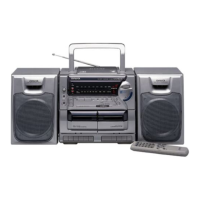
This document outlines the operating instructions, usage features, and maintenance guidelines for the AIWA CA-DW539 CD Carry Component System. It is a portable minichain with a CD player, tuner, and dual cassette deck, designed for audio playback and recording.

Function Description

The AIWA CA-DW539 is a versatile audio system that combines several functions:

  • CD Player: It can play compact discs, supporting direct play, track selection, and programmed playback of up to 30 tracks. The system also features repeat functions for single tracks or all tracks.
  • Tuner: The unit includes an AM/FM tuner, allowing users to listen to radio broadcasts. It supports both manual and auto search tuning, as well as presetting up to 15 stations in each band for quick access. The AM tuning interval can be adjusted between 10 kHz/step and 9 kHz/step, depending on the region's frequency allocation system.
  • Cassette Deck: Equipped with a dual cassette deck, the system supports both playback and recording. It can record from a CD, radio, or external microphone. The dubbing feature allows for tape-to-tape recording at either normal or high speed.
  • Microphone Mixing: A microphone input allows users to mix microphone sound with other audio sources, such as CD or radio playback, and record the mixed audio onto a cassette.
  • Sound Adjustment: The system offers volume control and a 3-mode equalizer (ROCK, POP, JAZZ) to customize the sound output. It also includes a T-BASS system for enhanced low-frequency sound.
  • Sleep Timer: A built-in sleep timer allows the unit to be automatically turned off after a specified period, ranging from 10 to 90 minutes in 10-minute steps.

Usage Features

The CA-DW539 is designed for user-friendly operation with several convenient features:

  • Power Supply: The unit can be powered either by AC house current (120 V, 60 Hz) using the supplied AC cord or by eight R20 (size D) batteries for portable use. An OPE/BATT indicator lights up when the power is on, and dims when batteries need replacement.
  • Speaker Connection: The system includes detachable speakers that slide into guide brackets on the center unit. They can be easily separated by pressing a release knob. Speaker cords are color-coded for correct connection to the R (right) and L (left) terminals.
  • Remote Control: A remote control unit is provided for convenient operation from a distance. It replicates most of the main unit's buttons, including power, function selection, tuning, volume, and CD track selection. The remote requires two R6 (size AA) batteries.
  • Tuner Operation:
    • Band Selection: Users can switch between FM and AM bands by pressing the RADIO/BAND button.
    • Tuning: Stations can be tuned manually using the TUNING DOWN/UP buttons or automatically via the Auto Search function by pressing and holding the tuning buttons.
    • FM Stereo/Mono: For noisy FM stereo broadcasts, the FM MODE/OSC button can be used to switch to monaural reception, reducing noise.
    • AM Noise Reduction: A high-pitched sound during AM recording can be reduced by repeatedly pressing the FM MODE/OSC button.
    • Antenna: The rod antenna should be extended and oriented for optimal FM reception, while the unit itself should be positioned for best AM reception as its antenna is internal.
  • Presetting Stations: Up to 15 stations can be stored as presets in each band. This involves tuning to a station, pressing the MEMORY button, and repeating the process. Presets can be recalled sequentially or directly using the remote control's numbered buttons.
  • CD Operation:
    • Disc Loading: The CD compartment opens by pressing CD OPEN. Discs should be placed with the printed side up.
    • Playback: Playback starts by pressing the PRESET (PLAY) button. Direct play is also available when the unit is off.
    • Navigation: Users can skip tracks, search for specific points within a track, and repeat tracks or the entire disc.
    • CD-R/RW Compatibility: The unit may not play all CD-R/RW discs, especially those recorded on personal computers, due to differences in recording platforms. It is advised not to use irregular shaped CDs or attach labels to discs.
  • Tape Operation:
    • Inserting Tapes: Cassettes are inserted into the deck with the exposed side down and the side to be played facing out.
    • Playback: Playback starts by pressing the PLAY button. The unit supports continuous play between deck 2 and deck 1.
    • Recording: Recording from CD or radio involves inserting a blank tape into deck 1, selecting the source, and pressing the RECORD button. For recording selected CD tracks, programmed play must be set up first.
    • Dubbing: Tape-to-tape dubbing can be performed at normal or high speed.
    • Accidental Erasure Prevention: Plastic tabs on cassette tapes can be broken off to prevent accidental erasure. To record again, these openings can be covered with adhesive tape.
  • Headphone Listening: Headphones with a stereo mini plug can be connected to the PHONES jack for private listening.
  • Troubleshooting: In case of erroneous display or malfunction, users are advised to ensure no deck operation buttons are pressed, then try resetting the unit by pressing the STANDBY button while holding TAPE/POWER/6STANDBY. If this doesn't work, disconnecting the AC cord and removing batteries to turn off the display, then waiting a while before powering back on, is recommended.

Maintenance Features

Proper maintenance ensures the longevity and optimal performance of the CA-DW539:

  • Cabinet Cleaning: The cabinet should be cleaned with a soft cloth lightly moistened with a mild detergent solution. Strong solvents like alcohol, benzine, or thinner should be avoided.
  • Head Cleaning: Tape heads can accumulate dirt, leading to issues like poor high-frequency sound, off-balance audio, or recording/erasure problems. It is recommended to clean the tape heads with a head cleaning cassette after every 10 hours of use.
  • Lens Cleaning: The CD pickup lens should be cleaned gently with a cotton swab slightly moistened with cleaning fluid, wiping from the center to the edge.
  • Battery Care: To prevent damage from leakage or explosion, batteries should be inserted with correct polarity, different types of batteries or old and new batteries should not be mixed, and batteries should be removed if the unit is not used for a long period. Recharging, heating, or disassembling batteries is prohibited. Dead batteries should be removed promptly.
  • Condensation: Moisture may form on the CD pickup lens if the unit is moved from a cold to a warm environment, if the heating system is on, or in a humid room. If condensation occurs, the unit may not function normally and should be left for a few hours to dry before attempting operation.
  • General Safety: The manual emphasizes important safety precautions, including avoiding exposure to rain or moisture, not opening the unit's cover, and referring servicing to qualified personnel. It also advises against using the unit near water or heat sources, and ensuring proper ventilation. The unit should be placed on a flat, even surface and moved with care if on a cart.
  • Power Cord Protection: Power-supply cords should be routed to prevent them from being walked on or pinched. Overloading wall outlets, extension cords, or integral convenience receptacles should be avoided.
  • Lightning Protection: For added protection during lightning storms or extended periods of disuse, the unit should be unplugged from the wall outlet to prevent damage from lightning and powerline surges.
  • Damage Requiring Service: Users are instructed to unplug the unit and refer servicing to qualified personnel under specific conditions, such as a damaged power cord, liquid spills, exposure to rain, abnormal operation, physical damage, or a distinct change in performance. Unauthorized substitutions of replacement parts should be avoided.
  • Copyright: Users are reminded to check copyright laws regarding recordings from disc, radio, or external tape in their respective countries.


Aiwa CA-DW539 Specifications

General IconGeneral
Tuner BandsAM/FM
FunctionsCD Player
Power SupplyAC 230V, 50Hz
Dimensions (Subwoofer)Not applicable
Weight (Subwoofer)Not applicable

Related product manuals