12
Connecting to your Computer
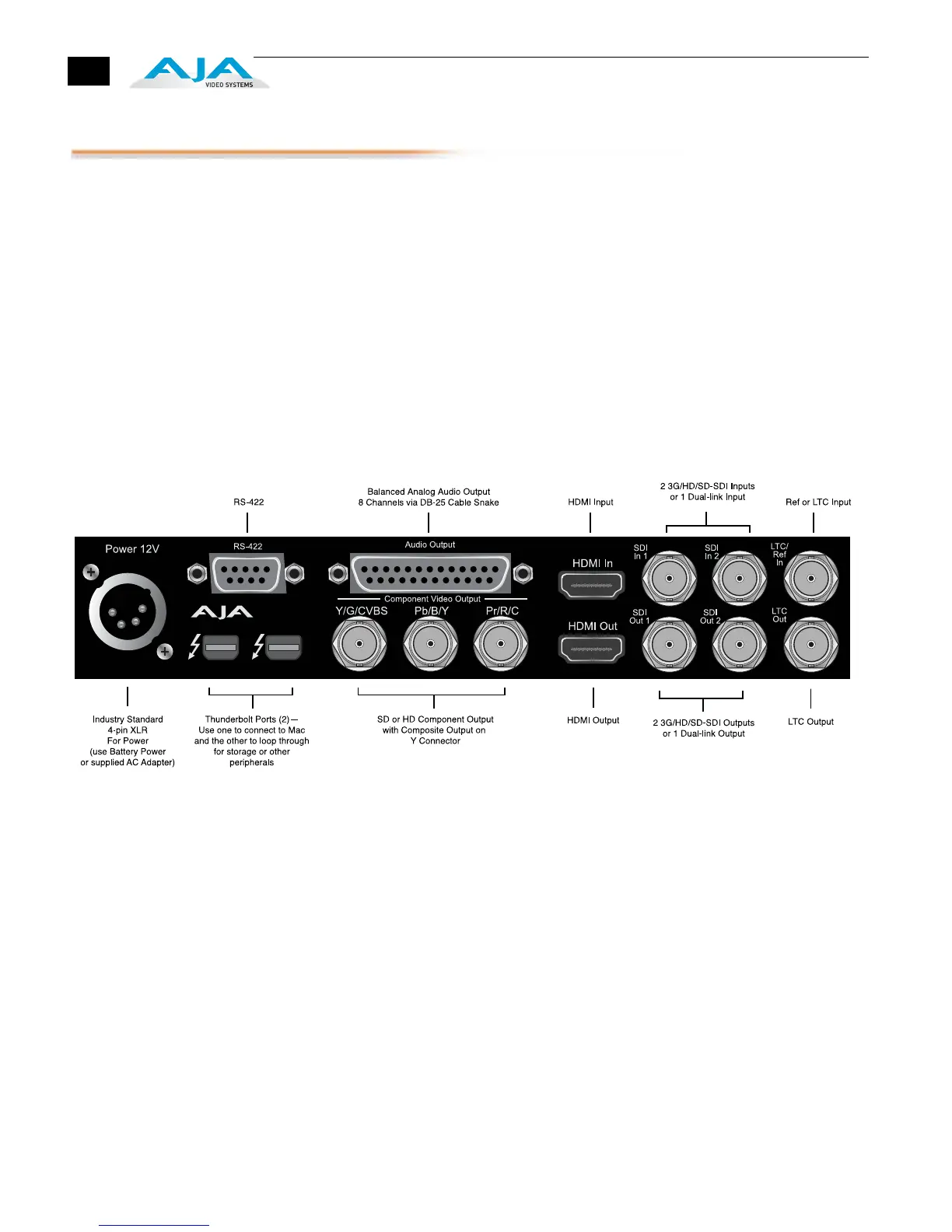
1. With your computer off, connect a Thunderbolt cable to one of the two
Thunderbolt ports
2. Connect the other Thunderbolt port to storage or other desired peripherals.
3. Assemble the Power Adapter and cable and connect to the Io XT 12V Power
connector.
4. Connect your desired Video I/O, Audio monitoring, reference, and machine
control cables. (Refer to Cabling the System following.)
5. Connect the Power Supply to AC power and turn on Io XT using the front
power switch.
Note: Ensure that the Apple, Adobe, or other software you are going to use has
been installed and used at least once before proceeding to the installation of Io
XT software. It is always a good idea to verify you have the most up-to-date
release of your AJA software by checking the AJA support site:
http://www.aja.com/support/io/io-xt.php
Io XT Connections


 To Next Page