1
35
Io XT Installation and Operation Manual — Control Panel Operation
Dual Stream Options:
Dual Link—output (SMPTE 372M) using SDI 1 and SDI 1 in concert.
3Gb—output (SMPTE 424M) using a single-link transport.
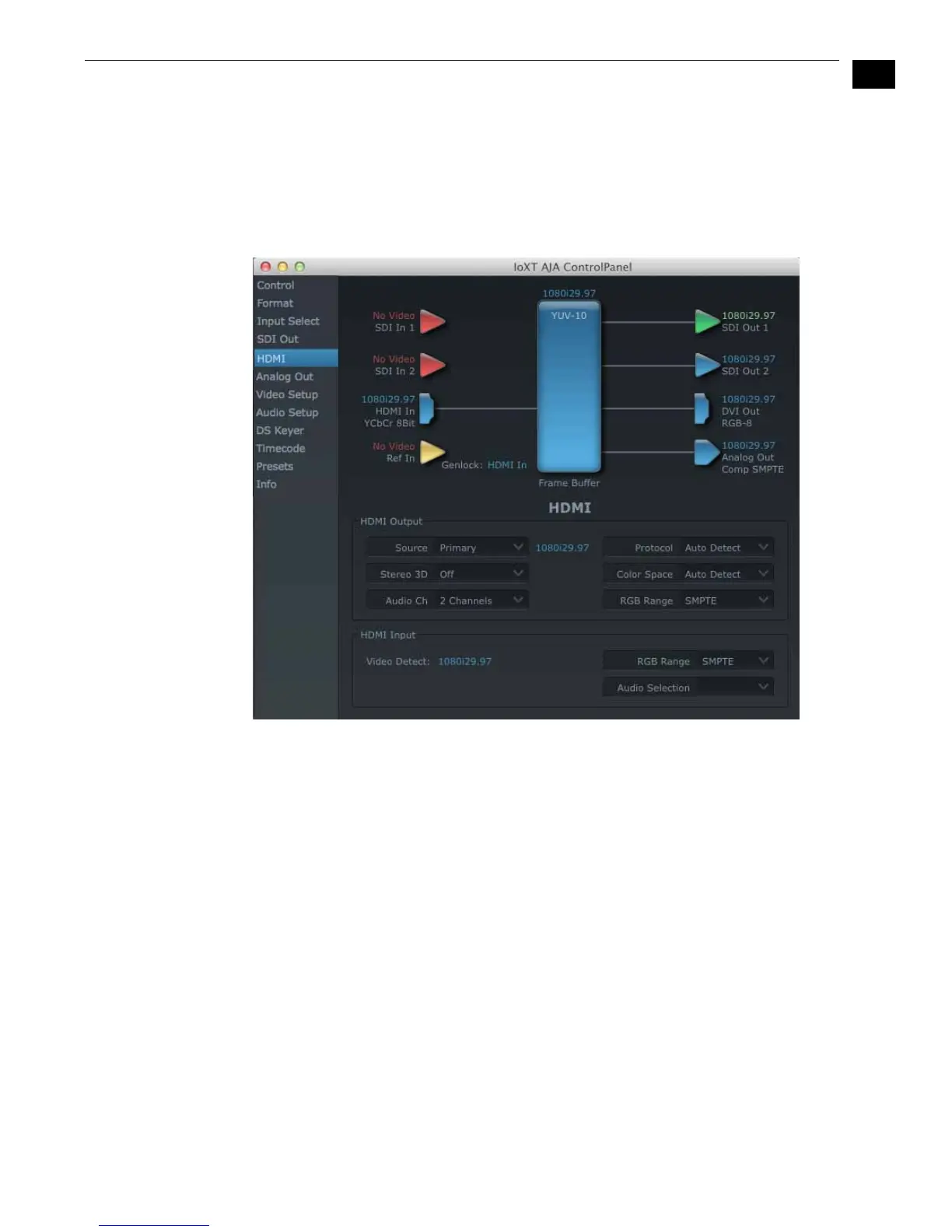
HDMI Tab Screen The Io XT’s HDMI input and output are shown and configured at this tab screen.
AJA Io XT HDMI, HDMI Tab
HDMI Output Settings—the Source pulldown menu allows you to select either the
primary video format (framebuffer) or a secondary one (up/down/cross-
conversion).
Pulldowns are also provided for configuring the video output range, color space
and number of embedded audio channels (2 or 8) for the HDMI output. A Protocol
pulldown allows you to choose either “HDMI” or “DVI” protocol—use DVI if you’re
outputting to a DVI monitor using an HDMI to DVI adapter.
A pulldown menu for 3D output allows you to select either Side-by-Side or Top-
Bottom (Stacked) output of left-eye and right-eye signals.
Note: This selection must agree with format selection in the third-party CineForm
Codec (NOT included with AJA Io XT) pulldown menu.
Audio Channels—an Audio Channel pulldown allows you to select the number of
embedded audio channels for the HDMI output.
HDMI Input Settings—the detected HDMI input video format is displayed and you’re
given a chance to configure the RGB range (SMPTE or FULL) and select any two
embedded channel pairs from those supplied for Final Cut Pro stereo output (if
applicable).


 To Next Page