40
Matte Color: only available when the pulldown “Frame Buffer over Matte” or
“Graphic over Matte” are selected-pressing this button brings up a color
selection dialog. The dialog provides a variety of ways to select a matte color
including a color wheel, color picker (choose from a location anywhere on the
computer screen), numeric sliders, swatches, “crayons”, and spectrums. The
matte chosen will be used as a video background under the keyed video.
Foreground pre-multiplied (checkbox): use to avoid “matte lines” and improve the
appearance of the foreground (key) being composited over the background.
Audio Out:
Frame Buffer—select audio out to be routed from the Frame Buffer.
Audio In—select audio out to be routed from the Io XT’s selected input(s).
Graphic File: this pulldown allows you to choose from any recently accessed file or
select a new file (“Load File...”), which then brings up a file dialogue. Remember
that the file raster (pixel x pixel count) should match the primary format in the
frame buffer or the secondary format if upconverting. Example: you wish to key a
logo on top of your 1920x1080 footage, the still image with alpha channel that
you load should be 1920x1080.
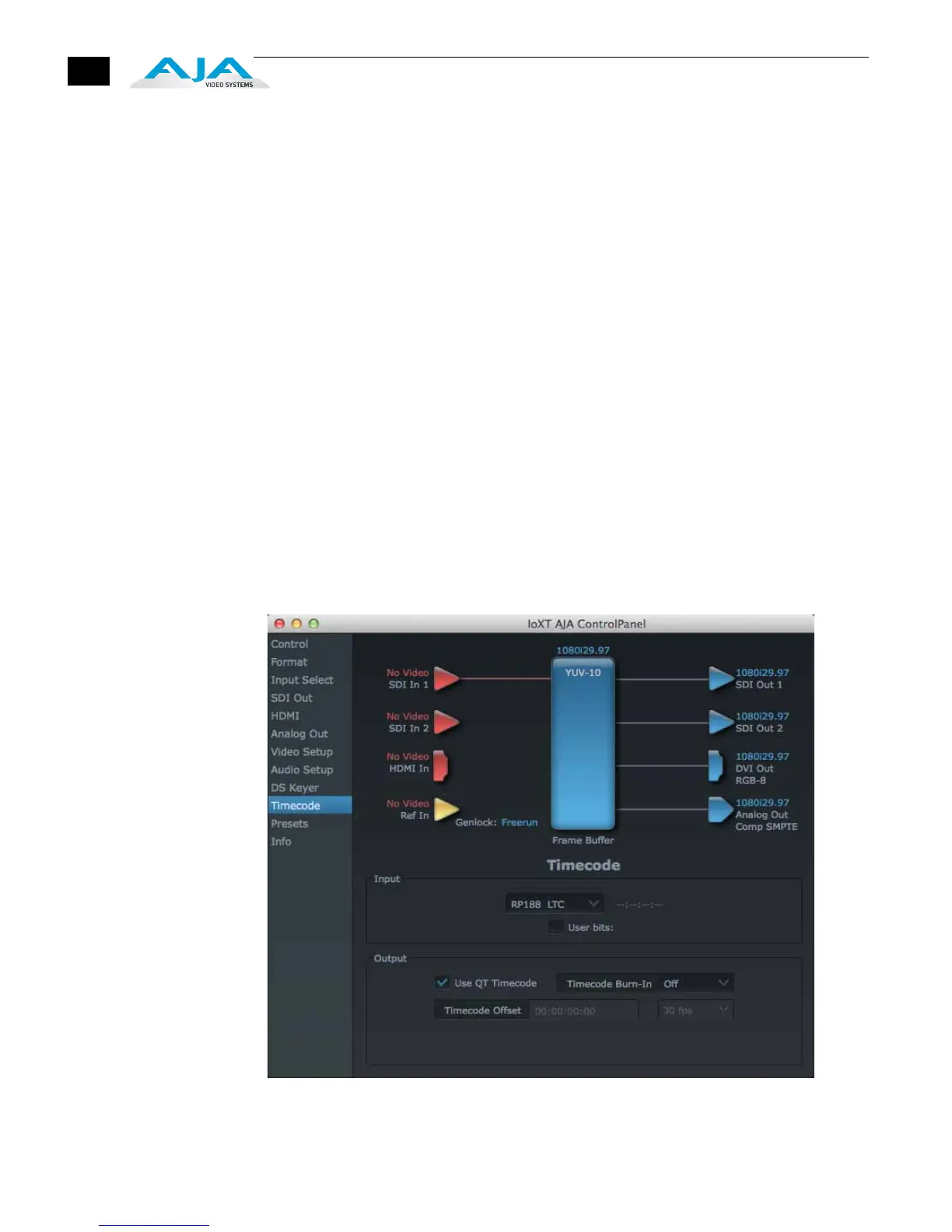
Timecode Screen The timecode screen is used for both monitoring the RP-188 timecode embedded in
the digital data stream and for selecting a timecode offset (if required) for the
attached VTR (connected to the RS-422 port)—and sent during assemble-edit mode.
Note: SMPTE 12M-2 is the updated name and specification for what was RP-188.
AJA Control Panel, Timecode Tab


 To Next Page