EasyManua.ls Logo

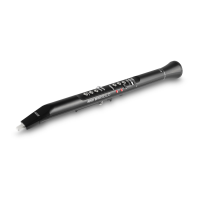
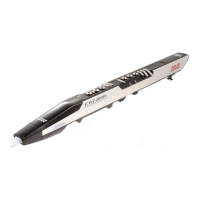
Akai EWI USB - User Manual

Akai EWI USB
32 pages
Print Icon
To Next Page IconTo Next Page
Loading...
www.akaipro.com
USB ELECTRONIC WIND INSTRUMENT
QUICKSTART MANUAL
ENGLISH ( 1 – 4 )
GUÍA DE INICIO RÁPIDO
ESPAÑOL ( 5 – 8 )
GUIDE D'UTILISATION RAPIDE
FRANÇAIS ( 9 – 12 )
GUIDA RAPIDA
ITALIANO ( 13 – 16 )
KURZANLEITUNG
DEUTSCH ( 17 – 20 )

Other manuals for Akai EWI USB

Questions and Answers

  • K
    Kevin DouglasJul 26, 2025
    What to do if Akai Musical Instrument EWI USB software does not recognize the device?
    • Y
      yharrisJul 26, 2025
      If the software isn't recognizing your Akai EWI USB, it could be due to a couple of reasons. One possibility is that the EWI USB was connected after the software application started. To fix this, restart the software application, but this time, make sure the EWI USB is already plugged in. Another reason could be that the EWI USB is plugged into a USB hub. Try unplugging it from the hub and connecting it directly to your computer. Then, close and reopen the software.
  • M
    Michael RodriguezJul 30, 2025
    What to do if there is no sound when playing Akai Musical Instrument EWI USB?
    • E
      eolsonJul 31, 2025
      If you're not getting any sound from your Akai EWI USB, there are a couple of things to check: First, make sure the volume on your computer, speakers, or headphones isn't too low and increase it, if necessary. Also, ensure that your software application is set to receive MIDI data from the EWI USB. The EWI USB should be listed as an active MIDI source in the software application (“USB Audio Device” for Windows XP users or “EWI USB” for Mac or Windows Vista users). Adjust the MIDI settings in the Preferences menu, which can be found under the Tools menu.
  • B
    brianna72Aug 5, 2025
    Why Akai Musical Instrument EWI USB LED does not light up when plugged in?
    • L
      Lawrence AnthonyAug 5, 2025
      If the LED on your Akai EWI USB isn't lighting up when you plug it in, it might not be properly connected. Ensure that the EWI USB is correctly connected to your computer's USB port and that your computer is powered on. If the issue persists, try restarting your computer and then reconnecting the EWI USB.
  • D
    David PatelAug 10, 2025
    What to do if a note will not stop playing on Akai Musical Instrument?
    • M
      Molly EstesAug 10, 2025
      If a note on your Akai EWI USB won't stop playing, it could be due to a couple of reasons. It may be a conductivity problem with the NOTE KEYS. Recalibrate the keys and sensors, making sure you are not touching any of the keys, rollers, or plates when you press it. Another possibility is a problem with the sound module. Try closing and reopening the software, ensuring the EWI USB remains plugged in.
  • A
    Amy JohnsonAug 15, 2025
    How to fix unresponsive keys, rollers, or plates on Akai Musical Instrument EWI USB?
    • K
      Kristen RayAug 15, 2025
      If the keys, rollers, or plates on your Akai EWI USB are not responsive, it could be due to a conductivity problem. Try using a very small amount of non-greasy hand lotion to improve the connection between your hands and the keys.
  • A
    Anthony FranklinAug 19, 2025
    Why is my Akai Musical Instrument EWI USB playing out of tune?
    • J
      Jonathan ChavezAug 20, 2025
      If your Akai EWI USB is playing out of tune, it might be because the NOTE KEYS were not properly calibrated upon startup. Recalibrate the keys and sensors, being sure that you are not touching any of the keys, rollers, or plates when you press it.

Summary

Introduction and Setup

Using the Software

Guides on connecting the EWI USB and configuring MIDI settings.

Basic Operation and Maintenance

Troubleshooting and Updates

Key;Sensor Recalibration

Steps to recalibrate keys and sensors for optimal performance.

Firmware Updates

Guide on how to update the EWI USB firmware.

Troubleshooting Common Issues

Common problems and their solutions for the EWI USB.

MIDI Implementation

MIDI Implementation Chart

Details MIDI message transmission and reception capabilities.

Akai EWI USB Specifications

General IconGeneral
User guideYes
Quantity per set1
TypeController
Proper useConcert/Studio
Product colorBlack
AC input voltage5 V
Weight and Dimensions IconWeight and Dimensions
Depth59 mm
Width7 mm

Related product manuals