//
==A
($
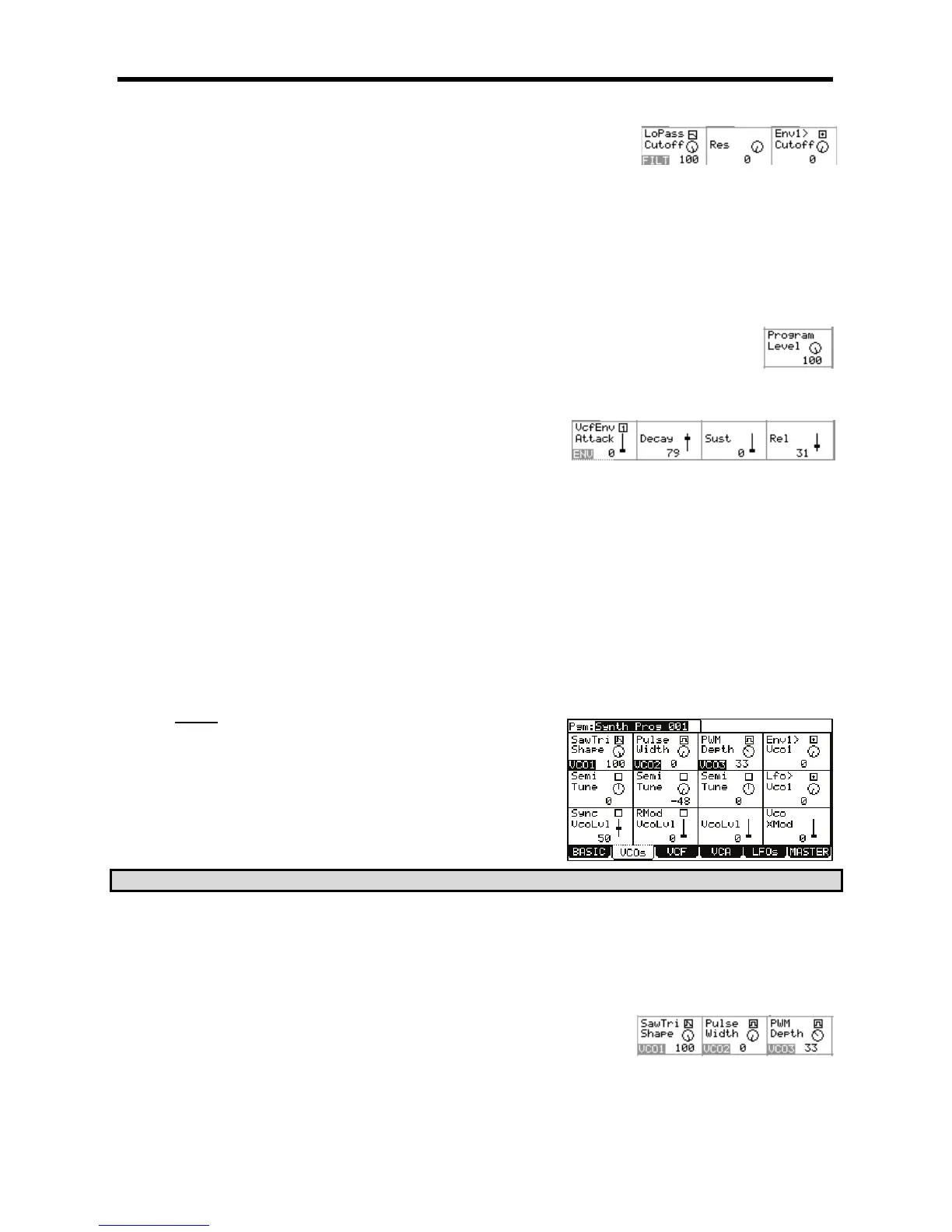
Various aspects of the filter are edited here.
+-!-%+-
This field selects one of the various filter types. For information on which filter types are available, see page 120.
+,,+
This represents the range of harmonics over which the filter operates.
++
This field determines how much boost is given to harmonics around the cutoff frequency.
+$/52,,+
This determines how much of an effect envelope 1 will have on the filter. [Q-LINK AFTER 8] button toggles whether the
effect of the envelope will be positive or negative.
I"'(I
This parameter controls the overall volume of the program.
Different aspects of the envelopes can be selected and changed here.
+ %,$/+,-6
Selects which envelope is being viewed. The parameters
below will change to reflect the state of whichever envelope is
chosen in this field.
+%&+
This parameter determines how long an envelope will take to reach maximum level when a pad is struck. Sounds ranging
from a slow swelling violin to drum-like attacks are possible by adjusting this parameter.
+.%+
This parameter determines how long the sound will take to go from the attack phase to the sustain portion of the envelope.
+!+
For Envelope 2 (VcaEnv), 'Sust' determines how long a sound will sustain after the decay portion of the envelope finishes.
For Envelope 1 (VcfEnv), 'Sust' sets the level at which the filter remains while the pad is being held after completion of
decay phase.
+-+
Sets how long a sound will decay when the pad is released.
("/
.
'
D
= -+01#
You can also create a new synth program as detailed in the previous section.
@ 4&;564+;B6)7&87+*
This will bring you into PROGRAM mode where you can edit different parameters of
your program.
C!"C-#,%1"&
G 4-@6)D&*
This will display the VCOs page. Here, the individual oscillators for a synth program can be edited. Each parameter can be selected by using the
[CURSOR] to select each field and turning the [DATA] wheel.
> 5D&
The following parameters are available to be edited.
+/+,-
This selects the waveform for each of the three oscillators. The following
shapes are available:
'Sine'
A very pure and simple tone with very little overtones. "Mellow" sounding





 To Next Page