//
=@@
D+ D+ '
% %
& %% %
D+#3
= -+01#
You can also create a new synth program as detailed in the previous section.
@ 4&;564+;B6)7&87+*
This will bring you into PROGRAM mode where you can edit different parameters of
your program.
C!"C-#,%1"&
G 4->6)D+*
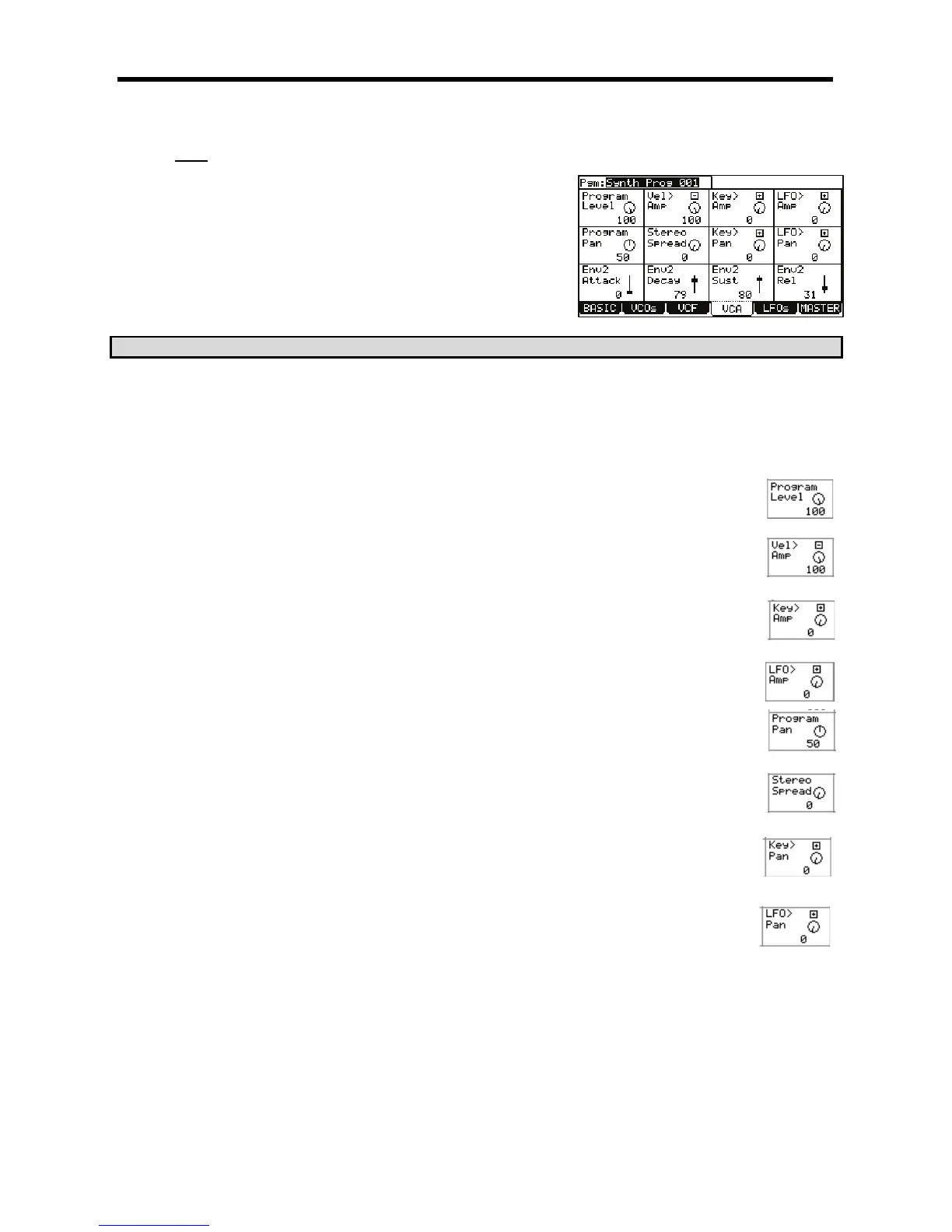
This will display the VCA page. Here, the output levels and amp envelope can be edited. Each parameter can be selected by using the
[CURSOR] to select each field and then turning the [DATA] wheel.
> 5D
The following parameters are available to be edited.
I"'(I
Controls the overall volume of the current program. This field also appears on the Basic page. See page 117 for
more information.
I(K'I
Sets how much velocity will affect the volume of the program. The corresponding Q-Link [AFTER] button toggles
whether the effect of this modulation will be positive or negative.
I:)K'I
Sets the amount that the volume of the program will track the keys. The corresponding Q-Link [AFTER] button
toggles whether the effect of this modulation will be positive or negative.
IK'I
The knob sets the amount the selected LFO will affect the volume, creating a tremolo effect. The corresponding Q-
Link [AFTER] button toggles whether the effect of this modulation will be positive or negative.
I"'"I
This parameter controls where the program's sound will play in the stereo field. 50 is center. 0 is panned hard left,
and 100 is panned hard right.
I+$+"%I
This parameter sets the stereo position of the individual VCOs. A setting of zero will have all 3 oscillators play
panned center. As the value of this parameter increases, VCO1 remains in the center, VCO2 pans further to the left,
and VCO3 pans further to the right.
I:)K"I
This selects whether keytracking will have an effect on pan. When set to 0, no panning will take place. When set to
100, the highest and lowest notes will be panned across the stereo field. The corresponding Q-Link [AFTER] button
toggles whether the effect of this modulation will be positive or negative.
IK"I
The knob sets the amount of effect the LFO will have on panning, creating a Leslie or rotary speaker type effect.
The corresponding Q-Link [AFTER] button toggles whether the effect of this modulation will be positive or negative.





 To Next Page