=@G
0
These parameters control the various aspects of Envelope 2. This
envelope affects the overall volume of the program.
+%&+
This parameter determines how long an envelope will take to
reach maximum level when a pad is struck. Sounds ranging from a slow swelling violin to drum-like attacks are possible
by adjusting this parameter. This field also appears on the Basic page. See page 117 for more information.
+.%+
This parameter determines how long the sound will take to go from the attack phase to the sustain portion of the envelope.
This field also appears on the Basic page. See page 117 for more information.
+!+
This determines how long a sound will sustain after the decay portion of the envelope finishes. See page 117 for more
information.
+-+
Sets how long a sound will decay when the pad is released. This field also appears on the Basic page. See page 117 for
more information.
I-&
I-&&%I-&
I-
= -+01#
You can also create a new synth program as detailed in the previous section.
@ 4&;564+;B6)7&87+*
This will bring you into PROGRAM mode where you can edit different parameters of
your program.
C!"C-#,%1"&
G 4-6)I-&*
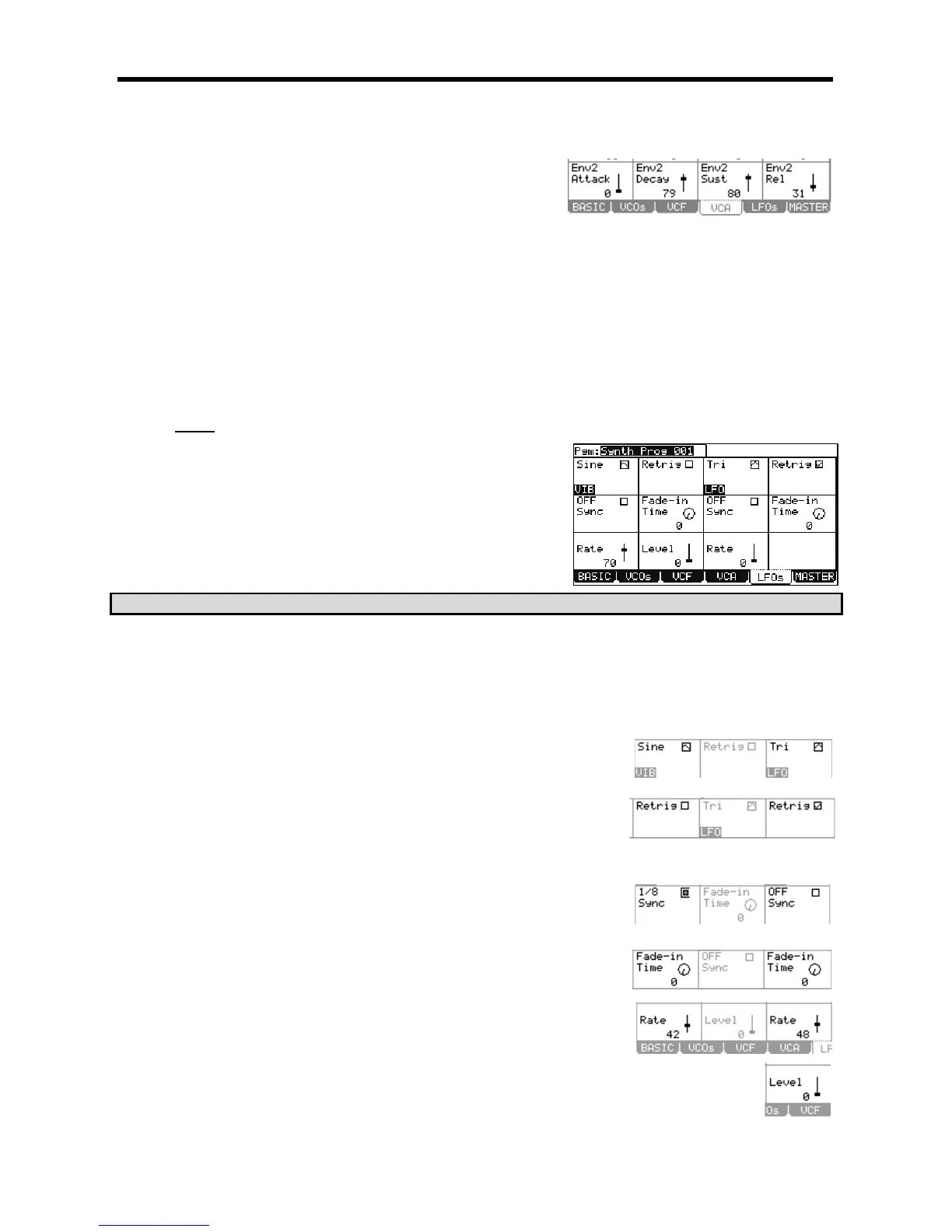
This will display the LFOs page. Here, the various parameters for the Vibrato and the LFO can be edited. Each parameter can be selected by
using the [CURSOR] to select each' field and then turning the [DATA] wheel.
> 5I-&
The Screen is divided in half. The parameters on the left are for Vibrato. The parameters on the right are for the LFO.
IG"I
This field selects which basic waveform for the LFO and Vibrato.
I$I
This setting determines if the LFO and Vibrato waveforms will run on their own in the
background, or be triggered when a key is pressed. With Retrig ON, notes with
extreme pitch fluctuations will always start from the original pitch. This is useful for
vibrato. With Retrig OFF, modulations will sound more "Natural". This is useful for
when the LFO is set to a slow rate, and you want the change to happen over a long
time as you play.
I+)#I
Selects whether the LFO will sync to MIDI. When set to YES, the 'Rate' parameter will
be hidden, and the sync parameter will display different beat synced rates from 8 whole
notes to 1/32 notes. When set to NO, the LFO will run independently from the
sequencer.
I"%>&'I
Increasing this parameter from zero will cause the LFO to increase in amplitude on a
curve. This allows the LFO effect to 'fade in', like the parameter's name would
suggest.
I"$I
These parameters control the speed of the LFO and Vibrato. When the 'Sync'
parameter is set, the 'Rate' controls are hidden.
I(I98"$();
This parameter controls the amount of vibrato that is applied to the program.





 To Next Page