//
=@>
+&
#3
= -+01#
You can also create a new synth program as detailed in the previous section.
@ 4&;564+;B6)7&87+*
This will bring you into PROGRAM mode where you can edit different parameters of
your program.
C!"C-#,%1"&
G 4-B6)+/57*
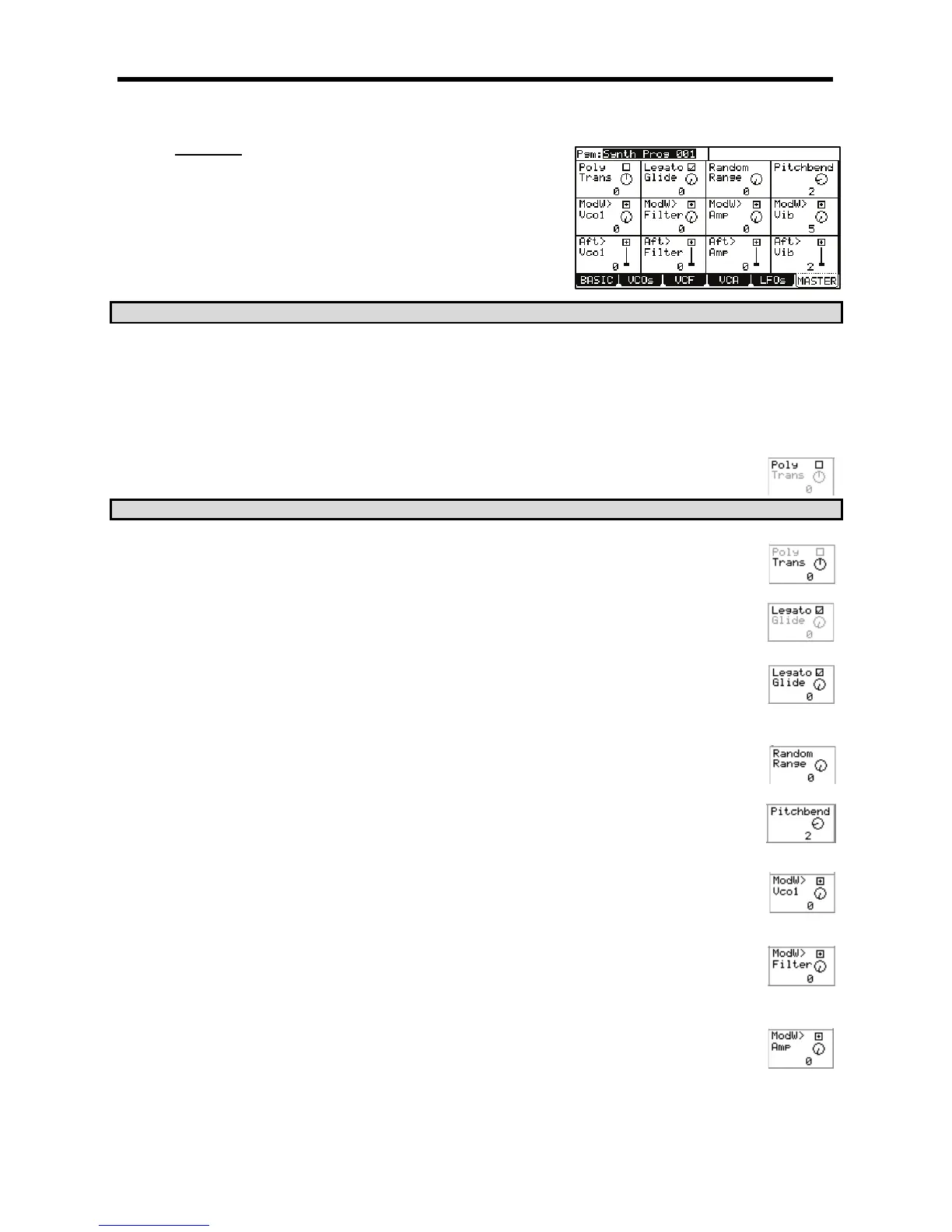
This will display the Master page. Here, global parameters for a synth program can be edited. Each parameter can be selected by using the
[CURSOR] to select each field and turning the [DATA] wheel.
> 5
The following parameters are available to be edited.
I#%I93;
'Voice Mode' selects whether the synth program will play polyphonically or monophonically. Selecting this parameter
will toggle between MONO and POLY. When set to MONO, the program will only play one note at a time. This is
useful for bass or lead style playing. When set to POLY, many notes can be played at once.
#<K<K&
I&"I
'Transpose' sets the base pitch of the program in semitones. A program can be transposed up or down to four
octaves (48 semitones).
I"$I
When 'legato' is turned on, playing a pad and pressing another pad will change pitch to the newly pressed pad
without retriggering the envelopes. This is useful for lead-style programs.
I<(%I
This selects the Glide time of the program. Glide will lag the change in pitch from one note to another when a
second note is played. This parameter selects how long it takes to glide from one note to another. This is useful for
lead-type sounds and sound effects when the program is set to MONO. When a program is set to POLY, new notes
will glide from the last note released.
I"%'"I
Controls the amount of random detuning for the VCOs. This is good for simulating older, less stable analog style
synthesizers. Random Range is useful for fattening up pads, leads, and all sorts of other synth type sounds.
I$#.8%I
This parameter sets the Pitchbend range in semitones for use with an external MIDI controller's Pitchbend wheel.
Up to 12 semitones (one octave) can be set.
I%GK#I
This parameter selects the degree in which the modwheel will affect the pitch of VCO1. The higher the value, the
higher the pitch of VCO1 will increase. The corresponding Q-Link [AFTER] button toggles whether the effect of this
modulation will be positive or negative. Modwheel events can be received via MIDI from a keyboard or as control
changes from a sequencer.
I%GK($I
This parameter selects the degree in which the modwheel will control the filter. The higher the value, the more open
the filter will become. The corresponding Q-Link [AFTER] button toggles whether the effect of this modulation will be
positive or negative. Modwheel events can be received via MIDI from a keyboard or as control changes from a
sequencer.
I%GK'I
This parameter selects the degree in which the modwheel will control the program volume. The higher the value, the
more the modwheel will increase the volume of the program. To get the most out of this parameter, reduce the
'Program Volume' parameter and turn up 'ModW>Amp'. The corresponding Q-Link [AFTER] button toggles whether
the effect of this modulation will be positive or negative. Modwheel events can be received via MIDI from a keyboard
or as control changes from a sequencer.


 To Next Page
 Loading...














