9;75&7;
C
=%$(
.#
3
= /75&7;4-@6
@ 401;&60F;&1
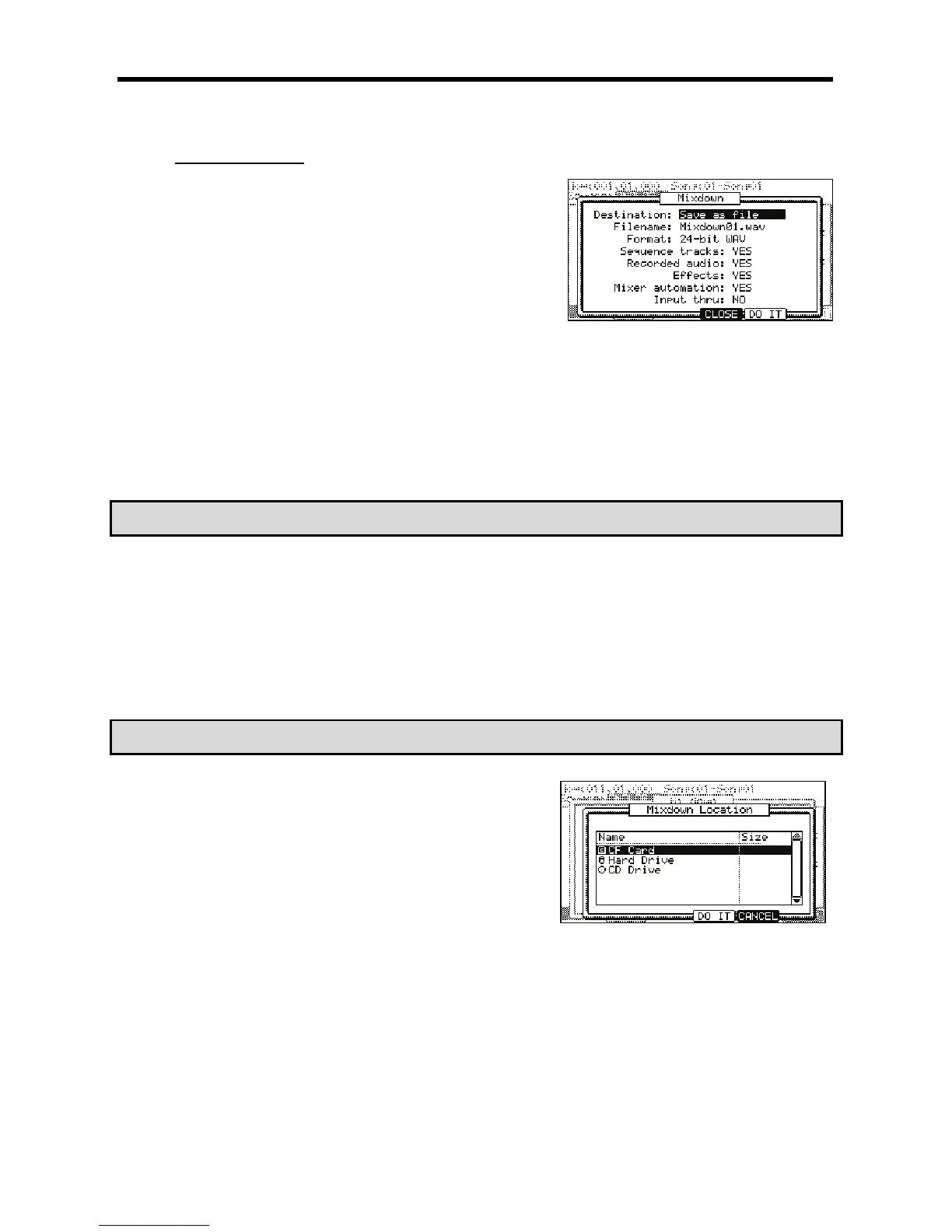
The page shown on the right will be displayed.
G 0,;,#,/%,
> 0,-,#.
For more information on naming, see page 18.
-,-,#=B@>'
If you will be burning this track to a CD, select 16-bit. If you will be importing the file into a 24-bit capable audio application, select 24-bit.
B /.
You can select from the following parameters. Each parameter can be set to 'YES' or 'NO'.
+1#&"#
Internal Sequence tracks will be included in the mixdown. This includes all tracks created using internal programs such as drums,
virtual analog synth programs, etc.
4 / / & / /
'!+)$+4-%/#&
#%%%
The eight Hard Disk tracks will be included in the mixdown.
//#$
Effects will be included in the mixdown.
=$'"$
Mixer automation will be performed on the mixdown.
6$&.
The input thru will be recorded as the mixdown is performed.
#''#!+)B5-%&'
/&
C 4-6);&0*
The MPC5000 will begin mixing down the track. You will be able to monitor the
mixdown by listening to either the [STEREO OUT] or by listening through the
[PHONES] jacks. At any time, you may cancel the mixdown by pressing the [F4]
(CANCEL) button.
When the mixdown is complete, you will be asked for a location to save the
mixdown.
A /%%.
K 4-6);&0*
The mixdown will be saved.





 To Next Page