."$-D #$/""%
=B%0#
%
( #
(
+$#."%8"
=B#B>
I5;)+
;*(4+;(+1E6#
((((/#$9EF8$$;
J % %
#4-:III5D5I6#
. %
%
04-:II I5D5I6#I5; #
% % % #
4-:III5D5I6
4((/#$9E4F8$$;
J=B%=B
= 9=B%
@ 4=BI5D5I/6
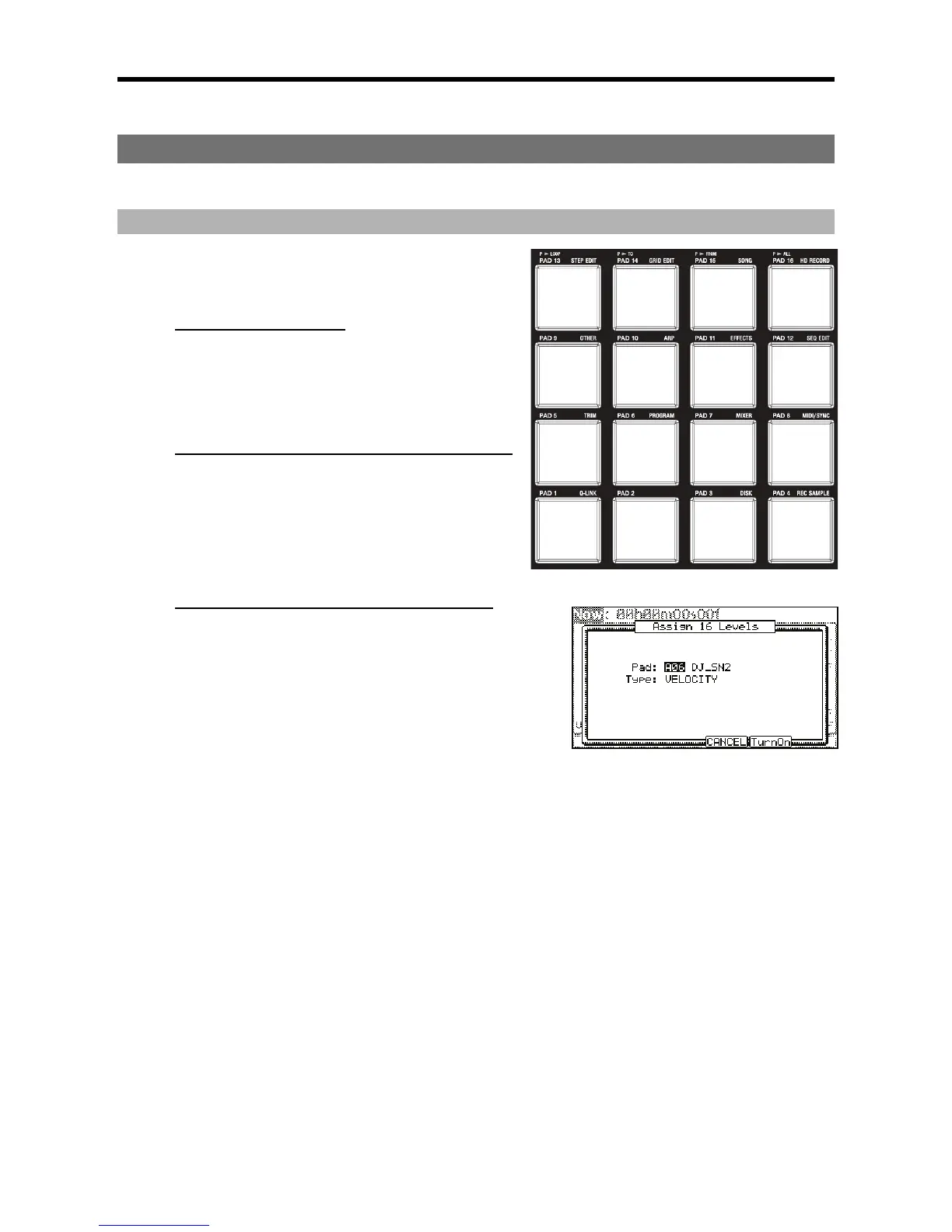
The Assign 16 Levels window will be displayed.
The 'Pad' field displays the pad you selected in step 1.
G 0 ,, #
=B%
You can select the following parameters;
6&
The MPC5000 will play the velocity in 16 levels.
&
The MPC5000 will play a single pad in a sample program by varying pitch in 16 levels by semitone.
6&
The MPC5000 will play the filter cutoff value in 16 levels.
The MPC5000 will play the layer value in 16 levels.
5
The MPC5000 will play the decay value in 16 levels.
&&:
The MPC5000 will play the attack value in 16 levels.
When TUNE is selected, the Original key 'Pad' field will be displayed. In this field, you can specify the pad that plays the original key pad.
> 4-6)&1*
The window closes and the LED of the [16 LEVELS] button is turned on, which indicates you can play in 16 levels. Pressing the [16 LEVELS]
button turns its LED off and deactivates the 16 levels function.





 To Next Page