EasyManua.ls Logo

Akai Reference Master GX-75 - Page 9

Akai Reference Master GX-75
55 pages
Print Icon
To Next Page IconTo Next Page
To Previous Page IconTo Previous Page
Loading...
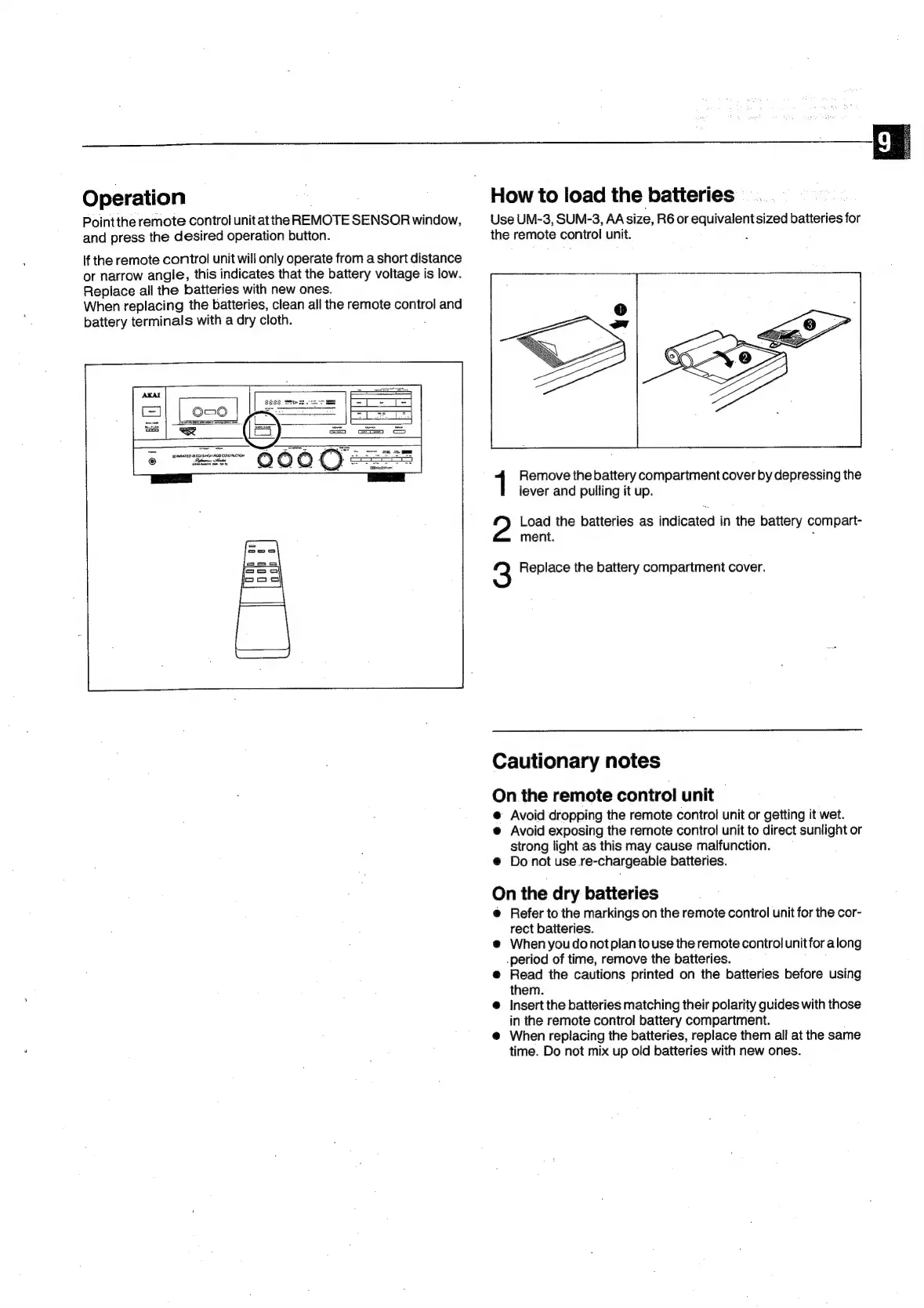
Operation
Pointthe
remote
control
unitatthe
REMOTE
SENSOR
window,
and
press
the
desired
operation
button.
If
the
remote
control
unit
will
only
operate
from
a
short
distance
or
narrow
angle,
this
indicates
that
the
battery
voltage
is
low.
Replace
all
the
batteries
with
new
ones.
When
replacing
the
batteries,
clean
all
the
remote
control
and
battery
terminals
with
a
dry
cloth.
:
PhS
MOT
SEPMAATED
OCKSHEH!
AGO
CONSIALCTON
How
to
load
the
batteries
Use
UM-3,
SUN-3,
AAsize,
R6or
ee
batteries
for
the
remote
control
unit.
1
Remove
the
battery
compartment
cover
by
depressing
the
lever
and
pulling
it
up.
Load
the
batteries
as
indicated
in
the
battery
compart-
ment.
3
Replace
the
battery
compartment
cover.
Cautionary
notes
On
the
remote
control
unit
@
Avoid
dropping
the
remote
control
unit
or
getting
it
wet.
@
Avoid
exposing
the
remote
control
unit
to
direct
sunlight
or
strong
light
as
this
may
cause
malfunction.
@
Donot
use.
re-chargeable
batteries.
On
the
dry
batteries
@
Refer
to
the
markings
on
the
remote
control
unit
for
the
cor-
rect
batteries.
@
When
you
donotplan
to
use
the
remote
control
unitfor
along
._period
of
time,
remove
the
batteries.
@
Read
the
cautions
printed
on
the
batteries
before
using
them.
@
Insert
the
batteries
matching
their
polarity
guides
with
those
in
the
remote
control
battery
compartment.
@
When
replacing
the
batteries,
replace
them
all
at
the
same
time.
Do
not
mix
up
oid
batteries
with
new
ones.

Related product manuals